
Butternut AI Blog
9 Canva Portfolio Builder Alternatives to Try in 2026
Canva is great for design, but it falls short as a dedicated portfolio builder. Here are the 9 best Canva portfolio builder alternatives compared.
Introduction
Canva has become the go-to design tool for a huge number of people, and it's easy to see why. With 250,000+ templates and a capable AI suite in Magic Studio, it covers a lot of ground, from social graphics to presentations to basic websites. If you've been using Canva for your design work, using it to build a portfolio feels like a natural next step.
That said, Canva was built as a design tool first. The portfolio experience is bolted on, and the gaps start to show quickly once you try to do anything beyond a basic single-page showcase. If you've run into limitations and are looking for something better suited to the job, this guide breaks down the 9 strongest alternatives available right now.
TL;DR
- Best overall alternative: Butternut AI
- Best for developers: Manus
- Best for designers: Figma Make
- Best for fast publishing: Gamma
- Best budget option: Codedesign.ai
- Best for data-rich portfolios: Visme
Why You Might Be Looking For a Canva Portfolio Builder Alternative
- Canva Websites isn't built for portfolio structure: There's no native concept of a project page, case study layout, or process documentation. You're essentially working around a general-purpose design tool to build something it wasn't designed for.
- No analytics or lead tracking: Portfolio sites published through Canva don't come with built-in visitor analytics or lead capture tools. You have no way to see who's looking at your work or how they're engaging with it.
- Limited SEO controls: Canva only lets you set basic meta descriptions. You can't edit title tags per page, set up structured data, or do anything meaningful for search visibility beyond the bare minimum.
- No vector editing or complex layering: For precise design work, Canva hits a ceiling. There's no vector adjustment, complex layering, or fine-grained control over how elements are structured, which matters if you're a designer trying to show off polished work.
9 Best Canva Portfolio Builder Alternatives in 2026
| Tool | Custom Domain | Hosting Included | Resume Parsing | AI Article Gen | Automated SEO | Lead Capture | Starting Paid Plan |
|---|---|---|---|---|---|---|---|
| Butternut AI | Free for 1 year | $5/mo | |||||
| Manus | Yes (paid) | $20/mo | |||||
| Figma Make | Yes (paid) | Yes (Sites) | Partial | $20/mo | |||
| Gamma | Yes (Pro) | Yes (embeds) | $12/mo | ||||
| Lovable | Yes (Pro) | Basic only | $25/mo | ||||
| Emergent | Yes (paid) | Yes (paid) | $20/mo | ||||
| Visme | Yes (Pro) | Basic | Yes (embeds) | $29/mo | |||
| Wix AI Portfolio Generator | Free 1 year | $17/mo | |||||
| Codedesign.ai | Yes (all plans) | $15/mo |
1. Butternut AI
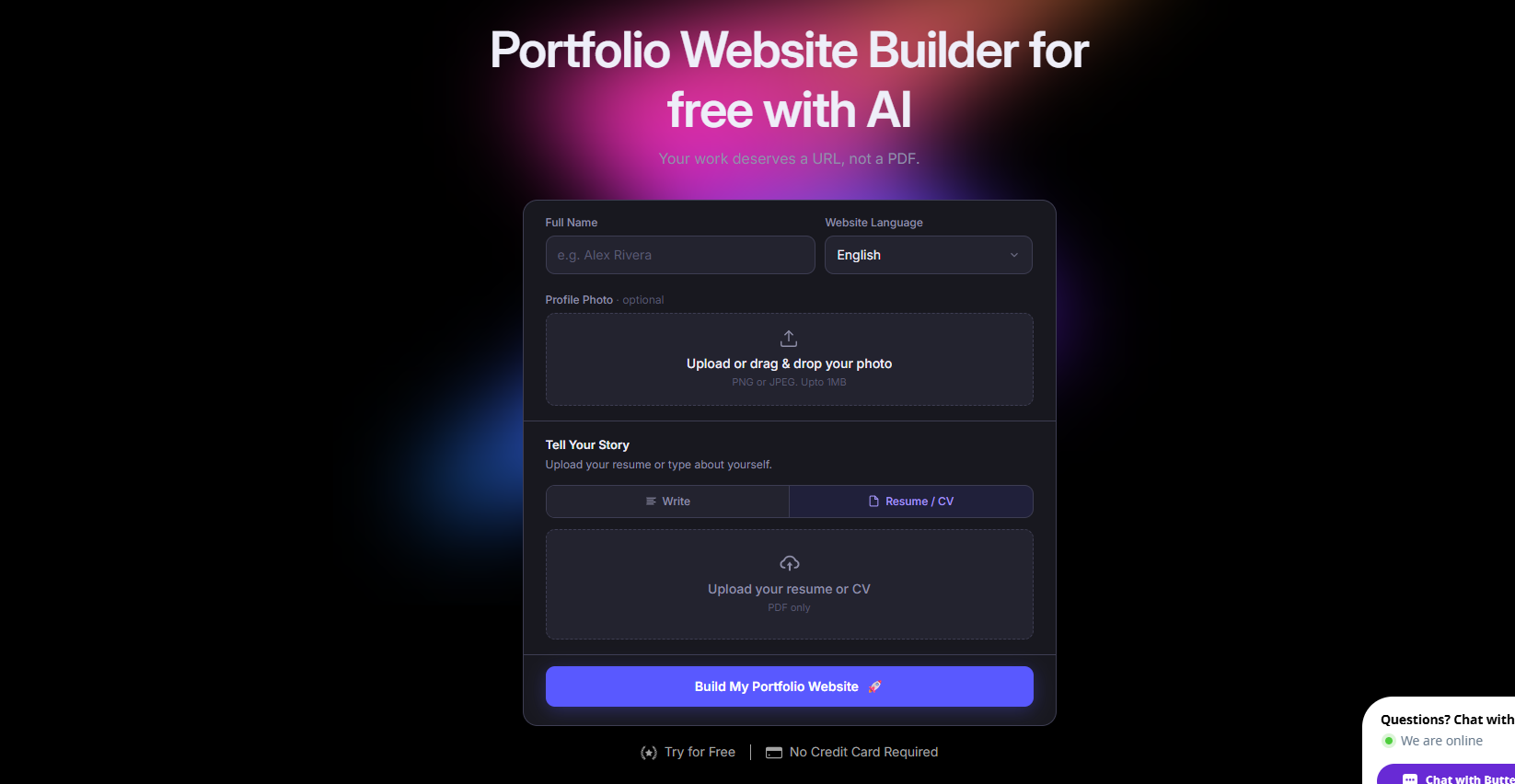
Butternut AI has a dedicated portfolio builder. You describe your work, and it generates a complete portfolio site, including structure, copy, and layout, in around 20 seconds. Where Canva asks you to adapt a general design tool to portfolio use, Butternut AI starts from the portfolio use case itself.
Built-in SEO tools, hosting, and a free domain for the first year on paid plans round out a package that handles the full journey from prompt to published site.
- Resume import to auto-populate your portfolio with your real projects and experience.
- Built-in AI blog writer that generates complete articles, useful for building SEO content over time.
- Automated SEO with meta tags, sitemaps, and keyword guidance built in from the start.
- A free custom domain for the first year on paid plans.
Best For: Freelancers, creative professionals, photographers, designers, and consultants who want a professional portfolio site live quickly without building it from scratch.
Pricing:
| Plan | Price |
|---|---|
| Free | Available (no custom domain) |
| Starter | $5/mo |
| Pro | $12/mo |
2. Manus
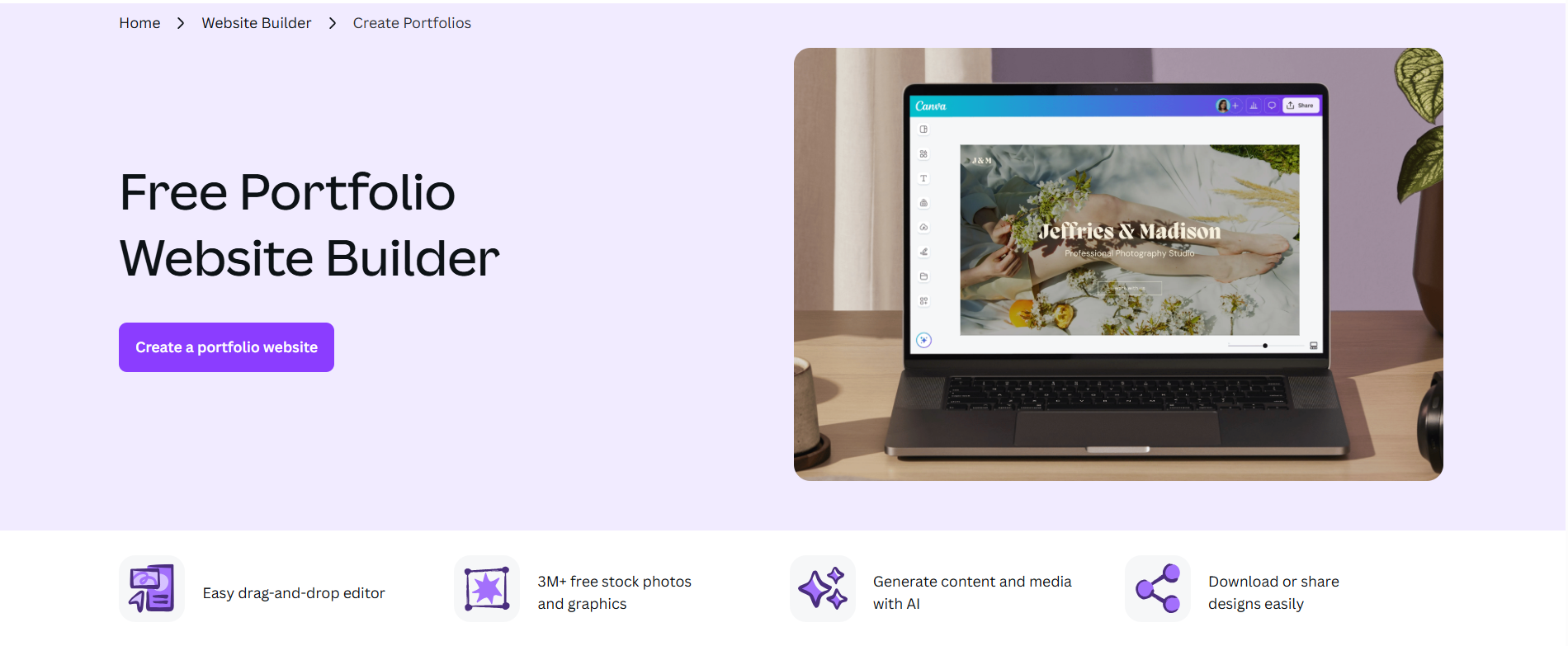
Manus is an autonomous AI agent that builds full-stack portfolio websites from conversational prompts. It researches design trends and principles before generating anything, which means the output tends to feel more considered than a standard AI site generator. For portfolio builds specifically, it generates backend, database, code, and deployment configurations automatically from a single conversation.
Compared to Canva, where you're dragging elements around a canvas, Manus handles the entire technical stack. The trade-off is that it's general-purpose software built for app development, so portfolio use works well but you're using a tool with far more capability and cost than the use case strictly requires.
- Conversational AI agent that researches design trends before building, not just a template fill-in.
- Full-stack portfolio generation where frontend, backend, database, authentication, and hosting are all auto-configured.
- Figma-to-site integration that lets you bring existing design work directly into the build process.
- Stripe payment integration if your portfolio doubles as a client-facing service page.
Best For: Developers, technical creatives, and product builders who want a portfolio that functions as a full web app and are comfortable with a credit-based workflow.
Pricing:
| Plan | Price |
|---|---|
| Free | $0 (300 daily refresh credits, 1 concurrent task) |
| Standard | $20/mo |
| Customizable | $40/mo |
| Extended | $200/mo |
3. Figma Make
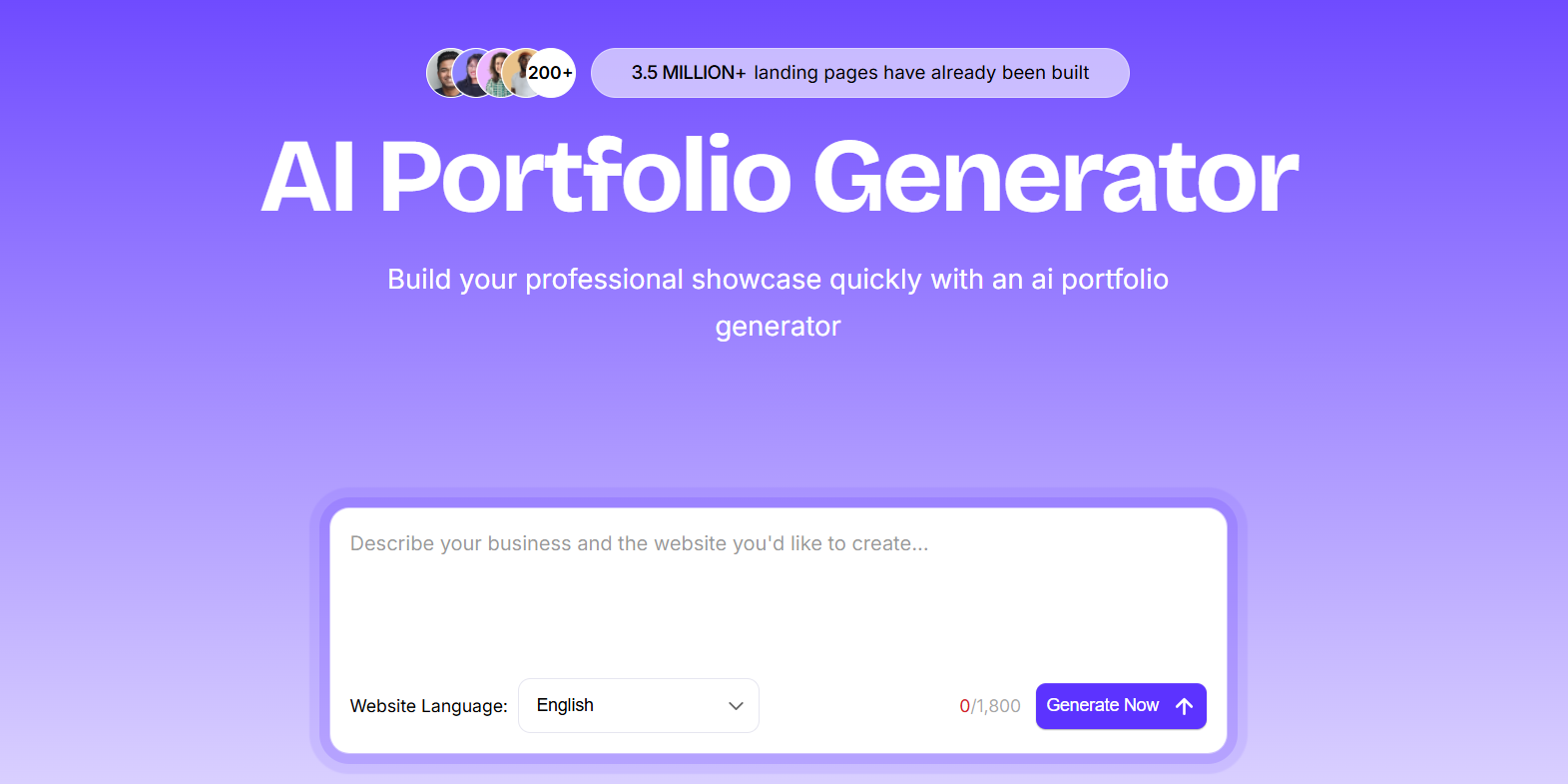
Figma Make is the AI builder built directly into Figma, generating UI screens and full portfolio sites from text prompts within your existing design workspace. For designers who already work in Figma, it removes the friction of moving work between tools. You can go from design file to published live site without ever leaving the platform, using your existing component libraries and brand assets, which means the AI-generated output is already on-brand from the first draft.
Figma Make is for designers who want precise control, component systems, and collaborative design workflows. The Figma Sites feature lets you publish directly from your design file, and the MCP server integration means AI coding tools can read your Figma layouts and generate matching code.
- Prompt-to-UI generation using your actual Figma component libraries so output matches your existing brand and design system.
- Figma Sites that publishes your design as a live portfolio directly from the Figma file.
- MCP server integration that allows AI coding tools to read and interpret your Figma layouts for code generation.
- Supabase database integration for live data display within portfolio projects.
Best For: UI/UX designers, product designers, and design teams already working in Figma who want to publish portfolio sites without switching tools.
Pricing:
| Plan | Price |
|---|---|
| Starter | Free (150 AI credits/day) |
| Professional (Full seat) | $20/mo |
| Dev seat | $12/mo |
| Organization | $55/mo per seat (annual only) |
| Enterprise | $90/mo per seat (annual only) |
4. Gamma
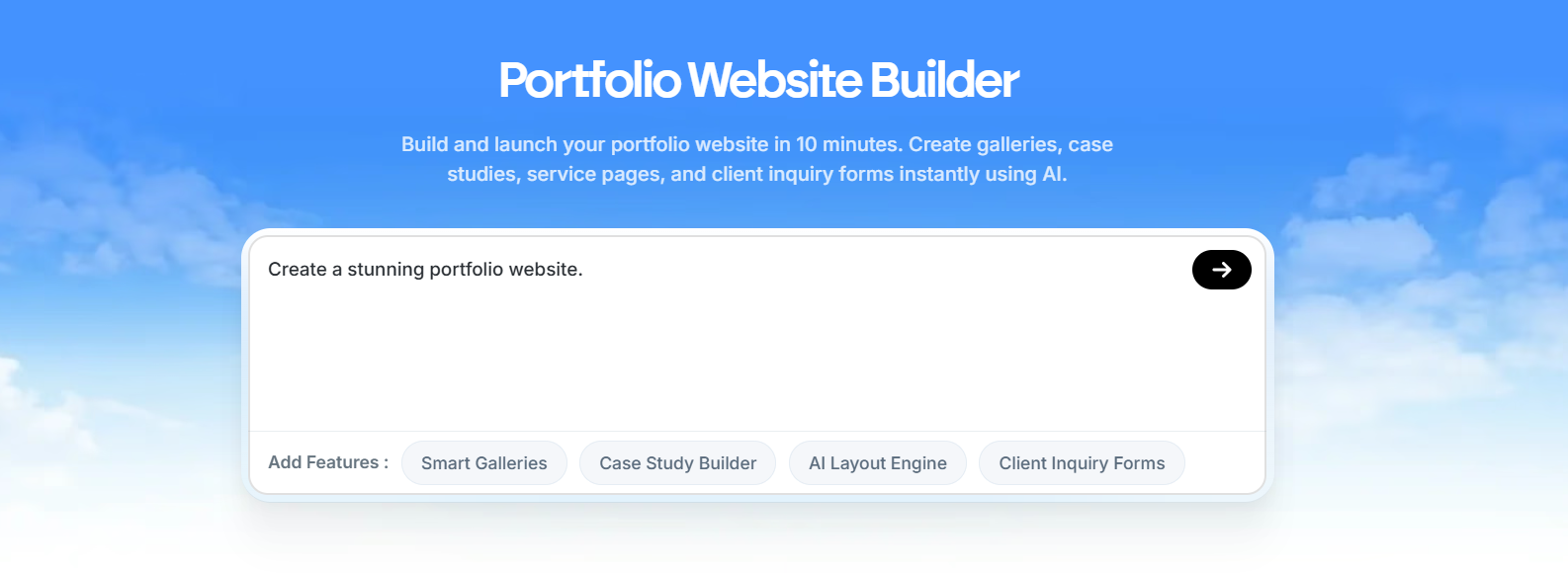
Gamma started as a presentation tool and has grown into a platform with strong traction. For portfolio use, it generates web-native portfolio pages, landing pages, and case study sites from a prompt or an uploaded document in under 60 seconds. If you have existing work documented in a PDF, Word doc, or presentation deck, Gamma can turn it directly into a published portfolio page with no rebuild required.
Both Canva and Gamma handle presentations, documents, and web publishing, but Gamma's card-based web format is better suited to portfolio case studies than Canva's drag-and-drop canvas.
- Google Indexing available on published sites for search visibility.
- Real-time collaboration with teammates or clients.
- Integrations with Typeform, Tally, and Calendly for embedding contact and booking forms into portfolio pages.
- API access on Pro plans for programmatic portfolio generation.
Best For: Content creators, consultants, educators, marketers, and professionals who need a polished portfolio or case study site live quickly and already have source material in document or presentation format.
Pricing:
| Plan | Price |
|---|---|
| Free | $0 (400 AI credits, Gamma branding) |
| Plus | $12/mo |
| Pro | $25/mo |
| Ultra | $100/mo |
5. Lovable
Lovable lets you build a portfolio that actually does something. That means forms that capture leads, authentication for gated case studies, a contact system backed by a real database. That's where it separates from Canva. Canva gives you a nice-looking static page. Lovable gives you a working web application.
- Full-stack portfolio app generation using React, TypeScript, and Supabase from a natural language prompt.
- GitHub sync so your code is always exportable and never locked to the platform.
- 3D viewer for showcasing product designs, architectural work, or interactive portfolio pieces.
- Figma design import that converts your existing mockups into working components.
- Visual editor for no-code UI adjustments after the initial generation.
Best For: Developers, indie makers, product designers, and technical creatives who want a portfolio that functions as a full web app rather than a static site.
Pricing:
| Plan | Price |
|---|---|
| Free | $0 (5 credits/day, public projects only) |
| Pro | $25/mo |
| Business | $50/mo |
| Enterprise | Custom pricing |
6. Emergent
Emergent builds full-stack web and mobile applications from simple prompts, with built-in GitHub integration, private hosting, database, and authentication. The differentiator is that you can build a portfolio that works as both a responsive web app and a standalone mobile app from a single prompt.
Where Canva gives you a static web page, Emergent gives you a deployed full-stack application on SOC2-certified infrastructure. The task forking feature is useful when you're iterating on a portfolio build and don't want to lose a version that was working.
- Full-stack web and mobile app generation from a single prompt so your portfolio can be both a website and a mobile app.
- GitHub integration with private repository support on paid plans.
- Task forking that lets you branch your work before making changes so you can always roll back.
- Built-in database, authentication, and Stripe payment integration.
Best For: Developers, mobile app creators, technical freelancers, and software engineers who want a portfolio that demonstrates their work through a live, deployed application.
Pricing:
| Plan | Price |
|---|---|
| Free | $0 (10 credits/month) |
| Standard | $20/mo |
| Pro | $200/mo |
| Team | $300/mo |
7. Visme
Visme is a visual content platform that handles presentations, infographics, reports, and portfolio-style websites, with an AI design generator that builds complete designs from prompts in under two minutes. The standout capability for portfolio use is live data integration: your case studies and project metrics can pull data directly from Google Sheets, Salesforce, or HubSpot and update automatically.
For anyone building a portfolio that needs to demonstrate real performance numbers, including campaign results, sales figures, or project outcomes, that live data connection is a meaningful advantage over Canva.
- Live data integration with Google Sheets, Google Analytics, Salesforce, and HubSpot so portfolio metrics update automatically.
- Brand Wizard that automatically extracts brand assets including colors, fonts, and logo from any website URL.
- 16+ chart types including Mekko, waterfall, and Gantt for data-driven case studies.
- Presenter Studio that lets you record screen and voiceover directly within the platform.
Best For: Marketing professionals, data analysts, business consultants, sales teams, and anyone building a portfolio that needs to showcase measurable results with live data.
Pricing:
| Plan | Price |
|---|---|
| Free | $0 (limited projects, JPG download only, Visme watermark) |
| Starter | $29/mo |
| Pro | $59/mo |
| Enterprise | Custom pricing |
8. Wix AI Portfolio Generator
Wix's dedicated AI portfolio generator uses its conversational AI assistant Aria and image-clustering technology to build portfolios from uploaded media and a text prompt. It automatically categorizes your work into titled projects with AI-written descriptions, which saves considerable time if you have a large body of work to organize. The standout feature is that Wix tracks how your portfolio appears on ChatGPT, Perplexity, and Claude alongside standard Google search results.
- Conversational AI portfolio generation using Aria, combining a text prompt with media uploads to organize everything into a structured portfolio.
- AI image-clustering that automatically groups and titles your uploaded work into project categories.
- AI search visibility tracking that shows how your portfolio appears on ChatGPT, Perplexity, and Claude, unique in this category.
- Built-in email marketing, social media scheduling, and Google Analytics integration.
- Mobile app for managing and updating your portfolio from your phone.
- 900+ templates across industries and portfolio types.
Best For: Photographers, illustrators, architects, videographers, and creative professionals who want a portfolio that's discoverable across both traditional search and AI search tools.
Pricing:
| Plan | Price |
|---|---|
| Free | $0 (Wix branding + subdomain) |
| Light | $17/mo |
| Core | $29/mo |
| Business | $36/mo |
| Business Elite | $159/mo |
9. Codedesign.ai
Codedesign.ai is an AI website and portfolio builder that generates clean, responsive portfolios from a prompt in seconds, with a drag-and-drop editor for post-generation tweaks. The thing that makes it genuinely different is the publishing flexibility. You can push your portfolio to CodeDesign's cloud hosting, export it to WordPress via a plugin, or download the full HTML/CSS and React code, all from the same tool.
For people who've been using Canva as a portfolio workaround, Codedesign.ai is a more purpose-fit option at a similar price point.
- AI prompt-to-portfolio generation with a drag-and-drop no-code editor for refinements.
- Publish to CodeDesign hosting, custom domain, or export to WordPress, three options from one tool.
- Full HTML/CSS and React code export so you're never locked into the platform.
- AI Magic that generates and rewrites copy within the builder without switching tools.
- Built-in SEO tools across all plans including the entry-level tier.
- 1,000+ templates for portfolios, landing pages, SaaS sites, and funnels.
Best For: Freelancers, small agencies, developers, and creative professionals who want flexible publishing options and clean code export without paying enterprise prices.
Pricing:
| Plan | Price |
|---|---|
| Free | Available (2-3 sites, subdomain + 1 custom domain, limited AI tokens) |
| Individual | $15/mo |
| Growth | $29/mo |
| Agency | $99/mo |
How to Make the Right Choice
The best Canva alternative for your portfolio depends on what you actually need from it. Here's what to weigh up before committing:
- Portfolio-specific structure: Generic website builders ask you to build case study layouts from scratch. Look for tools with dedicated portfolio modes, project page templates, or structured case study layouts, as they'll save you significant setup time.
- SEO and discoverability: If you want clients or employers to find your work through search, don't compromise on SEO. Look for tools with proper per-page metadata controls, sitemap generation, and ideally AI content generation to help you build supporting content.
- Hosting and domain setup: Check whether hosting and a custom domain are included in the plan you're considering, or whether they're add-ons. The headline price doesn't always tell the full story.
- Technical complexity: Some tools on this list require real technical familiarity, while others are genuinely no-code. Match the tool to your comfort level before committing.
Our Suggestion
If you want a portfolio builder that's actually designed for portfolios, not a general design tool with portfolio publishing added on, Butternut AI is one of the most complete options available right now.
The resume import means your first draft already has real content in it. The AI portfolio builder structures the site specifically for showcasing work, not just pages of text. Automated SEO, free hosting, and a custom domain in the first year are all included without add-on purchases.
You can build and test your portfolio for free. You only pay when you're ready to go live with your own domain.