
Butternut AI Blog
Durable vs Butternut AI
Planning to build a website with an AI builder and confused between Durable and Butternut AI? Here's an honest side-by-side comparison to help you pick the right one.
Introduction
If you're looking at AI website builders and have come across both Durable and Butternut AI, you've probably noticed they both promise to get you online fast without any coding. But spend a little time with each of them and it becomes clear they're built around very different ideas of what "helping you get online" actually means. Durable wants to be your entire business platform, not just your website builder. Butternut AI, on the other hand, is laser-focused on getting a great-looking website live as quickly as possible. We've tested both and broken down the differences below so you can figure out which one actually fits what you need.
Durable vs Butternut AI
| Feature | Durable | Butternut AI |
|---|---|---|
| Website generation speed | Website is pre-generated by the time the 2-minute onboarding is complete | Generates the first draft in under 20 seconds |
| First draft quality | Decent quality with relevant images and copy, though design can feel templated | Good animations, contextual copy, relevant images |
| User experience | Multi-tab workspace with a slight learning curve | One-step process, easy to learn and use |
| Post-generation customization | Via AI agent, tooltips, or section regeneration (section adding takes a separate screen) | Via AI chat, tooltips, or custom HTML |
| Design | Template-based with AI content fill | Fully AI-generated, dynamic design and layout |
| SEO support | Basic SEO tools; limited control over meta titles and descriptions | Fully automated (meta tags, sitemaps, alt text) |
| AI blog generation | ✅ (including topic suggestions) | |
| AI social media marketing | ✅ (Facebook, Instagram, LinkedIn) | |
| AI chatbot for website | ||
| Custom HTML code | ||
| Email marketing | ||
| CRM | ||
| Invoicing | ||
| Analytics | ✅ (built-in + discoverability insights) | ✅ (GA4 integration) |
| Mobile experience | Auto-responsive | Auto-responsive |
| Customer support | Live chat | Email, 1-on-1 call & live chat |
| 1-year free domain | ||
| Hosting & SSL | Included | Included |
| Pricing | Launch: $25/month Grow: $99/month | Starter: $20/month Pro: $69/month |
Durable
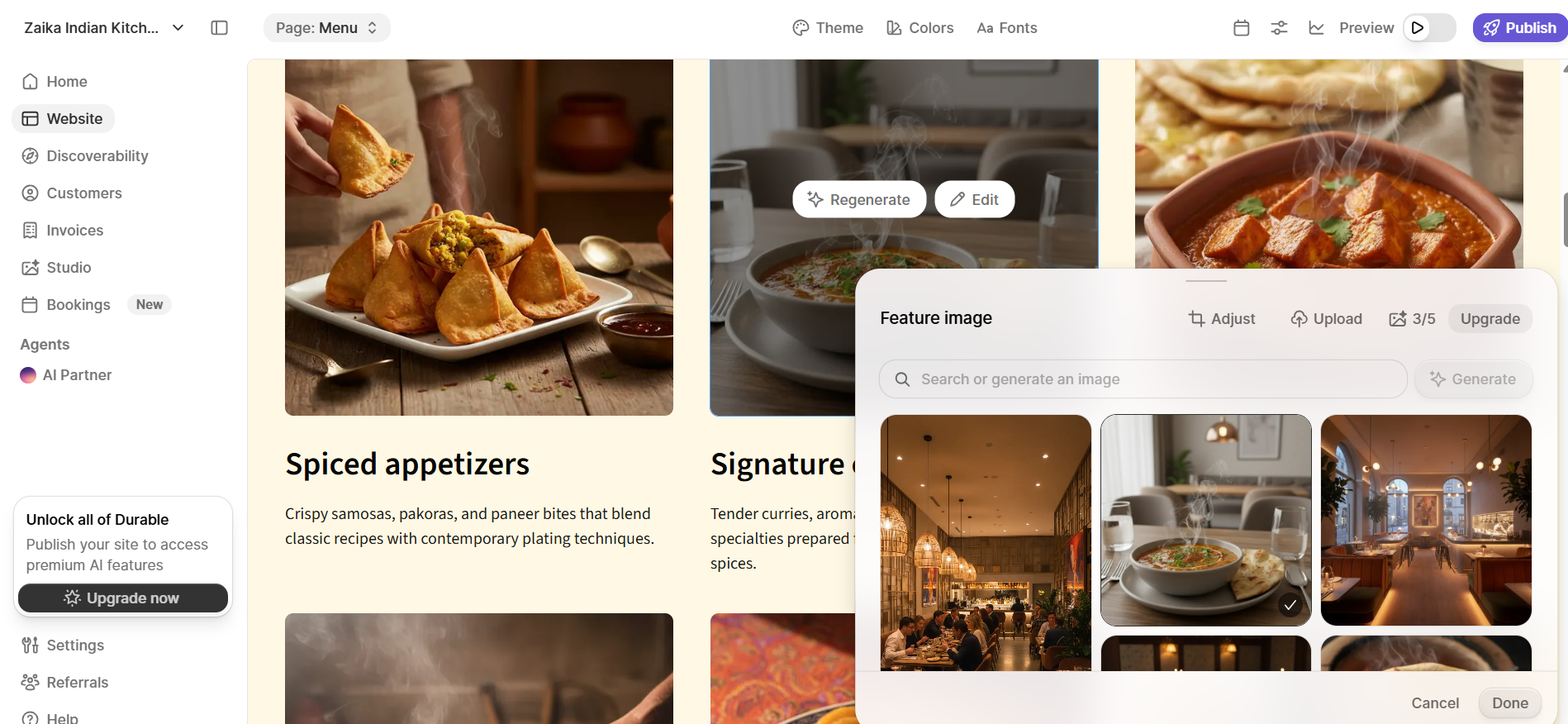
Most website builders ask you a few questions and then build you a website. Durable asks you a few questions and then builds you a business. That distinction shapes everything about the experience from the moment you land on it.
The onboarding takes around two minutes and sets up a full workspace for you, organized into tabs covering your website, discoverability, customers, bookings, and more. By the time it's done, your website is already there waiting for you. There's no separate generation step. The trade-off is that getting oriented takes a moment since you're navigating a platform that does considerably more than just host a website.
First Draft & Customization
The first draft that greets you after onboarding is decent. The images are relevant, the copy is tailored to your business type, and the overall structure is clean enough to work from. It won't stop you in your tracks the way a truly standout design might though.
Editing is handled through an AI agent in the dashboard and carries over into the website editor. You can ask it to regenerate specific images or rewrite sections of copy. One thing worth noting is that the image regeneration is noticeably faster than copy regeneration, which can feel weird.
Adding new sections works differently here. You pick from a set of categories and Durable quietly generates a set of matching visual options in the background before showing them to you, which is a clever way to avoid a visible loading state. Once you select a section, it takes anywhere from 15 to 45 seconds to appear depending on its complexity. If you want the AI to generate a completely new section from scratch rather than choose from presets, it takes you to a separate screen and the chat resets each time you go back to check the result in the editor, which breaks the flow.
Features
- A dedicated Studio tab gives you a central place to manage all your website media and generate new images without leaving the platform.
- The built-in CRM lets you store and manage customer details directly in your dashboard, removing the need for a separate contact management tool.
- Invoicing is built in, so you can create and send invoices to clients without connecting a third-party service.
- Discoverability insights show you how visible your business is in search, including a weekly AI visibility ranking.
- An AI agent is available across the platform, not just in the editor, and can analyze your business data, generate reports, and handle tasks across the workspace.
Limitations
- Some users find the customization options quite limited, with little layout flexibility and no way to make the site feel meaningfully distinct from other Durable websites.
- Some users report that SEO control is minimal, with limited ability to edit meta titles or descriptions, making the platform a poor fit if organic search is a core part of your strategy.
- No custom HTML support, which limits flexibility for users who want more control over their site's code.
- No AI chatbot for website visitors, which means capturing and responding to leads in real time requires manual follow-up.
- No email marketing tools built in.
Pricing
| Plan | Price |
|---|---|
| Launch | $25/month |
| Grow | $99/month |
Butternut AI
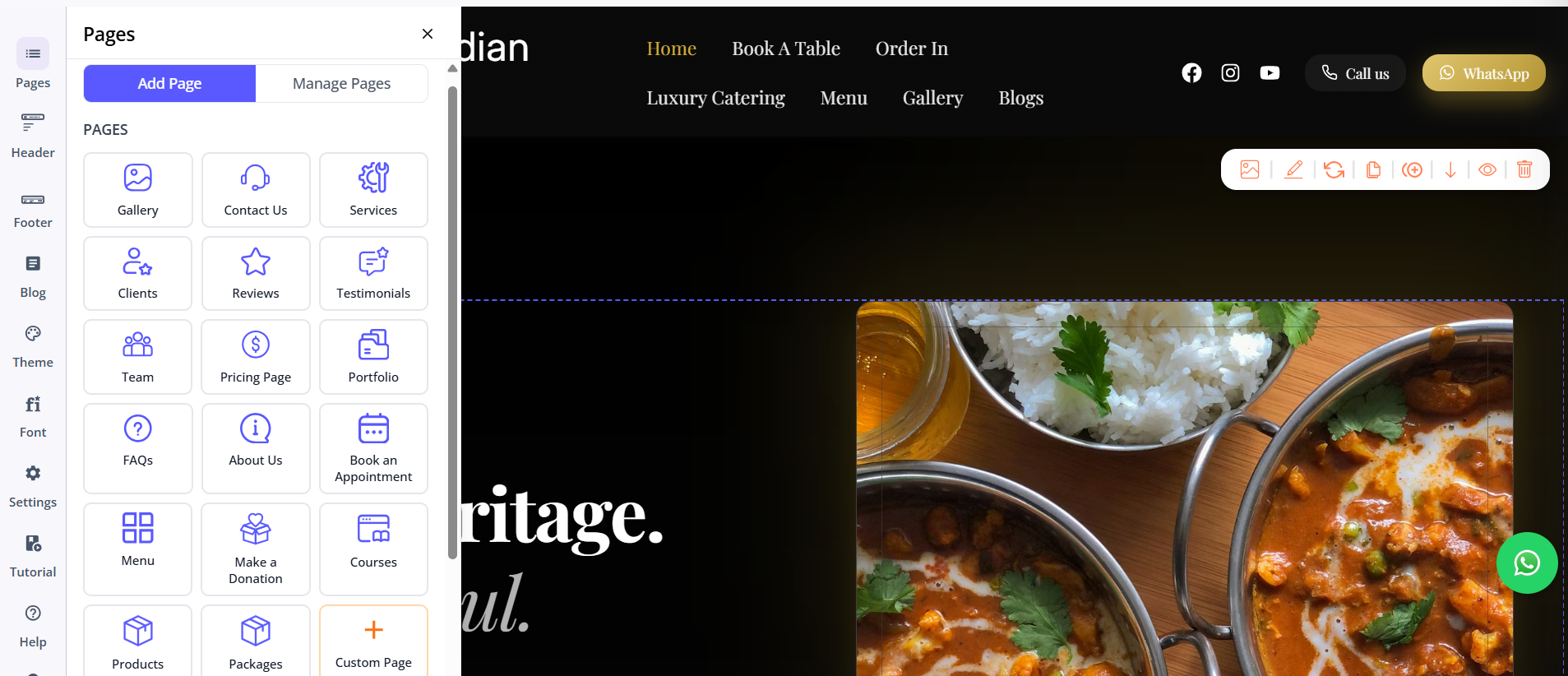
Butternut AI was built around the single, clear idea of giving anyone a great-looking website in seconds without any learning curve. There's no workspace or tabs. You type your business name and a short description of what you do (optional), and within 20 seconds your website is already generating on screen, section by section.
The setup is genuinely the simplest of any AI builder we've tested. There's no multi-step onboarding, no questions about your goals or preferences, no dashboard to configure before you get to the actual product. You describe your business and the website appears.
First Draft & Customization
The first draft is the strongest out of the box too. The copy feels written for your specific business. CTAs are placed where they make sense, the images match the context of what you do and the animations feel natural. It's the kind of first draft you can actually show someone without apologizing for it.
Customization is handled through an AI chat interface that's always present in the editor. You can ask it to rewrite copy, regenerate a specific image, or rebuild an entire section from scratch, and it handles all of it without sending you to a separate screen or resetting the conversation. Adding pages is equally simple. You choose the type of page you want and click generate. For users who need more control, custom HTML is available as an option.
Features
- An AI blog writer generates posts with built-in topic suggestions based on your business and industry.
- AI social media agents create and publish content automatically across Facebook, Instagram, and LinkedIn.
- A built-in AI chatbot handles visitor questions and captures leads around the clock.
- Fully automated SEO covers meta tags, sitemaps, and alt text without any manual input.
Limitations
- No native email marketing tools.
- No built-in CRM or invoicing, so managing customers and billing requires separate tools.
- Smaller integrations ecosystem compared to platforms with established app marketplaces.
Pricing
| Plan | Price |
|---|---|
| Starter | $20/month |
| Pro | $69/month |
Which One Should You Choose?
Both tools are genuinely good at what they set out to do, which is exactly why the choice comes down to what you actually need from them.
If you're a service business owner who wants more than just a website, Durable gives you a real head start.
But if what you're after is a great website, built fast, that looks and reads like it was made for your business specifically, Butternut AI is the stronger choice. There's also a free plan to try before committing, so the barrier to testing it is about as low as it gets.