
Butternut AI Blog
Hostinger Horizons vs Bluehost vs Butternut AI
If you're trying to build a website and you've landed on Hostinger Horizons, Bluehost, or Butternut AI as potential options, you're looking at three tools that take fundamentally different approaches to the same problem.
Introduction
Horizons is Hostinger's AI-powered builder that generates your site alongside the actual code. Bluehost takes a WordPress-first approach, using its WonderSuite AI tools to simplify what is typically a complex setup process. Butternut AI was built around AI from the start and focuses on getting a complete, professional website in front of you in the least amount of time possible.
Hostinger Horizons vs Bluehost vs Butternut AI
| Feature | Hostinger Horizons | Bluehost | Butternut AI |
|---|---|---|---|
| Website generation speed | Around 5 minutes | A few minutes to generate 3 template versions | Under 20 seconds |
| First draft quality | Simple layout, animations present, contextual copy and images | Professional-looking templates, generic default images | Strong copy, relevant images, animations, contextual CTAs |
| User experience | Prompt-based with visible code generation; code editor accessible | Guided WordPress setup with AI assistance; beginner-friendly | Single prompt, section-by-section generation, no learning curve |
| Post-generation customization | Via tooltip or AI chat; changes take 1.5+ minutes each | Drag-and-drop block editor; manual image replacement needed | Via AI chat or tooltip; fast and seamless |
| Design | AI-generated with editable code | Template-based with AI customization | Fully AI-generated, dynamic layout |
| SEO | Analytics and traffic tracking included | Yoast SEO plugin included, AI SEO suggestions | Fully automated (meta tags, sitemaps, alt text) |
| AI blog generation | ✅ (including keyword suggestions) | ||
| AI social media marketing | ✅ (Facebook, Instagram, LinkedIn) | ||
| AI chatbot for website | |||
| Custom HTML code | ✅ (direct code editor access) | ||
| Email marketing | ✅ (via Hostinger dashboard) | ||
| Analytics | ✅ (traffic tracking) | ✅ (via WordPress plugins) | ✅ (GA4 integration) |
| Mobile experience | Auto-responsive | Auto-responsive | Auto-responsive |
| Customer support | 24/7 support | Live chat | Email, 1-on-1 call & live chat |
| 1-year free domain | |||
| Hosting & SSL | Included | Included | Included |
| Pricing | Explorer: $9.99/month Starter: $19.99/month Hobbyist: $55.99/month Hustler: $99.99/month | Starter: $11.99/month Business: $15.99/month Ecommerce Essentials: $23.99/month | Starter: $20/month Pro: $69/month |
Hostinger Horizons
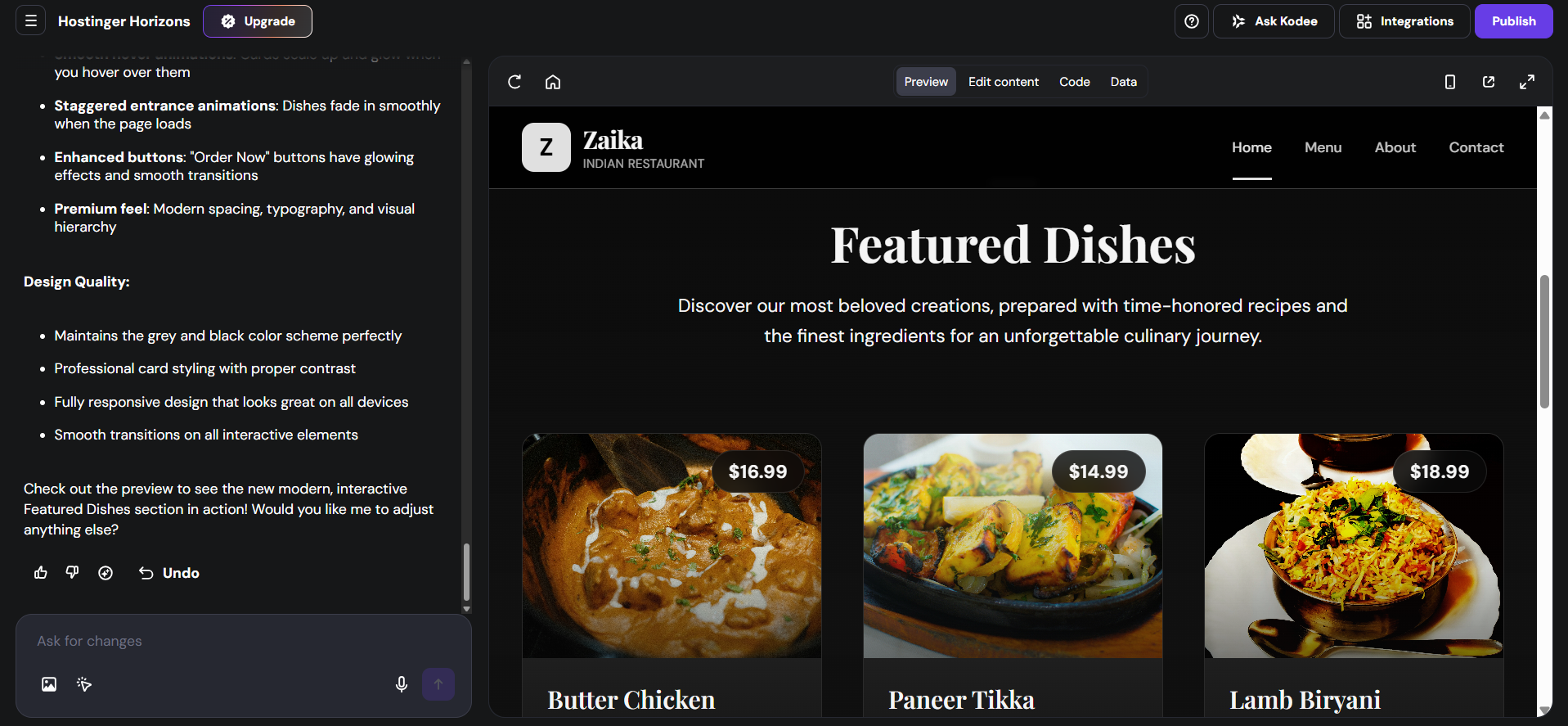
Hostinger launched Horizons in 2025 as an AI-powered website and app builder aimed at entrepreneurs and non-technical users who still want to see what's happening under the hood. The setup is straightforward: you give it a prompt describing what you want, and Horizons gets to work. What sets it apart immediately is transparency — while your site is being built, you can actually watch the underlying code being generated in real time, and there's a dedicated code editor tab where you can go in and make changes directly. The generation itself takes around five minutes.
First Draft & Customization
The first draft comes out reasonably well. The layout is clean, animations are present, and both the copy and images are contextual rather than generic placeholders. Customization works through tooltips for direct edits and an AI chat for heavier lifting. Some images can only be swapped through the AI chat rather than direct interaction. Each change takes upwards of a minute and a half to process, so if you have a long list of edits, expect to set aside real time for the customization phase.
Features
- Option to publish your project as a remixable template and earn commission when someone purchases Horizons through it
- AI chatbot you can add directly to your website for visitor engagement
- Support for over 80 languages, making it accessible for non-English-speaking users and international projects
- Voice command input and the ability to upload sketches or wireframes for the AI to interpret and build from
- Direct code editor access for users who want to go beyond prompt-based customization
Limitations
- No AI blog generation
- No AI social media marketing tools
- Each prompt or fix consumes a credit, which can deplete trial allowances quickly
- Changes via AI chat take 1.5+ minutes per edit, making iterative customization slow
- Some users find renewal pricing high unless committing to multi-year plans
Pricing
| Plan | Price |
|---|---|
| Explorer | $9.99/month |
| Starter | $19.99/month |
| Hobbyist | $55.99/month |
| Hustler | $99.99/month |
Bluehost
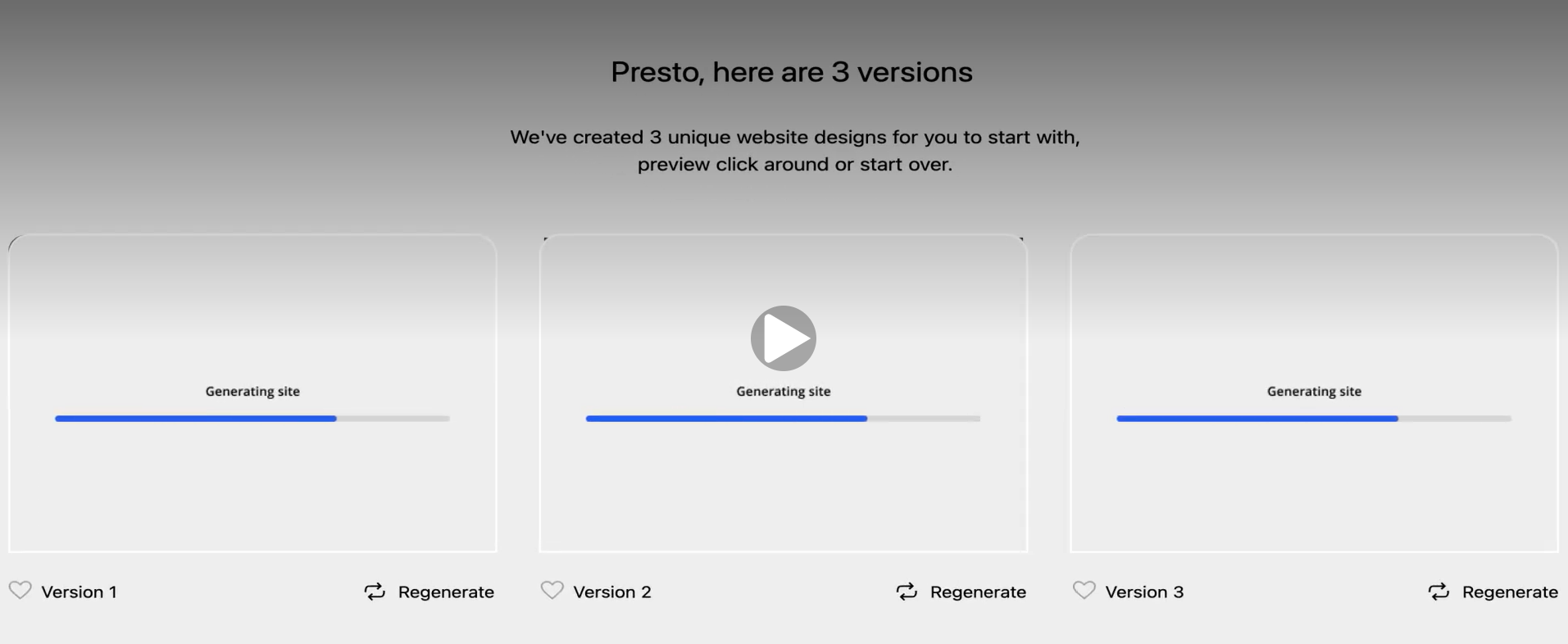
Bluehost has been in the web hosting space since 2003 and is one of only a handful of hosts officially recommended by WordPress.org. Its AI website builder, part of the WonderSuite toolkit, layers an AI-guided experience on top of WordPress. WonderStart walks you through the initial setup questions, WonderTheme applies a design, WonderBlocks populates your pages with pre-built content sections, and WonderHelp provides in-context AI support. The onboarding flow is smooth and the builder generates three distinct website designs for you to choose from.
First Draft & Customization
The three versions Bluehost generates give you real options rather than minor variations — the designs are genuinely professional-looking. The catch is that what you've been handed is a customized starting template, not a website built around your specific business. Default images in particular tend to be generic and unrelated to the actual business, so replacing those is usually one of the first things you'll want to do. Editing happens through a drag-and-drop block editor. Switching templates after setup is extremely difficult, often requiring a full WordPress reinstall.
Features
- AI brand discoverability tool to help your site get found across search and AI platforms
- AI Domain Name Generator that takes your prompt and surfaces available, relevant domain options instantly
- Site migration support for moving an existing site over to Bluehost
- Free Yoast SEO plugin pre-installed on all plans
- WooCommerce integration for setting up an online store with payment options including PayPal, Google Pay, and Apple Pay
Limitations
- No AI blog generation
- No AI social media marketing tools
- No native AI chatbot for website visitors
- AI-generated first drafts require significant manual editing before launch
- Default images are generic and need manual replacement
- Switching templates after setup is very difficult and can require a full reinstall
Pricing
| Plan | Price |
|---|---|
| Starter | $11.99/month |
| Business | $15.99/month |
| Ecommerce Essentials | $23.99/month |
Butternut AI
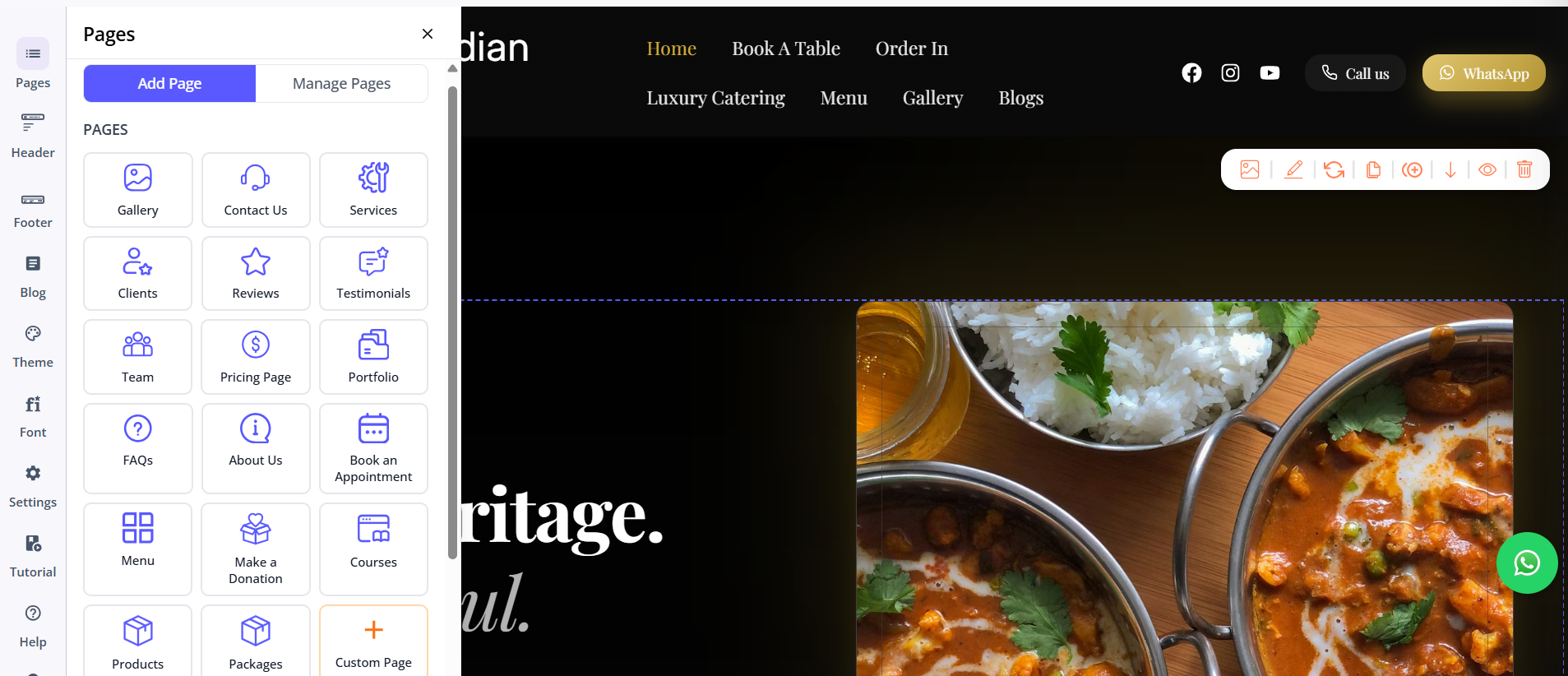
Butternut AI was built around AI from day one, and the difference shows the moment you open it. There's no onboarding wizard, no template library to browse, and no setup flow to work through. You type your business name and a short description of what you do, and within 20 seconds your website starts appearing on screen. Not all at once — section by section, so you're watching it take shape rather than waiting on a loading bar.
First Draft & Customization
The first draft is the strongest of the three out of the box. The copy feels written for your specific business rather than pulled from a generic template. The CTAs are relevant, the images match the context of the site, and the animations look intentional rather than decorative. Customization from there is equally straightforward — use the AI chatbot to describe any change and it executes quickly. Tooltips are also available for direct in-editor edits. Custom HTML and custom scripts are supported for anything that needs a more precise technical touch.
Features
- AI blog writer with built-in keyword and topic suggestions based on your business and industry
- AI social media agents for Facebook, Instagram, and LinkedIn that create and publish content automatically
- AI chatbot for your website that captures leads and answers visitor questions around the clock
- Fully automated SEO covering meta tags, sitemaps, and alt text without any manual setup
- AI image generation built directly into the builder
- Google Analytics 4 integration for detailed traffic and behavior tracking
- Payment gateway integration to accept payments directly through your site
- Free hosting, SSL, and a custom domain included for the first year
Limitations
- No native email marketing
- No drag-and-drop editor
- Smaller integrations ecosystem compared to WordPress-based platforms
Pricing
| Plan | Price |
|---|---|
| Starter | $20/month |
| Pro | $69/month |
Which One Should You Choose?
All three tools will get you a website. The question is what kind of experience you want getting there, and what you need the website to do once it's live.
If you're already committed to WordPress and want the flexibility and plugin ecosystem that comes with it, Bluehost makes that path significantly easier than going through WordPress directly. If the ability to see and edit the underlying code matters to you, Horizons offers something neither of the other two does — the live code view and direct code editor make it the most transparent of the three.
If your priority is getting a professional website live without spending hours learning a tool, Butternut AI is the clearest choice. The setup is faster, the first draft requires less work before it looks right, and the AI chatbot makes ongoing edits feel natural rather than tedious. There's a free plan available, the whole process takes under a minute to start, and the output quality is there from the beginning.