
Butternut AI Blog
Hostinger vs GoDaddy vs Butternut AI: The Best For Building a Website
If you're still trying to figure out which one amongst Hostinger, GoDaddy and Butternut AI is the best website builder, here's the direct comparison to help you make the right choice.
Introduction
AI website builders have come a long way, but not all of them start from the same place. GoDaddy is one of the world's largest domain registrars that bolted on an AI builder. Hostinger is a hosting giant that built Horizons as a dedicated AI website builder. And Butternut AI was designed from the ground up as an AI website builder.
On paper they all do the same thing, but in practice, the experience of using each one is very different. We tested all three so you don't have to guess.
GoDaddy Airo vs Hostinger Horizons vs Butternut AI
| Feature | GoDaddy Airo | Hostinger Horizons | Butternut AI |
|---|---|---|---|
| Website generation speed | The first draft takes ~7 min; each additional page must be triggered manually and takes 2+ more minutes | Full website generates in ~5 minutes | Full website generates in under 20 seconds |
| First draft quality | Good with contextual copy, animations, polished layout but images maybe a hit or a miss | Clean with contextual copy, animations and relevant images | Strong with contextual copy, relevant images, working CTAs, and good animations |
| User experience | Editor is laggy, goes blank periodically; editing relies on chat rather than canvas | Simple prompt to start; edits via direct editor or AI chat | One-step process, easy to learn and use |
| Post-generation customization | Via left-side AI chat and direct canvas editing | Via direct editor for copy; AI chat for layout, colors, and some images | Via tooltips, AI chat, or custom HTML |
| Design | AI-generated with professional layouts and animations | AI-generated; clean and simple | Fully AI-generated, dynamic design tailored to business type and target audience |
| SEO support | Built-in SEO wizard; step-by-step suggestions | Built-in SEO tools | Fully automated, meta tags, sitemaps, alt text |
| AI blog generation | ✅ With keyword suggestions | ||
| AI social media marketing | ✅ AI post suggestions, social media calendar | ✅ Facebook, Instagram, LinkedIn | |
| AI chatbot for website | |||
| Custom HTML code | ✅ Full code downloadable | ✅ Custom HTML and custom scripts | |
| Analytics | |||
| Mobile experience | Auto-responsive | Auto-responsive | Auto-responsive |
| Customer support | 24/7 phone and chat | 24/7 live chat | Email, 1-on-1 call and live chat |
| 1-year free domain | ❌ Purchased separately | ✅ On Starter plan and above | |
| Hosting & SSL | Included | Included | Included |
| Pricing | Starter: $14.99/month Professional: $36.99/month Ultimate: $149.99/month | Explorer: $9.99/month Starter: $19.99/month Hobbyist: $55.99/month Hustler: $99.99/month | Starter: $20/month Pro: $69/month |
GoDaddy Airo
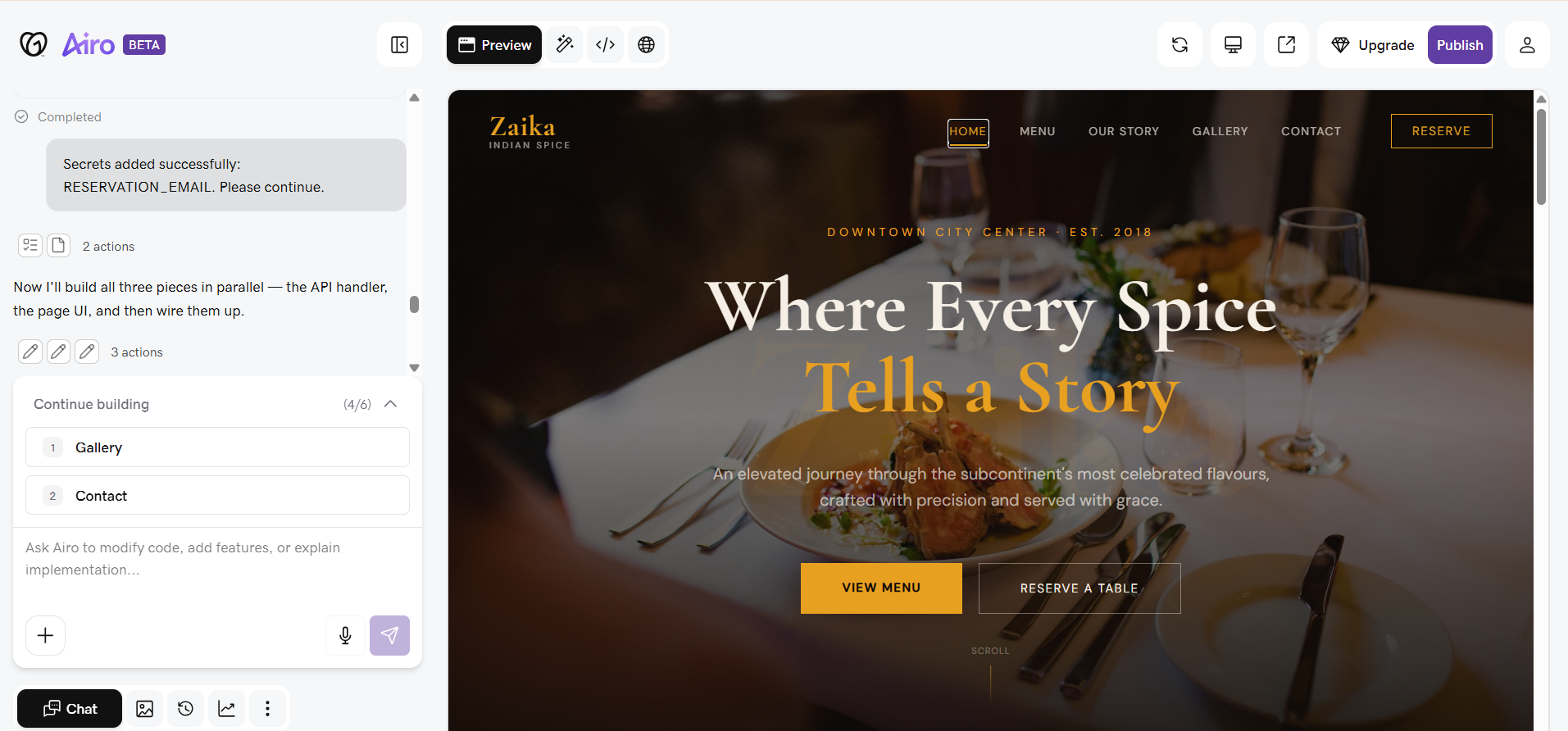
GoDaddy has been the go-to name for domain registration for decades, and Airo is its attempt to turn that brand trust into a full AI website building experience. Once you are in, the process is chat-based. Airo asks you questions about your business and occasionally sends updates in the chat, but the main preview area stays completely blank the entire time the site is being built. That wait stretches to around 7 minutes for the homepage alone.
What makes it more frustrating is that additional pages do not generate automatically. After the homepage is ready, each subsequent page has to be manually triggered and each one takes another 2 or more minutes to render. If your site has five pages, you are looking at potentially 15 to 20 minutes of total generation time, actively babysitting the tab because the chat updates come at irregular intervals.
The editor itself can also feel technical and overwhelming for non-technical users, with database settings, secrets management, and security options surfaced in the interface alongside standard design tools.
First Draft & Customization
The first draft is genuinely good. The copy is contextual and relevant, the layout is polished, and the animations look professional, however, images are a mixed bag. Where things fall apart is after the draft. Editing in Airo is not a good experience. Most changes have to go through the chat panel on the left side of the screen rather than directly on the canvas. Section tooltips appear when you hover, but clicking them just selects the element instead of opening edit options.
Selecting specific elements, like an image nested inside a section, is particularly tricky because the selection keeps jumping to other nearby elements before you can reach the tooltip. The editor also has a habit of going blank for a few seconds at a time and can feel laggy and unresponsive during more intensive edits. For users who want full code access, the HTML is completely downloadable, which gives developers a way to get out of the frustration.
Features
- Full Airo ecosystem including an AI logo maker, domain search agent, compliance and policy document generator, and an app builder that deploys working web apps from plain-language prompts
- Built-in email marketing with AI-generated campaigns, a social media post suggestion tool, and a social media calendar
- Automatic SSL, DDoS protection, and daily backups included on all plans
- Built-in analytics dashboard
Limitations
- No free domain included with website builder plans so the domain must be purchased separately
- No AI blog generation
- No AI chatbot for your website
- Some users find the platform too restrictive for advanced customization needs, while the overall editing experience adds friction for beginners and power users alike
Pricing
| Plan | Price |
|---|---|
| Starter | $14.99/month |
| Professional | $36.99/month |
| Ultimate | $149.99/month |
Hostinger Horizons
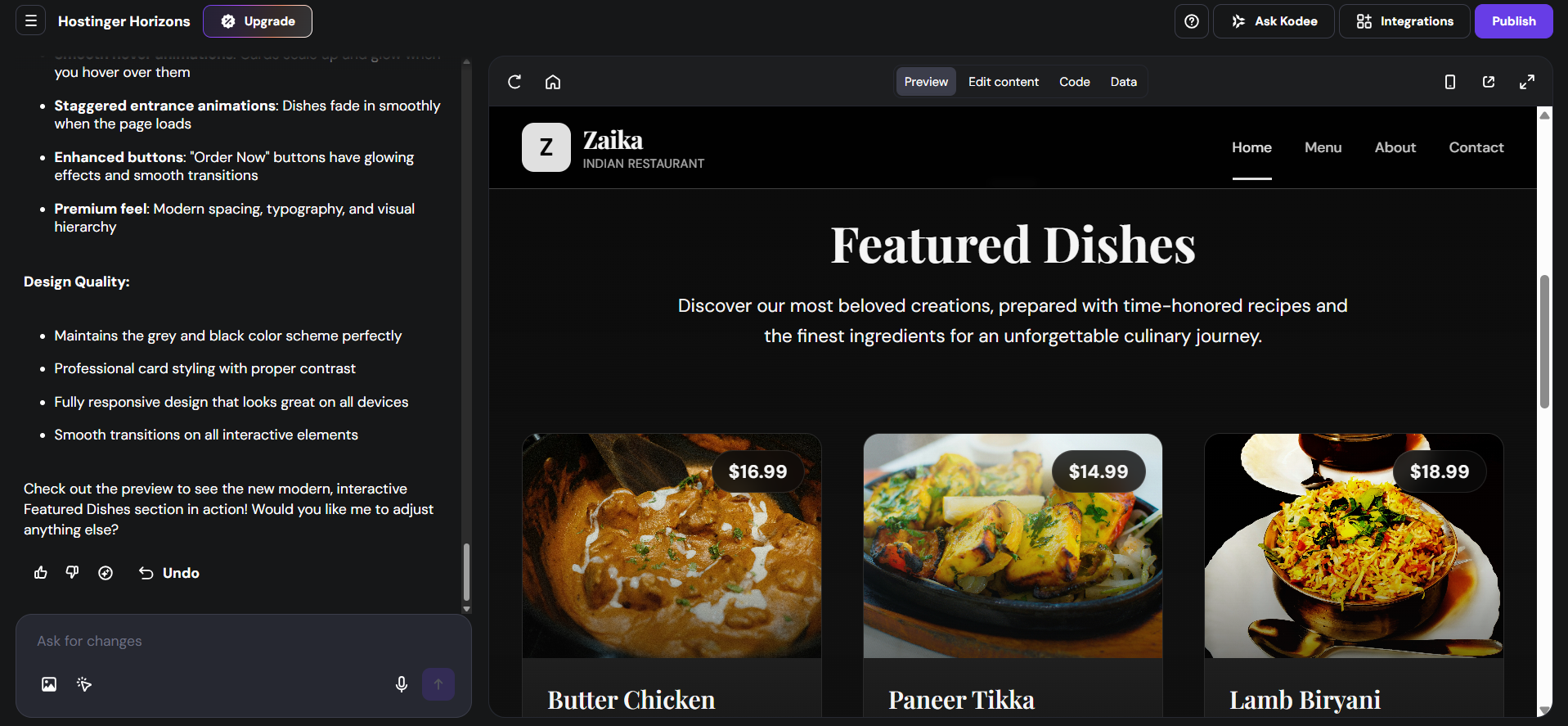
Horizons is Hostinger's dedicated AI website builder, a separate product from their traditional hosting and WordPress plans. The setup is simple: you give it a prompt describing your business and it gets to work immediately. What sets Horizons apart during generation is that you can watch the actual code being written in real time in the background. There is also a live code tab available throughout the entire process, which gives you direct access to the underlying code from the very beginning. Generation takes around 5 minutes for the full website.
The experience is clean and low-friction compared to Airo. You do not need to manually trigger individual pages, and the interface does not overwhelm you with technical options upfront. That said, the editing experience does come with a significant trade-off. Every change you make, whether it is a copy tweak or a layout adjustment, takes 1.5 minutes or more to render, and some images can only be swapped through the AI chat rather than directly on the canvas.
First Draft & Customization
The first draft is clean. Animations are included, copy is contextual, and images are relevant to the business type. Editing text can be done directly in the editor, which is a more natural experience than relying entirely on chat. For layout changes, color adjustments, and certain image swaps, though, you have to rely on the AI chat. There are no direct UI controls for those elements, which limits how quickly you can iterate.
The rendering wait on each change is the biggest friction point. Making five or six adjustments to get a section looking right means sitting through 10 or more minutes of wait time across those edits. An undo option is available if a change goes wrong, and the live code tab remains accessible throughout, giving technical users full visibility into what the AI is building.
Features
- An AI chatbot for your website
- Publish your project as a remixable template and earn a commission when someone purchases Horizons through it
- Analytics and traffic tracking built in
- Hostinger's broader dashboard includes email marketing tools and AI agents with skills for specific business tasks like customer support and lead management
Limitations
- No social media marketing tools
- Free domain is only included on the Starter plan and above; the Explorer plan does not include one
- No AI blog generation
- Layout and color changes require going through AI chat. There are no direct on-canvas controls for these
Pricing
| Plan | Price |
|---|---|
| Explorer | $9.99/month |
| Starter | $19.99/month |
| Hobbyist | $55.99/month |
| Hustler | $99.99/month |
Butternut AI
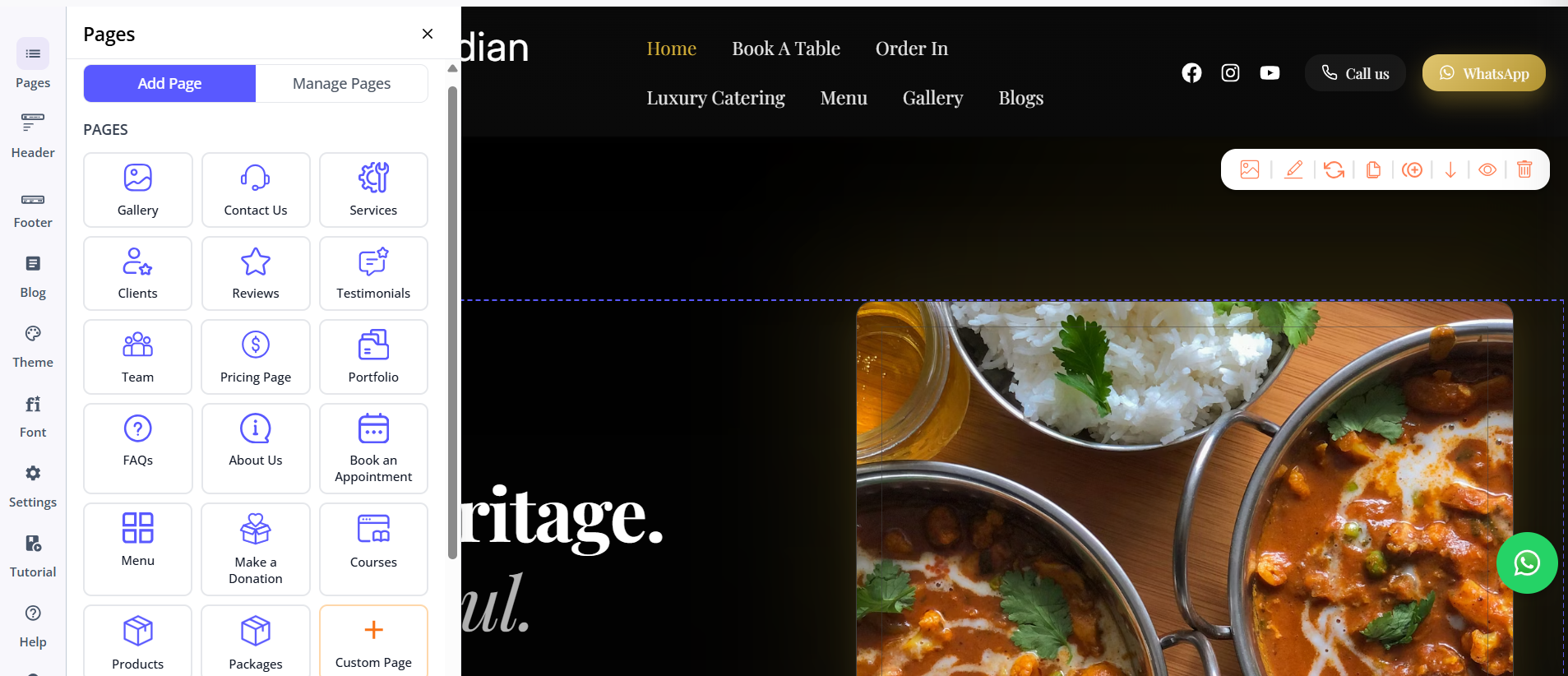
Butternut AI was purpose-built for getting a business online fast, with an AI that actually understands what the business does and who it is trying to reach. Enter your business name and a short description of what you offer, and the first draft starts generating immediately. The whole website is ready in around 20 seconds. Unlike the other two tools, you do not have to wait for everything to finish before you can start reviewing it. Sections appear on screen as they are built, so you can read through the copy and assess the layout while the rest is still generating.
First Draft & Customization
The first draft is the strongest of the three. Butternut AI builds around your business model and target audience, which means the copy is focused on converting visitors. CTAs make sense for the business type, the image choices are relevant, and the animations look good without feeling overdone. Adding new pages is as simple as choosing a page type from a list and clicking generate. No custom prompting required unless you want something non-standard.
Customization works through direct tooltips on the canvas or through prompts, whichever feels more natural. There is no waiting after every edit the way there is in Horizons. If you do not like how a section turned out, you can regenerate just that section without touching the rest of the page. Custom HTML and custom scripts are supported for specific technical edits.
Features
- AI blog generation with keyword suggestions to support SEO efforts
- AI social media marketing agents for Facebook, Instagram, and LinkedIn
- AI chatbot agent you can add to your website for visitor engagement
- 1-year free domain included
- Fully automated SEO setup with meta tags, sitemaps, and alt text handled without manual input
- AI image generation for custom visuals
- Custom HTML and custom script support
Limitations
- No email marketing tools
- Hosting is on the Butternut AI platform with no self-hosting option
- Basic integration with GA4
Pricing
| Plan | Price |
|---|---|
| Starter | $20/month |
| Pro | $69/month |
Which One Should You Choose?
All three tools can technically get you a website. But they are solving the problem for very different people.
GoDaddy Airo makes the most sense if you are already inside the GoDaddy ecosystem. Hostinger Horizons is a better fit for developers or semi-technical users who want AI-generated output alongside direct code access from the start. Butternut AI is the right choice for anyone who wants to get a great-looking, conversion-focused website online as fast as possible, without fighting the tool to do it.
The 20-second generation time, the strong first draft quality, the no-friction editing experience, and the built-in AI features for blogging, social media, and your website's chatbot make Butternut AI the most complete AI-native website builder of the three.
Also, there's a free plan, the setup takes less than a minute; and if you decide it's not for you, you've lost nothing but 20 seconds. That's a trade worth making.