
Butternut AI Blog
Hostinger vs Namecheap vs Butternut AI
Hostinger and Namecheap both started out as hosting and domain companies, but both now offer website builders bundled into their plans. If you're trying to figure out which one gets you to a live website faster, and whether either of them can compete with a purpose-built AI builder like Butternut AI, here's what we found after testing all three.
Introduction
We looked at the website building experience, the quality of what each tool produces, and what you actually get for your money. The comparison table below gives you the headline view, and the sections after it go deeper into each platform.
Hostinger vs Namecheap vs Butternut AI
| Feature | Hostinger | Namecheap | Butternut AI |
|---|---|---|---|
| Website building approach | Drag-and-drop builder bundled with hosting | Drag-and-drop builder via Sitecraft | AI-generated from a single text prompt |
| First draft quality | Clean templates that need manual content setup | Basic templates, minimal styling out of the box | Contextual copy, relevant images, animations from the start |
| User experience | Standard builder with guided onboarding | Simple but limited editor | One prompt, section-by-section generation, no learning curve |
| Post-generation customization | Drag-and-drop editor | Drag-and-drop editor | AI chat, tooltips, or custom HTML |
| Design | Template-based | Template-based | Fully AI-generated, dynamic layout |
| SEO | Basic SEO tools included | Basic meta tags | Fully automated (meta tags, sitemaps, alt text) |
| AI blog generation | ✅ (with topic suggestions) | ||
| AI social media marketing | ✅ (Facebook, Instagram, LinkedIn) | ||
| AI chatbot for website | |||
| Custom HTML code | |||
| Analytics | Basic | ✅ (GA4 integration) | |
| Mobile experience | Auto-responsive | Auto-responsive | Auto-responsive |
| Customer support | 24/7 live chat and phone | Live chat and ticket | Email, 1-on-1 call & live chat |
| 1-year free domain | ✅ (on annual plans) | ||
| Hosting & SSL | Included | Included | Included |
| Pricing | Premium: $2.99/month Business: $3.99/month | Stellar: $1.98/month Stellar Plus: $2.98/month Stellar Business: $4.98/month | Starter: $20/month Pro: $69/month |
Hostinger
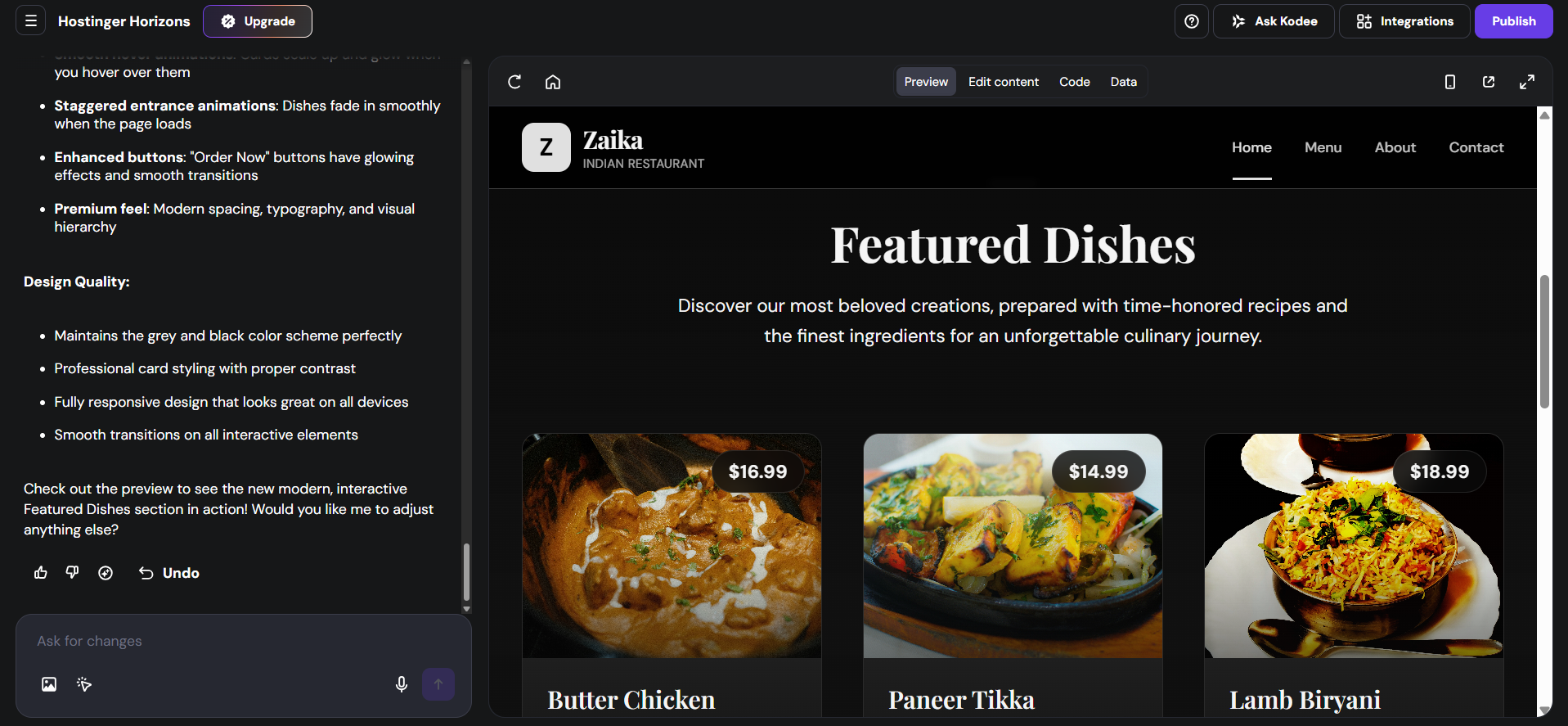
Hostinger is one of the most affordable hosting providers in the market, and its website builder is bundled directly into its hosting plans. The builder itself is a drag-and-drop tool — you pick a template, populate it with your content, and publish. It's not AI-generated in the same way as newer builders, but it's capable enough for straightforward business or portfolio websites.
First Draft & Customization
Getting started with Hostinger's builder means choosing from a template library and then manually replacing the placeholder content with your own text and images. The templates are clean and professional-looking, but the out-of-the-box state requires real effort to turn into something that represents your business. The drag-and-drop editor is intuitive and most users find it relatively easy to pick up without much prior experience.
Features
- Drag-and-drop editor with a library of templates for different business types
- Built-in ecommerce functionality to sell products directly from your site
- Free domain included with annual plans and SSL certificate on all plans
- Email hosting available as an add-on for a professional business email address
- 24/7 live chat and phone support, which is strong for this price range
Limitations
- No AI-powered content generation — all copy and images are set up manually
- No AI blog generation or social media marketing tools
- No built-in AI chatbot for website visitors
- Template-based approach means the final site reflects how much effort you put into customization
Pricing
| Plan | Price |
|---|---|
| Premium | $2.99/month |
| Business | $3.99/month |
Namecheap
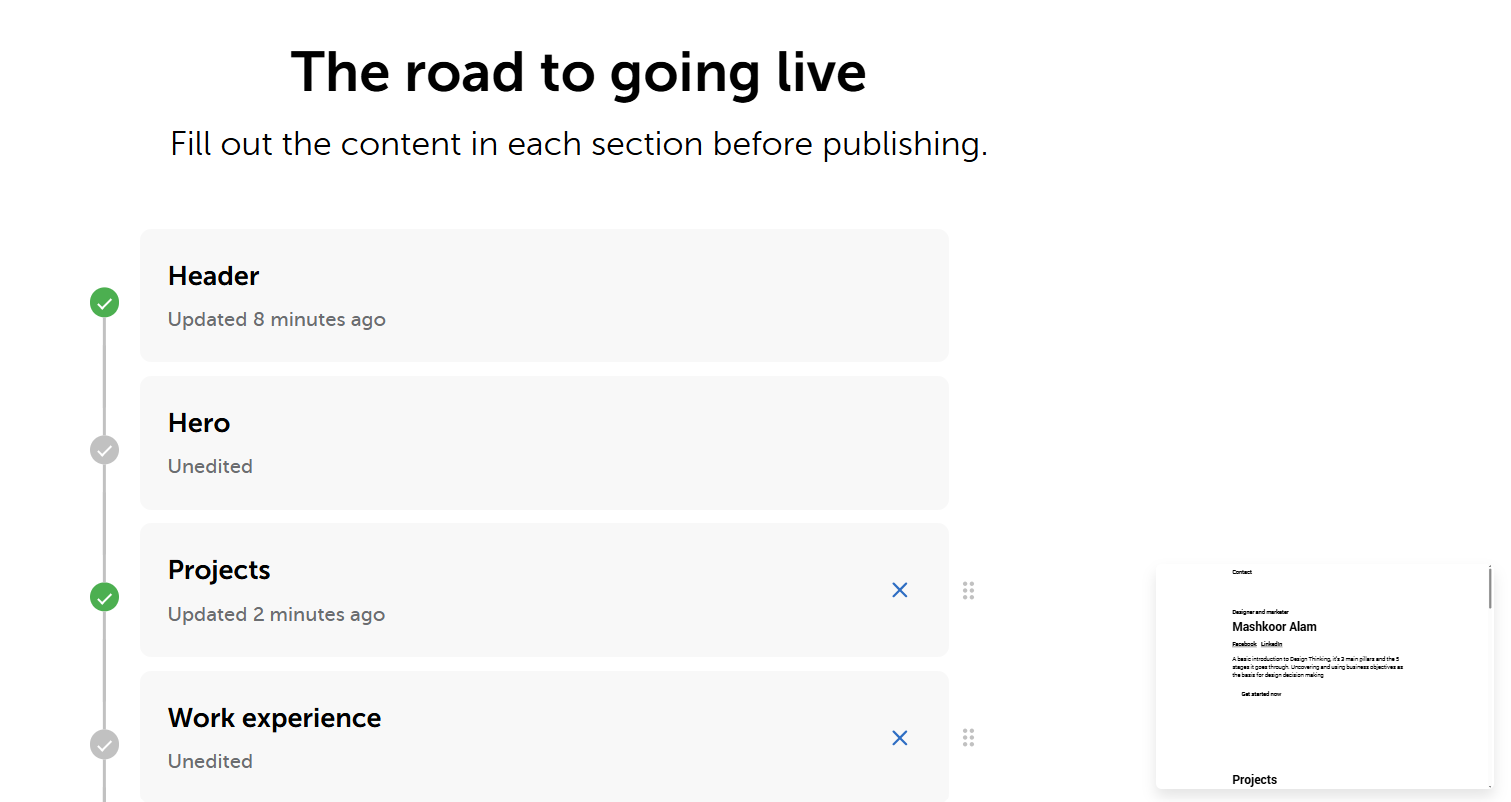
Namecheap is best known as a domain registrar — one of the cheapest places to buy and manage domain names. Its website builder, Sitecraft, is included with hosting plans and aimed at users who want a simple online presence without needing a separate builder subscription. The pricing is some of the most accessible in the market, making it attractive for budget-conscious users.
First Draft & Customization
Sitecraft works like most basic builders: you choose a template and customize it with your own content. The template selection is smaller than what larger platforms offer, and the editor is functional but limited in terms of layout flexibility. If you're building a simple informational site or a small business page, Namecheap's builder can get the job done, but it won't compete with dedicated builders on design quality or ease of customization.
Features
- Very affordable pricing, especially for users who already register domains with Namecheap
- SSL certificate included on all plans
- Basic ecommerce functionality available on higher-tier plans
- Drag-and-drop editor for layout adjustments
Limitations
- No AI content generation of any kind
- Smaller template library compared to dedicated website builders
- Limited design flexibility — complex layouts are difficult to achieve
- No AI blog generation, social media tools, or chatbot
- Analytics are basic compared to GA4-integrated platforms
Pricing
| Plan | Price |
|---|---|
| Stellar | $1.98/month |
| Stellar Plus | $2.98/month |
| Stellar Business | $4.98/month |
Butternut AI
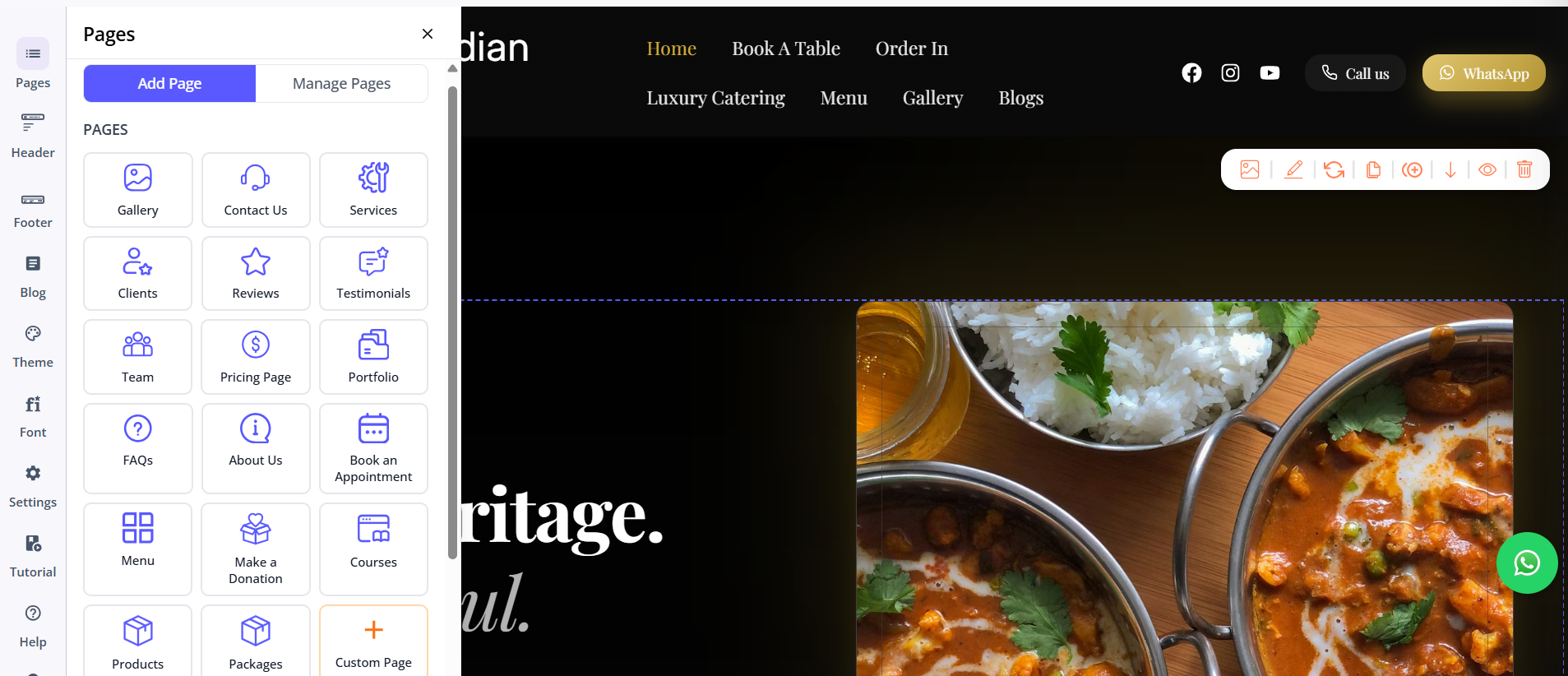
Butternut AI approaches website building from a completely different angle. Rather than giving you a blank template to fill in, it builds the website for you. You type your business name and a short description of what you do, and within 20 seconds, your website starts appearing on screen — section by section — with copy written for your business, images that match the context, and animations that feel like design choices rather than defaults.
First Draft & Customization
The first draft quality is the strongest of the three by a significant margin. The headline reads like it was written for your specific business, the imagery is relevant, and the layout reflects the nature of what you do. From there, customization is handled through the AI chat — describe any change and it applies quickly. Tooltips are available for targeted edits, and custom HTML is supported for more technical requirements.
Features
- AI blog writer with built-in keyword and topic suggestions based on your business
- AI social media agents for Facebook, Instagram, and LinkedIn
- AI chatbot for your website that captures leads and answers visitor questions
- Fully automated SEO covering meta tags, sitemaps, and alt text
- AI image generation built directly into the builder
- Free hosting, SSL, and a custom domain included for the first year
Limitations
- No native email marketing
- Higher starting price than hosting-bundled builders
- Smaller integrations ecosystem than platforms with plugin libraries
Pricing
| Plan | Price |
|---|---|
| Starter | $20/month |
| Pro | $69/month |
Which One Should You Choose?
If your budget is the primary constraint and you need basic hosting with a simple website builder, both Hostinger and Namecheap offer very affordable entry points. Namecheap is the cheapest option on the market for a combined domain, hosting, and builder package. Hostinger is a step up in terms of polish and support quality without costing much more.
But neither Hostinger nor Namecheap were built to create websites quickly or generate content automatically. If you want a professional result without spending hours building it from scratch, Butternut AI is the clear choice. The setup takes under a minute, the first draft is ready to customize rather than ready to be built, and the AI tools built into the platform — blog writer, social media agents, chatbot — are things neither hosting-bundled builder comes close to offering.