
Butternut AI Blog
Hostinger vs Squarespace vs Butternut AI
If you're planning to build a website and have been confused between Hostinger and Squarespace, here's a detailed comparison between the two and Butternut AI as a bonus addition.
Introduction
If you're looking to build a website and have been going back and forth between Hostinger Horizons and Squarespace, it's totally justified. Both have made a strong case for themselves as capable website building tools, and both are genuinely worth considering depending on what you need. But picking between them without actually testing both is a bit of a gamble.
But we've done the testing for you. We've done a side-by-side comparison of Hostinger Horizons, Squarespace, and a third tool called Butternut AI, along with a detailed breakdown of each so you know exactly what you're signing up for before you commit.
Hostinger Horizons vs Squarespace vs Butternut AI
| Feature | Hostinger Horizons | Squarespace | Butternut AI |
|---|---|---|---|
| Website generation speed | Around 5 minutes from prompt to first draft | Just over 2 minutes to reach the first editable draft | First draft ready in under 20 seconds |
| First draft quality | Animations present, contextual copy and images | Clean with inconsistent images and generic copy | Strong animations, contextual copy, relevant images |
| User experience | Simple prompt-based setup | Smooth multi-step flow with some learning curve | Single prompt, nothing to learn |
| Post-generation customization | Via AI chat or direct element selection | Via tooltips only; no conversational AI | Via AI chat, tooltips, or custom HTML |
| Design | AI-generated from your prompt, code visible | Static template-based with layout options | Fully AI-generated, dynamic design and layout |
| SEO | Built-in SEO tools, auto sitemap and robots.txt | SEO score dashboard, manual implementation | Fully automated (meta tags, sitemaps, alt text) |
| AI blog generation | ✅ (including topic suggestions) | ||
| AI social media marketing | ✅ (Facebook, Instagram, LinkedIn) | ||
| AI chatbot for website | |||
| Custom HTML code | ✅ (Hobbyist plan and above) | ✅ (Core plan and above) | |
| Email marketing | |||
| Analytics | ✅ (traffic and geographic data) | ✅ (traffic, sales, engagement) | ✅ (GA4 integration) |
| Mobile experience | Auto-responsive | Auto-responsive | Auto-responsive |
| Customer support | 24/7 support via AI assistant and live chat | Email and contact form | Email, 1-on-1 call and live chat |
| 1-year free domain | |||
| Hosting & SSL | Included | Included | Included |
| Pricing | Explorer: $9.99/month Starter: $19.99/month Hobbyist: $55.99/month Hustler: $99.99/month | Basic: $9/month Core: $12/month Advanced: $17/month | Starter: $20/month Pro: $69/month |
Hostinger Horizons
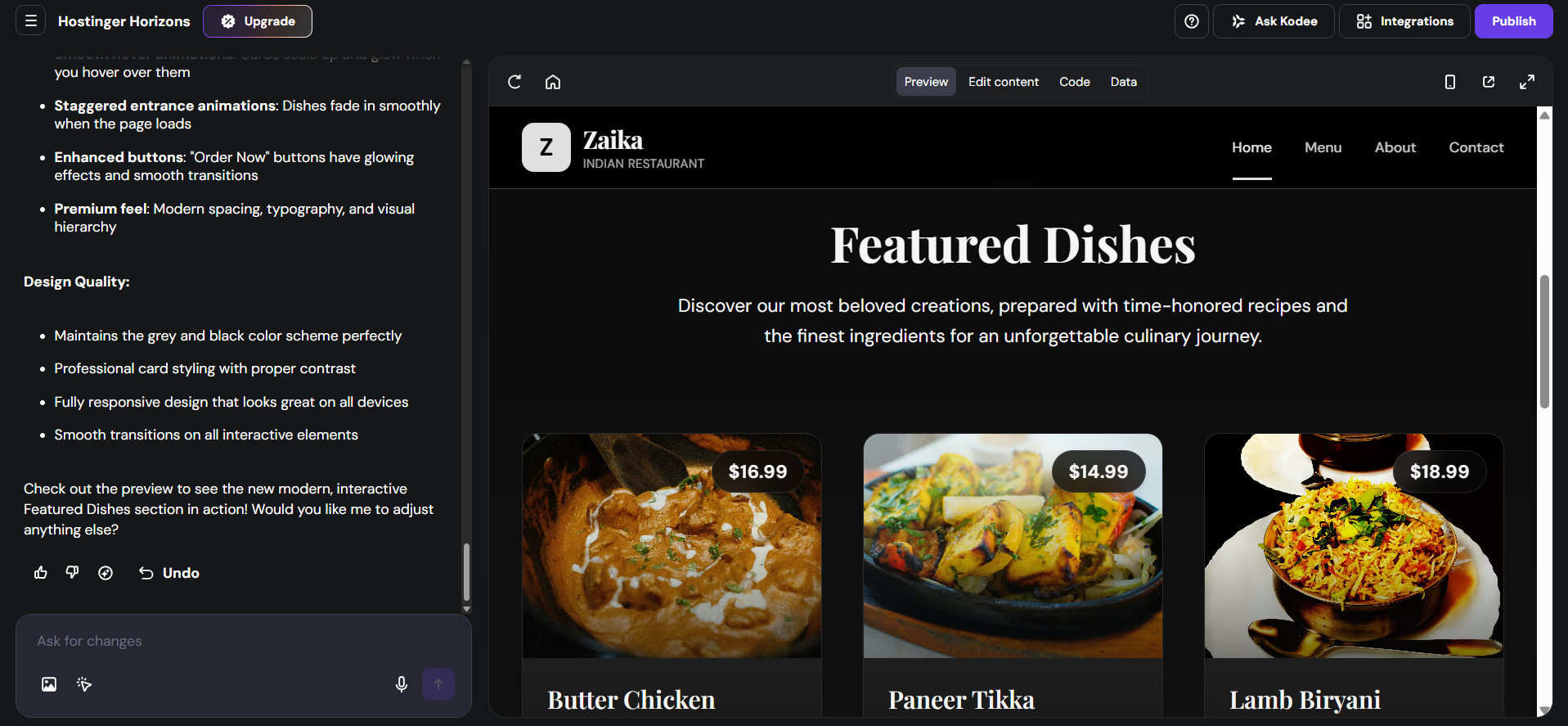
Hostinger Horizons is not a traditional website builder with templates and drag-and-drop controls. You describe what you want to build in plain language, and the platform gets to work generating a fully functional website or web app from your prompt. The setup is about as simple as it gets: type what you need, and Horizons takes it from there.
During testing, the generation took around five minutes from the initial prompt to the first draft, which is reasonable given what's happening under the hood. One thing that sets Horizons apart from the other tools in this comparison is that you can actually see the code being written in real time as your website comes together.
There's a dedicated code tab that shows the full website structure, and if you know your way around code, you can edit it directly. For everyone else, it's just a window into the process, but it does give the platform a sense of transparency that feels different from a black-box builder.
First Draft & Customization
The first draft from Horizons is solid. Animations are present, the copy is contextual and the images are relevant.
Customization after generation works in two main ways. You can select a specific element on the page and ask the AI to make a change, or you can use the AI chat to describe what you want adjusted. Most layout and color changes go through the AI rather than a visual tooltip, so if you're expecting to drag things around freely, you'll need to adjust to a more conversational way of working.
Some images can only be changed through the AI chat, which can feel limiting if you're used to clicking directly on something and swapping it out. Every change also takes upwards of a minute and a half to process, which adds up quickly if you're making a lot of tweaks. On the plus side, there's an undo option to roll back any changes you're not happy with, which is a useful safety net.
Some users report that each prompt and fix counts toward your message credits, meaning the free trial can run out faster than expected. It's worth keeping that in mind if you're planning to do a lot of back-and-forth refinement before committing to a paid plan.
Features
- You can publish your project as a remixable template and earn a commission when someone purchases Horizons through it.
- The Hostinger dashboard bundles in email marketing, analytics, and AI agents with task-specific skills to support your business beyond just the website itself.
- Built-in SEO tools handle sitemap and robots.txt generation automatically, and the platform supports payment gateway integrations for accepting transactions directly.
- An undo option lets you revert any changes made during the editing process, which adds a layer of confidence when experimenting with the AI.
Limitations
- Layout and color changes cannot be made through visual tooltips; almost everything goes through the AI chat
- No native AI blog generation
- No AI social media marketing tools
- Some users find renewal pricing unexpectedly high, with the best rates requiring a commitment of three to four years
- Reviewers note that Horizons handles simpler front-end websites well but can struggle with more complex projects that require a backend
Pricing
| Plan | Price |
|---|---|
| Explorer | $9.99/month |
| Starter | $19.99/month |
| Hobbyist | $55.99/month |
| Hustler | $99.99/month |
Squarespace
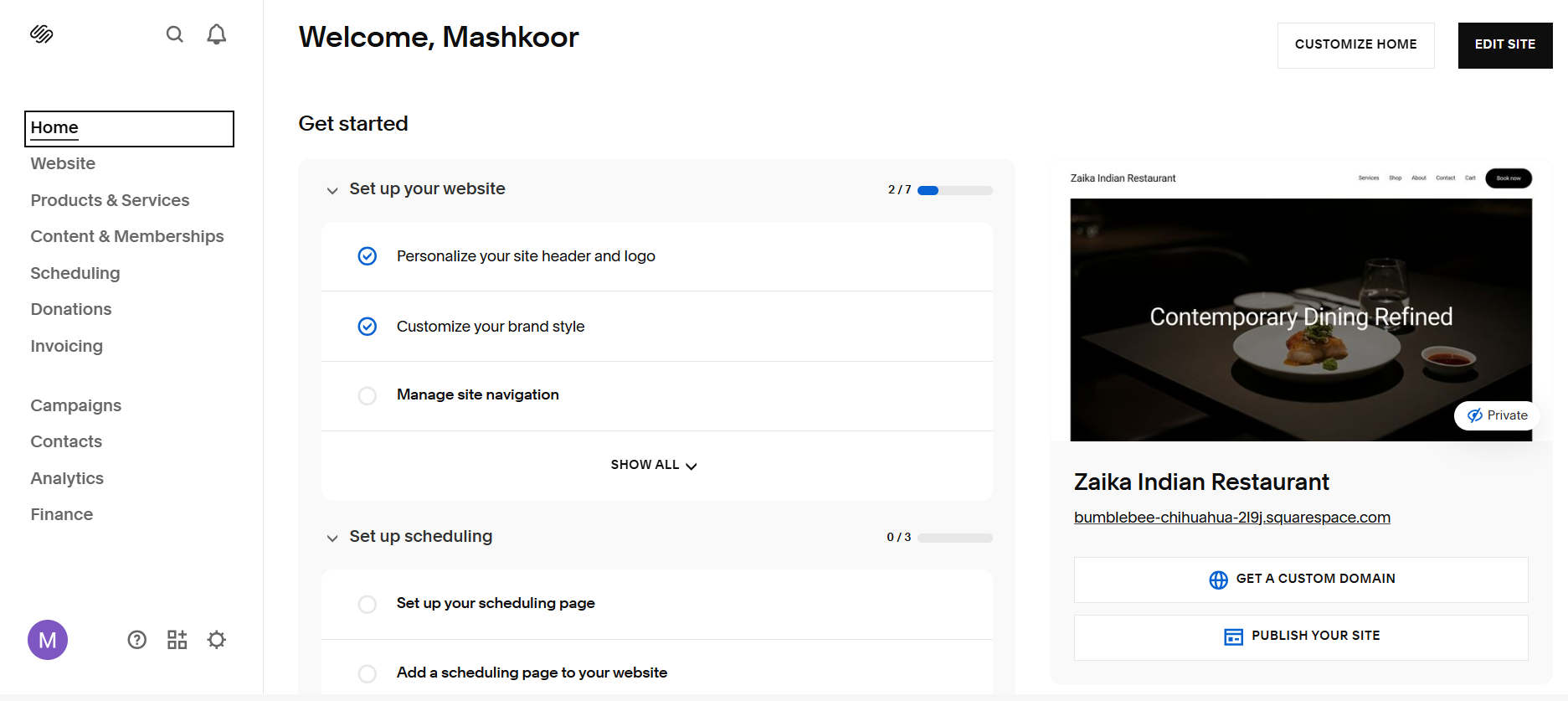
Squarespace has been a go-to for creatives, small businesses, and service providers for years, and the onboarding experience shows why it's earned that reputation. Rather than dropping you into a blank canvas, the setup walks you through a focused sequence of multiple-choice questions covering things like your site's purpose, brand personality, color palette, and preferred fonts.
As you answer, you can actually see sections of your website being assembled in real time, and you can check or uncheck pages to add or remove them almost instantly.
Blueprint AI, Squarespace's built-in AI builder, takes your inputs and uses them to generate a site that looks polished and put together from the start. You even get to preview different layout options for individual sections before locking anything in. Getting to your first editable draft takes just over two minutes, and what you arrive at genuinely looks professional.
First Draft & Customization
The first draft from Squarespace is clean and well-structured. The layouts are modern, the design is consistent, and the overall presentation is good. The tradeoff is that Squarespace doesn't write proper copy for you. You're working with placeholder text that you'll need to replace yourself.
Post-generation editing is done entirely through the visual editor. You can drag and drop elements, swap between section layouts using a popup that shows visual previews, resize sections vertically, and manage all your images through a built-in asset library. Announcement bars and popups are also available.
What's missing is a conversational AI layer. If you want to change something, you'll need to find it and change it manually. That works fine once you're familiar with the editor, but some users find the drag-and-drop can be buggy and that simple tasks often require more clicks than you'd expect.
Some users also note that spacing in the editor doesn't always match how the live site actually renders, which can make layout adjustments more tedious than they should be. And because Squarespace templates share certain structural qualities, some users find it difficult to make their site feel genuinely distinct from others built on the platform.
Features
- Email campaign automation with audience segmentation lets you build and send targeted campaigns directly from the platform.
- A built-in client database supports CSV uploads and bulk contact management, keeping everything in one place.
- Invoicing, booking, and reservation systems are built directly into the platform, so you don't need third-party tools for core business operations.
- Coupon and gift certificate management is available for businesses that run promotions or sell services.
- The SEO score dashboard surfaces specific actions you can take to improve your ranking, and metadata and alt text are generated automatically for new pages and images.
- Analytics cover traffic, engagement, and sales data in a single view.
- Integrations are available for CRM tools, email marketing platforms, and client engagement software.
Limitations
- No conversational AI for making edits; all changes are made manually through the visual editor
- No AI blog generation
- No social media marketing tools
- No native AI chatbot for website visitors
- Some users find drag and drop to be buggy and requiring more clicks than expected for straightforward tasks
Pricing
| Plan | Price |
|---|---|
| Basic | $9/month |
| Core | $12/month |
| Advanced | $17/month |
Butternut AI
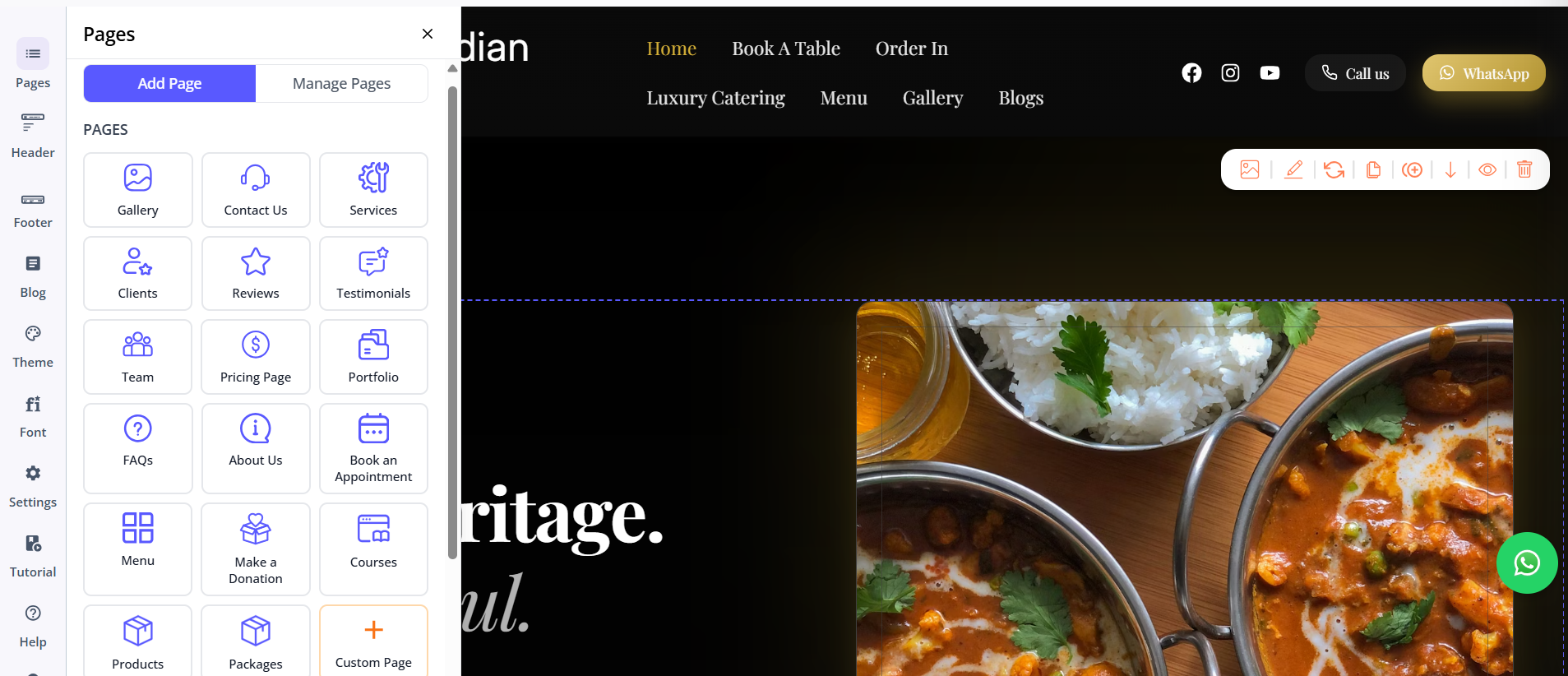
Where Hostinger Horizons and Squarespace have built their AI features on top of existing infrastructure, Butternut AI was designed around AI from the beginning. You type your business name and a short description of what you do, and within 20 seconds your website starts appearing on screen, section by section. You can watch it build itself rather than stare at a loading bar.
The setup is the fastest and most stripped-back of the three. If you've been putting off building a website because it always feels like a project, Butternut AI makes it feel like it isn't.
First Draft & Customization
The first draft quality is the strongest of the three right out of the box. The copy is written specifically for your business. The calls to action make sense in context, the images are relevant, and the animations feel like they belong.
Adding pages is as simple as selecting the type and clicking generate. For everything else, the AI chat handles it. Custom HTML embedding is also available if you need to integrate something the platform doesn't natively support, which gives you more flexibility than the core experience might suggest.
Features
- An AI blog writer with built-in topic suggestions generates content ideas.
- AI social media marketing agents for Facebook, Instagram, and LinkedIn.
- An AI chatbot for your website captures leads and answers visitor questions.
- SEO is fully automated, covering meta tags, sitemaps, and alt text without any manual input required.
- Payment gateway integrations let you accept payments directly through your site.
Limitations
- No native email marketing
- Smaller integrations ecosystem compared to what Hostinger's dashboard or Squarespace's third-party connections offer
- Basic integration with GA4
Pricing
| Plan | Price |
|---|---|
| Starter | $20/month |
| Pro | $69/month |
Which One Should You Choose?
All three tools will get you a website. But the experience of getting there, and what you end up with, varies quite a bit.
Hostinger Horizons is a good fit if you're comfortable working through an AI chat to refine your site and want the option to get into the actual code when needed. Squarespace makes sense if design consistency and a polished starting point are your priorities.
But if what you're after is the fastest path to a website that actually looks and reads like it was built for your business, Butternut AI is the one to try first. The setup takes less than a minute, the first draft requires the least cleanup of the three, and the AI chat makes ongoing changes feel easy rather than effortful. There's also a free plan, so if it doesn't work for you, you've lost nothing but the 20 seconds it took to generate.