
Butternut AI Blog
Hostinger vs WordPress vs Butternut AI
If you're trying to build a website and you've landed on this page, you're probably already seeing multiple options and not sure which one actually gets the job done without making you want to close your laptop.
Introduction
Hostinger Horizons, WordPress, and Butternut AI each take a completely different approach to building websites, and which one makes sense for you depends on what you're trying to do and how much time you want to spend doing it. We tested all three and here's what we found.
Hostinger Horizons vs WordPress vs Butternut AI
| Feature | Hostinger Horizons | WordPress | Butternut AI |
|---|---|---|---|
| Website generation speed | Around 5 minutes from prompt to first draft | Around 3 minutes | Under 20 seconds |
| First draft quality | Simple layout with animations, contextual copy and images | Contextual layout, images, and copy | Strong animations, contextual copy and images |
| User experience | Straightforward prompt-based setup | Multi-step AI questionnaire; editor navigation can feel confusing | Single prompt, no learning curve |
| Post-generation customization | Via tooltips, AI chat, or direct code editing | Via tooltips or AI chat | Via AI chat, tooltips, or HTML editing |
| Design | AI-generated from your prompt | Template-based with drag-and-drop blocks | Fully AI-generated, dynamic design and layout |
| SEO | Standard SEO tools included | SEO tools included | Fully automated (meta tags, sitemaps, alt text) |
| AI blog generation | ✅ (including topic suggestions) | ||
| AI social media marketing | ✅ (Facebook, Instagram, LinkedIn) | ||
| AI chatbot for website | |||
| Custom HTML code | ✅ (direct code tab) | ||
| Analytics | ✅ (traffic tracking) | ✅ (GA4 + Jetpack Stats) | ✅ (GA4 integration) |
| Plugin ecosystem | ✅ (50,000+ plugins) | ||
| Mobile experience | Auto-responsive | Auto-responsive | Auto-responsive |
| Customer support | Standard support | Email support + community forums | Email, 1-on-1 call & live chat |
| 1-year free domain | ✅ (on paid annual plans) | ||
| Hosting & SSL | Included | Included | Included |
| Pricing | Explorer: $9.99/month Starter: $19.99/month Hobbyist: $55.99/month Hustler: $99.99/month | Personal: $9/month Premium: $18/month Business: $40/month Commerce: $70/month | Starter: $20/month Pro: $69/month |
Hostinger Horizons
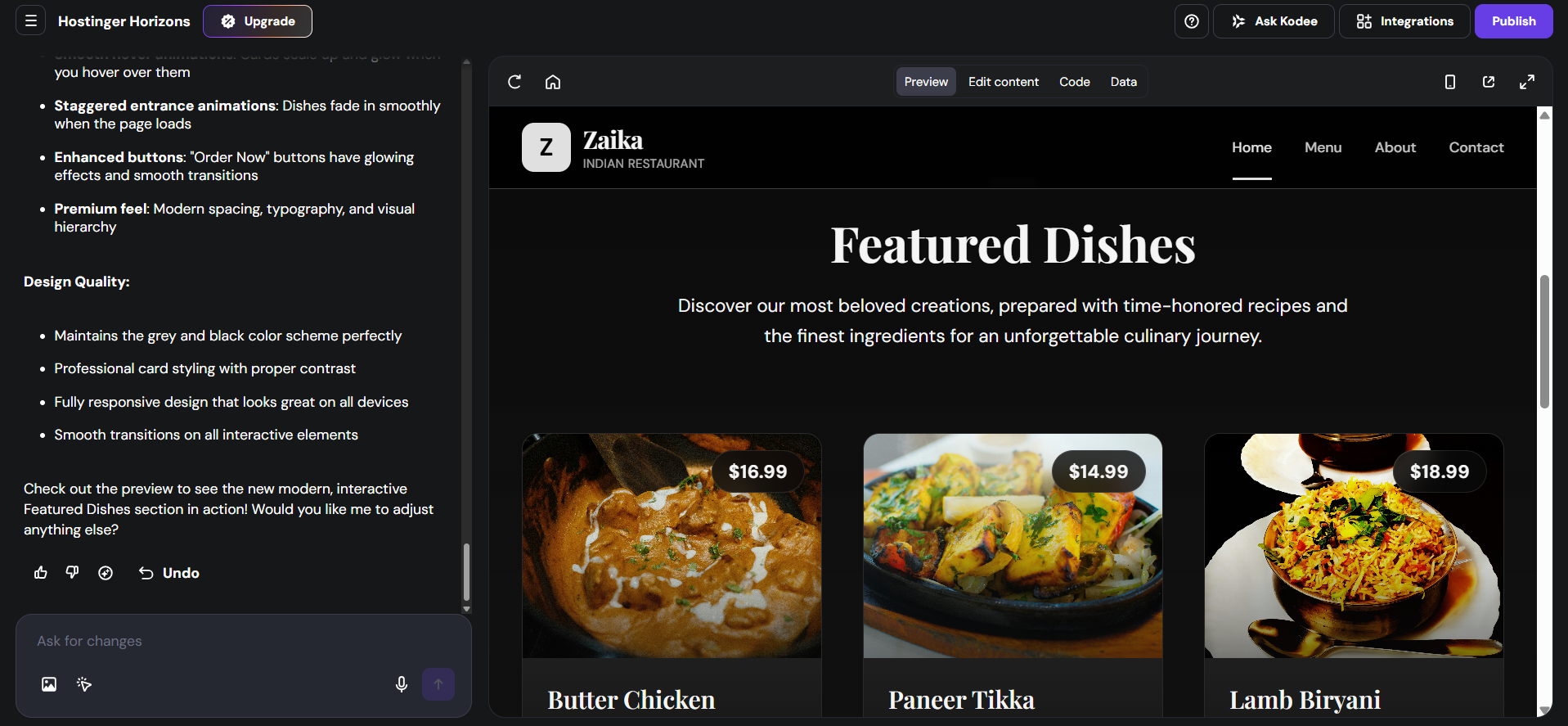
Hostinger is primarily known as a web hosting company, but Horizons is its AI-native website builder. The setup is as simple as typing a short prompt describing your business and what you need, and Horizons takes it from there. You can watch the actual code being written in the background as your site comes together, and there's a dedicated code tab where you can dive in and edit directly. In testing, the full generation took around five minutes.
First Draft & Customization
The first draft comes out clean — the layout is straightforward, animations are present, and the copy and images feel relevant to what you described. Editing works through tooltips for text edits, but layout and color adjustments require the AI chat. Some images can only be swapped through the AI chat as well. Each change takes upwards of a minute and a half to implement, which adds up if you're making several. There is an undo option if a change doesn't land the way you expected.
Features
- Built-in chatbot you can add to your website to handle visitor questions and capture leads
- A remixable template feature that lets you publish your project as a shareable template and earn commission
- Traffic and analytics tracking to monitor your site's performance
- Email marketing tools available through the broader Hostinger dashboard
- AI agents within the Hostinger ecosystem set up for specific business tasks
Limitations
- No AI blog generation
- No AI social media marketing tools
- Layout and color changes cannot be made through tooltips and require the AI chat instead
- No plugin marketplace, so extensibility is limited compared to WordPress
- Some users find renewal pricing unexpectedly high
Pricing
| Plan | Price |
|---|---|
| Explorer | $9.99/month |
| Starter | $19.99/month |
| Hobbyist | $55.99/month |
| Hustler | $99.99/month |
WordPress
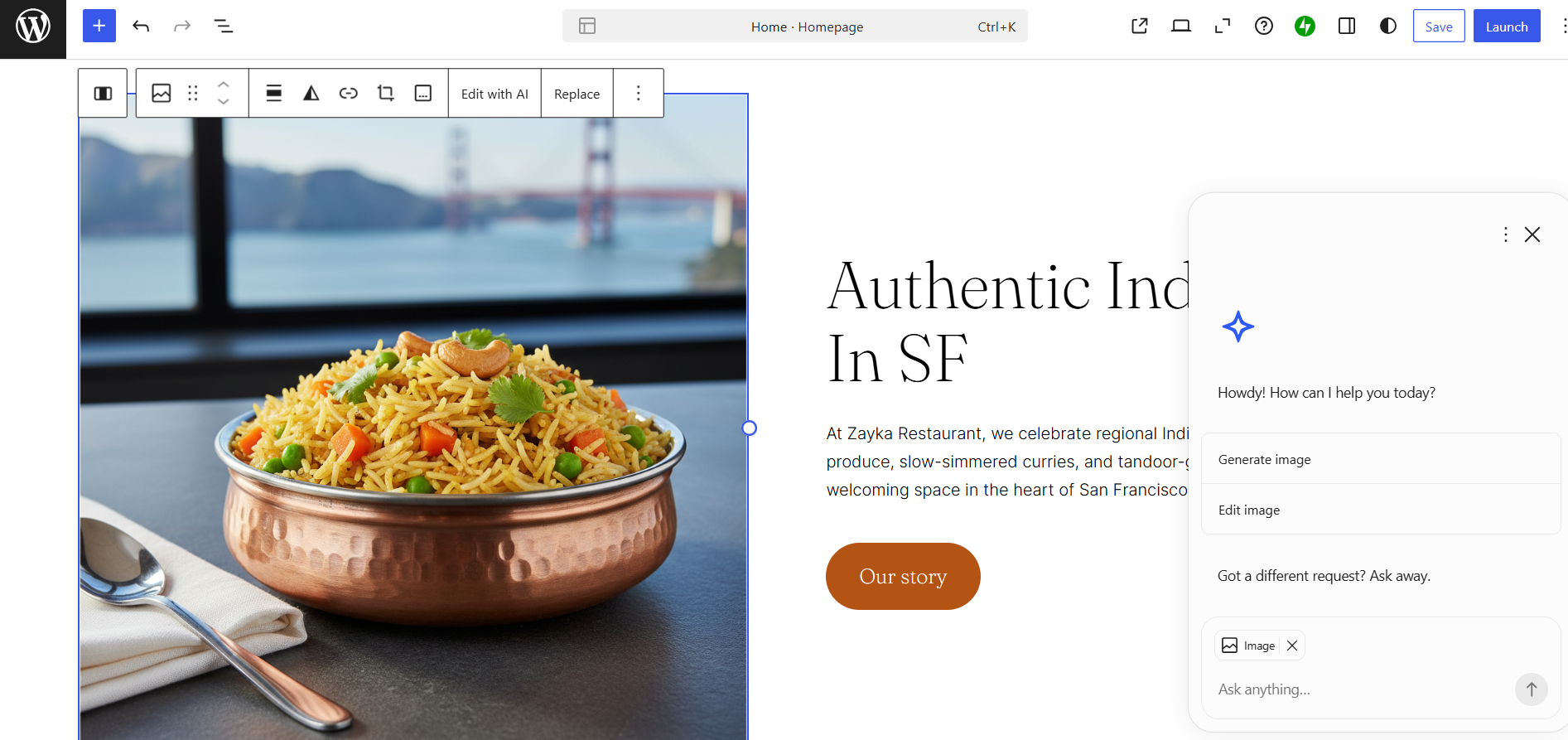
WordPress is not a purpose-built AI website builder, but it has added an AI-assisted setup flow that handles the initial site generation. The process begins with a short questionnaire where the AI asks you a couple of questions to establish the direction of the website. The full process comes out to around three minutes from start to first draft.
First Draft & Customization
The first draft quality is good — the layout, images, and copy all feel contextual, and the section-by-section reveal means you start seeing your site take shape relatively quickly. When generating new sections post-draft, WordPress will sometimes offer you multiple variations to choose from. Editing works through tooltips and the AI chat. The drag-and-drop editor is available for rearranging blocks but can feel laggy. Navigating to different pages within the editor can be unintuitive.
Features
- Access to more than 50,000 plugins, with users frequently noting there's almost always one that does what you need
- Hundreds of themes to choose from as your design foundation
- Automatic social sharing that pushes new posts to Facebook and Twitter
- New posts can be automatically sent to your subscribers as an email newsletter
- Analytics via GA4 and Jetpack Stats
- SEO tools and SSL certificates included on all plans
Limitations
- No AI blog generation
- No AI social media marketing tools
- No native AI chatbot for website visitors
- Some beginners find the dashboard overwhelming with too many menus and options
Pricing
| Plan | Price |
|---|---|
| Personal | $9/month |
| Premium | $18/month |
| Business | $40/month |
| Commerce | $70/month |
| Enterprise | From $25,000/year |
Butternut AI
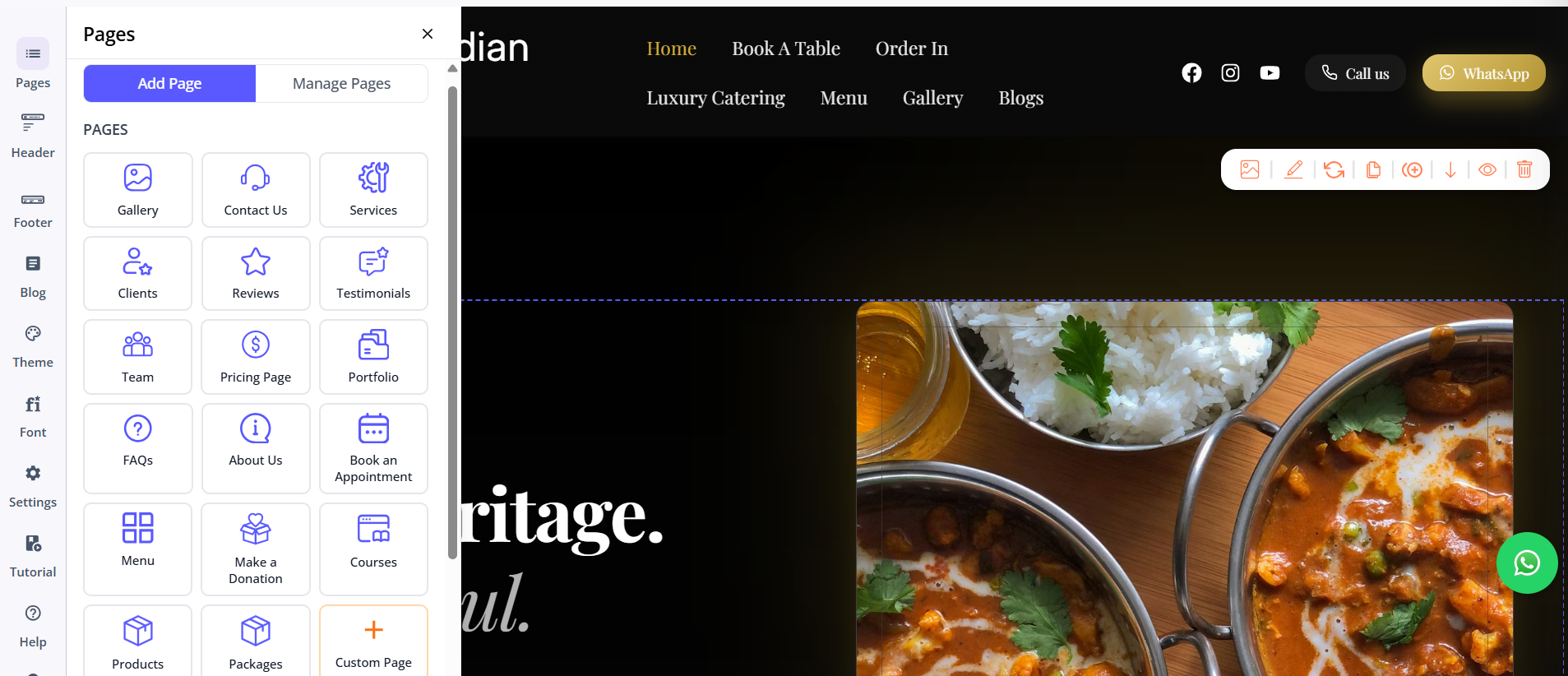
Butternut AI was built around AI from the start, which shows in how the entire experience is structured. There's no questionnaire, no template library to browse, and no drag-and-drop grid to wrestle with. You type your business name and a short description of what you do, and within 20 seconds your website starts appearing on screen, section by section.
First Draft & Customization
The first draft is the strongest of the three right out of the box. The copy reads like it was written specifically for your business, the images match the context of your site, the CTAs make sense where they're placed, and the animations feel intentional. Adding new pages is as simple as choosing the page type and clicking generate. Any other changes can be handled through the AI chat, which is smooth to use. Tooltips are available for more targeted edits.
Features
- AI blog writer with built-in topic suggestions tailored to your business and industry
- AI social media marketing agents for Facebook, Instagram, and LinkedIn that create and publish content automatically
- AI chatbot for your website that captures leads and answers visitor questions
- Fully automated SEO handling meta tags, sitemaps, and alt text
- Free hosting, SSL, and a custom domain included for the first year
Limitations
- No native email marketing
- No plugin marketplace, so the integrations ecosystem is smaller than WordPress
- Basic integration with GA4
Pricing
| Plan | Price |
|---|---|
| Starter | $20/month |
| Pro | $69/month |
Which One Should You Choose?
All three tools will get you to a live website. The question is how much of your time and energy you're willing to spend getting there.
WordPress is the right choice if you need depth, flexibility, and are comfortable spending time learning the platform. Hostinger Horizons is interesting if you want to see the actual code behind your site or have a technical background and like having that access.
But Butternut AI is the one to try if your goal is to get something professional online with the least amount of friction. The setup takes less than a minute, the first draft needs less correction than either alternative, and the AI chat makes changes without making you learn a tool first. There's also a free plan available, so if you walk away unimpressed, the only thing you've wasted is 20 seconds.