
Butternut AI Blog
Squarespace vs WordPress vs Butternut AI
Unable to decide between Squarespace and WordPress to build your website? Here's an honest comparison of both alongside Butternut AI to help you pick the right one.
Introduction
Squarespace and WordPress represent two very different philosophies about what a website builder should be. Squarespace is polished, opinionated, and designed to make you look good with minimal effort. WordPress is open, flexible, and powerful enough to build almost anything. Both have millions of users and years of refinement behind them. Both have real trade-offs that most reviews gloss over.
This article puts Squarespace and WordPress head-to-head and adds a third option to the mix that's worth knowing about before you make a decision. Butternut AI is a newer AI-first builder that takes a completely different approach to getting online. By the end, you'll have a clear picture of what each tool actually delivers and which one is worth your time.
Squarespace vs WordPress vs Butternut AI
| Feature | Squarespace | WordPress | Butternut AI |
|---|---|---|---|
| Website generation speed | Takes over 2 minutes to get to the first editable draft | Takes ~1.5 minutes to answer questions and ~1.5 minutes to generate the first draft | Generates the first draft in under 20 seconds |
| First draft quality | Minimal animations, decent copy, generic images | Contextual layout, images, and copy but no animations | Good animations, contextual copy, relevant images |
| User experience | Fluid but multi-step; learning curve present | Smooth generation but editor feels slow and navigation can be confusing | One-step process, easy to learn and use |
| Post-generation customization | Via tooltips only | Via tooltips or AI (AI tweaks take up to 1 minute each) | Via AI, tooltips, or custom HTML |
| Design | Static template based | Static template based | Fully AI-generated, dynamic design and layout |
| SEO | SEO score + actions, manual implementation | SEO tools included, manual implementation | Fully automated (meta tags, sitemaps, alt text) |
| AI blog generation | ✅ Including topic suggestions | ||
| AI social media marketing | ✅ Facebook, Instagram, LinkedIn | ||
| AI chatbot for website | |||
| Custom HTML code | ✅ Core plan and above | ✅ Core plan and above | |
| Email marketing | |||
| Analytics | ✅ Traffic, sales, engagement | ✅ GA4 + Jetpack Stats | ✅ GA4 integration |
| Mobile experience | Auto-responsive | Auto-responsive | Auto-responsive |
| Customer support | Priority support on paid plans + community forums | Email & contact form | 1-year free domain |
| Hosting & SSL | |||
| Pricing | Basic: $9/month Core: $12/month Advanced: $17/month | Personal: $9/month Premium: $18/month Business: $40/month Commerce: $70/month Enterprise: from $25,000/year | Starter: $20/month Pro: $69/month |
Squarespace
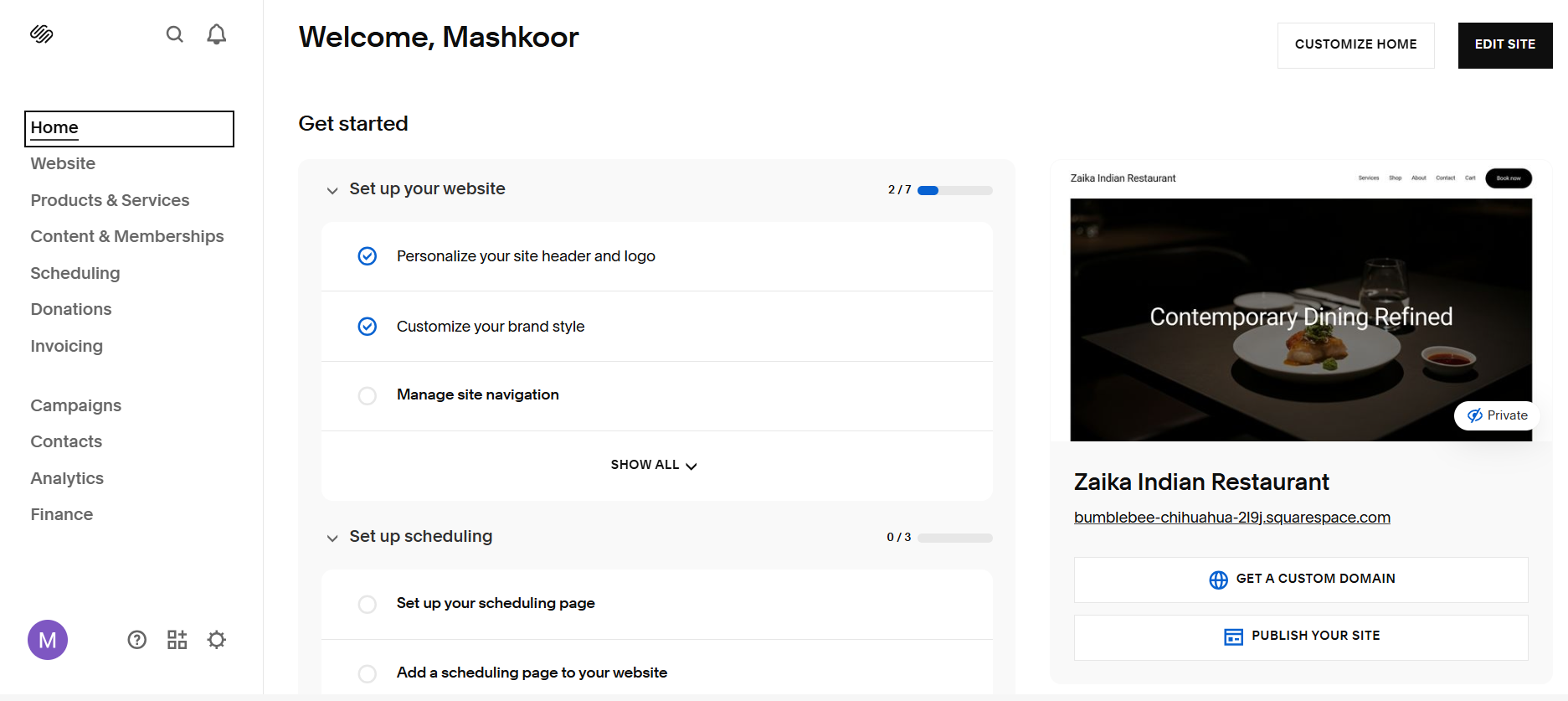
Squarespace has built its reputation on one thing above all else and that is design. The Squarespace onboarding experience is smooth. Instead of a lengthy conversational flow, you work through a focused set of MCQs. As you answer, your website takes shape in the background and you can actually see sections being added in real time on the left hand section as you move through the prompts.
Getting to your first editable draft takes just over two minutes. When it's done, you land directly in the website editor, which means you can start making changes immediately. Blueprint AI, Squarespace's AI builder, asks about brand personality, color palettes, and fonts before generating, which produces a more visually considered result. The output is polished and professional-looking right out of the gate. The one consistent weak point is that stock images as AI picks often have very little to do with your actual business.
First Draft & Customization
The Fluid Engine editor delivers on Squarespace's design promise. You can drag and drop elements with real precision, swap between section layouts using visual previews in popups, vertically resize sections, add announcement bars and popups, and manage all your images through a built-in asset library. Everything is auto-responsive, so your site looks right on mobile without any extra effort on your part.
The limitation is that post-generation customization works through tooltips only. There's no conversational AI interface for making changes. If you want to edit something, you find it and change it manually. This makes you click more than you'd like to for simple tasks.
Features
- Around 180 professionally designed templates
- Blueprint AI builder with design-focused prompts for fonts, colors, and brand personality
- Email campaigns with segmentation, automation, and follow-up sequences
- Client database with CSV upload and bulk contact management
- Invoicing, booking, and reservation systems built directly into the platform
- Coupon and gift certificate management
- Auto-responsive mobile design without needing any manual
- Automatic metadata and alt text generation for SEO
- SEO score dashboard with suggested actions
- Analytics covering traffic, engagement, and sales
- Integrations for CRM, email marketing, and client engagement tools
Limitations
- No AI social media marketing tools
- No AI blog generation
- No AI image generation
- No AI to make changes on the website for you
- Custom HTML and CSS are available but only on the Core plan and above
Pricing
| Plan | Price |
|---|---|
| Basic | $9/month |
| Core | $12/month |
| Advanced | $17/month |
WordPress
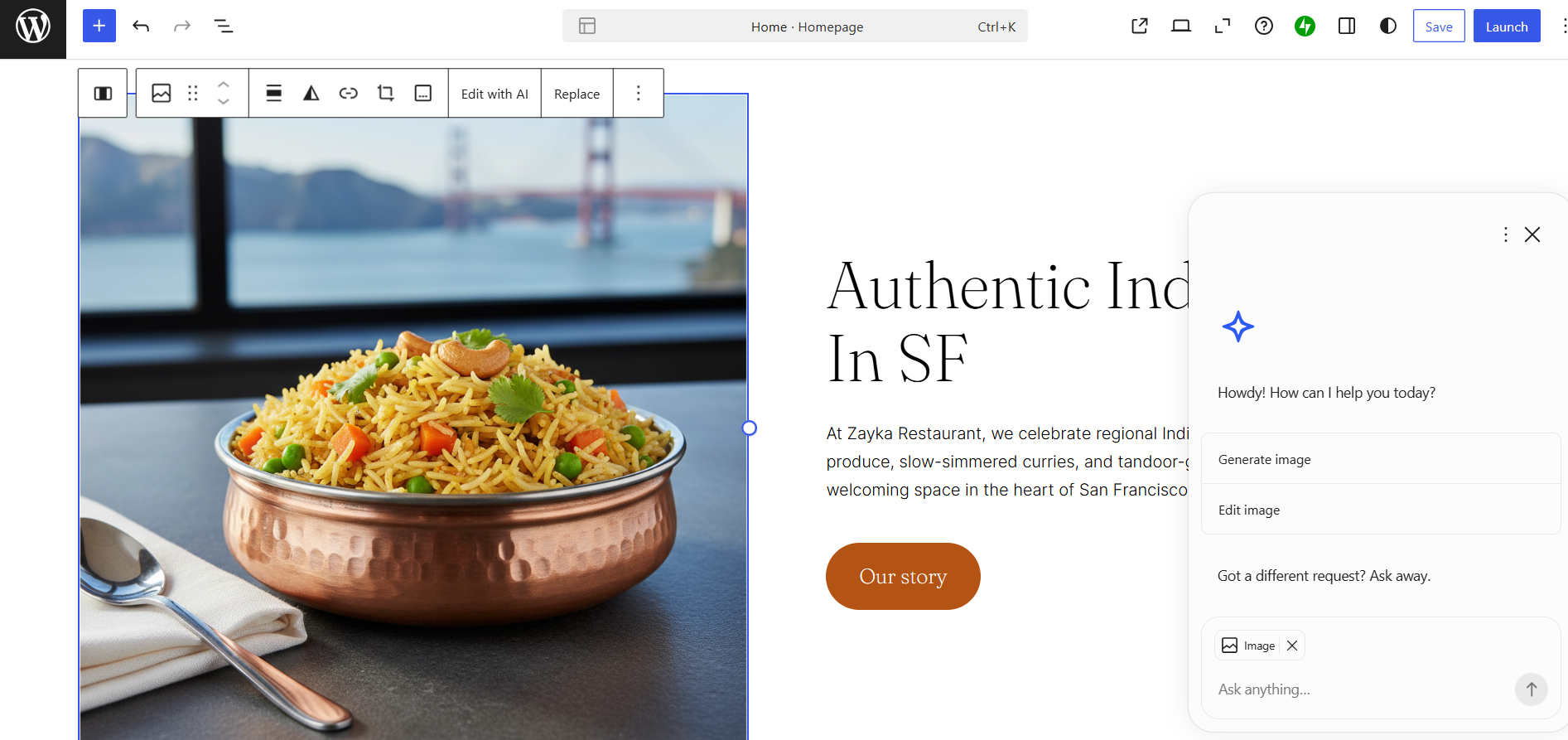
WordPress has been around since 2003 and has spent two decades accumulating one of the largest ecosystems of themes, plugins, and developer resources of any platform in existence. WordPress launched its AI website builder in April 2025, and it takes a refreshingly different approach to onboarding. A chat-style interface asks you a handful of focused questions about your business and design preferences. The website builds out section by section on screen, so you can watch it take shape as it's being created. The entire generation takes another one and a half minutes, putting the total time from start to first draft at around three minutes.
The first draft is solid. The layout, copy, and images are contextual and they feel relevant to your business rather than generic. The one gap is that animations aren't included in the first draft. The drag-and-drop interface works, but it feels laggy and slow to respond. Moving blocks around takes more effort than it should, and the editor itself can feel slow to respond. I found myself asking the AI to navigate to a different point.
One genuinely useful feature is section variations. When generating new sections, WordPress will sometimes offer you multiple layout options to choose from, a small touch that gives you more control over the final look without having to regenerate from scratch.
Customization is possible through tooltips or by asking the AI to make changes for you. The AI editing option is useful in theory, but each tweak can take up to a minute to implement, which adds up quickly if you're making multiple changes. Navigating between pages in the editor can also feel confusing at first.
Features
- 50,000+ plugins covering everything from SEO to e-commerce to membership sites
- Separate AI image generation feature built into the platform
- Auto-posts new content to Facebook and Twitter with shortlinks and open graph tags
- Ability to publish blog posts by sending an email
- Analytics via GA4 and Jetpack Stats
- SEO tools and SSL certificates included on all plans
- Free domain for the first year on paid annual plans
Limitations
- No animations in the first draft, as the output feels flat compared to Butternut AI
- The drag-and-drop editor feels laggy and slow to respond
- AI tweaks can take up to a minute each, making iterative editing time-consuming
- Navigating between pages in the editor is confusing for first-time users
- The platform's depth can be overwhelming for users who just want something simple
- No AI social media marketing agents
- No AI blog generation
- No AI to make changes on the website for you
- Newer platform with a smaller team, though the quality of support makes up for the size
Pricing
| Plan | Price |
|---|---|
| Personal | $9/month |
| Premium | $18/month |
| Business | $40/month |
| Commerce | $70/month |
| Enterprise | from $25,000/year |
Butternut AI
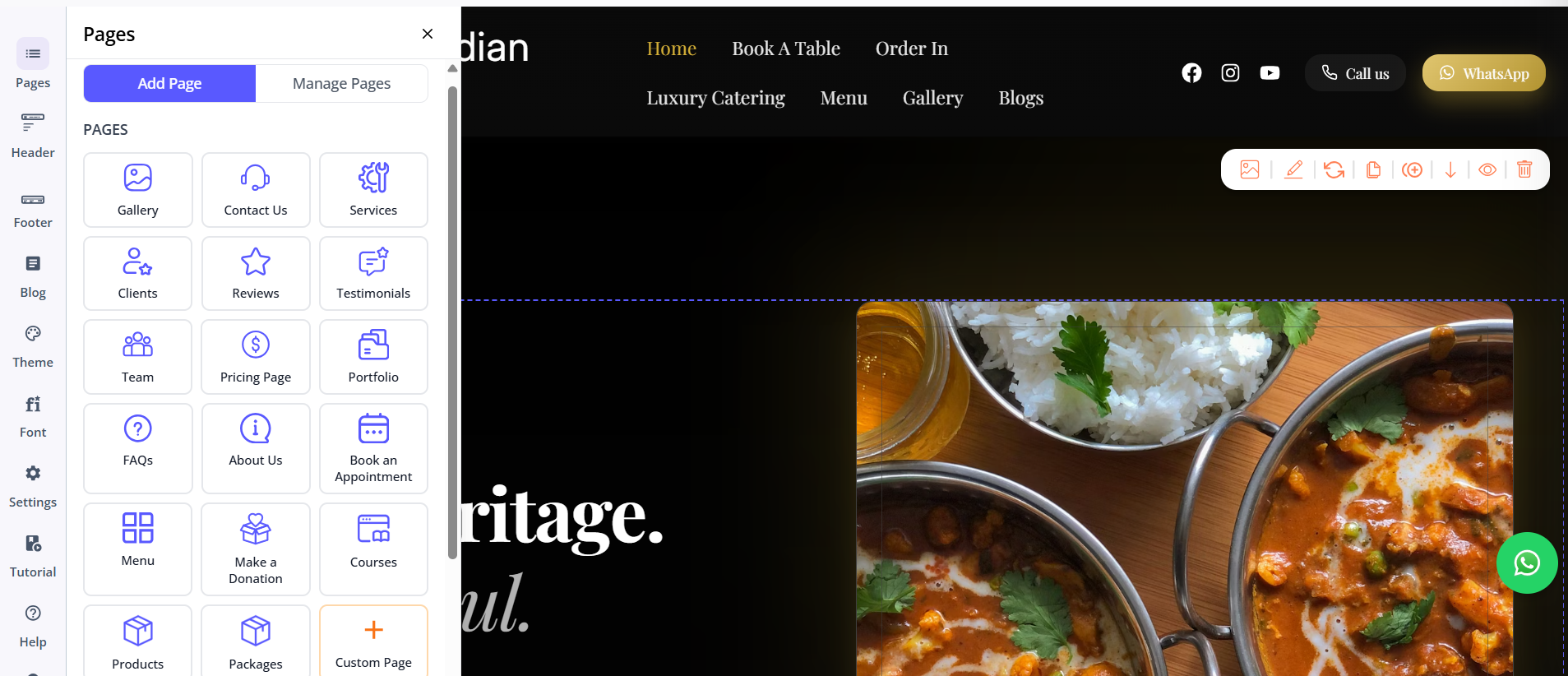
Butternut AI is a different kind of tool entirely. Squarespace and WordPress are established platforms with years of infrastructure behind them. Butternut AI was built from the ground up around just to ensure that getting a professional website online should be fast, simple, and require as little manual effort as possible.
The setup process is the simplest of the three. You type your business name and a short description of what you do and that's it. Within 20 seconds, your website starts appearing on screen section by section, so you can watch it come together rather than wait for a loading screen to clear.
First Draft & Customization
The first draft quality is the strongest of the three out of the box. The copy reads like it was written for your specific business. The CTAs make sense in context. The images match your industry and tone and animations are included by default and look intentional rather than decorative. It's a first draft that needs refinement but doesn't need to be rebuilt, which puts you in a very different starting position compared to Squarespace or WordPress.
Adding new pages follows the same logic. Choose the type of page, click generate, and it's there. No configuration, no theme hunting, no extra prompts required unless you want to build something custom.
Post-generation editing in Butternut AI is where the AI-first approach really shows its advantage. If you don't like a section, you can regenerate just that section. You can have the copy rewritten or just ask for a new section by describing it. The AI interprets and executes it quickly and meticulously.
For users who want more granular control, the platform also supports custom HTML embed codes, bringing in third-party tools, tracking pixels, or functionality that wouldn't otherwise be possible.
Features
- Full website generated from a single text prompt in under 20 seconds
- AI blog writer with built-in topic suggestions based on your business and industry
- AI social media marketing agents for Facebook, Instagram, and LinkedIn that create and publish content automatically
- AI chatbot for your website that captures leads and answers visitor questions 24/7
- Fully automated SEO with meta tags, sitemaps, and alt text handled by default
- Google Analytics 4 integration for detailed site analytics
- Free hosting, SSL, and a custom domain included for the first year on all paid plans
- Integration with payment gateways to accept payments
Limitations
- No native email marketing
- Smaller integrations ecosystem compared to WordPress's 50,000+ plugins
- Basic integration with GA4
Pricing
| Plan | Price |
|---|---|
| Starter | $20/month |
| Pro | $69/month |
Which One Should You Choose?
At the end of the day, all three tools can build you a website. But if you're reading this as someone who wants to get online without spending a lot of energy and time, go ahead and try Butternut AI.
Not because Squarespace and WordPress aren't capable. But because the experience of building a website should feel empowering, not exhausting. Butternut AI is the only tool in this comparison that gets out of your way and lets you focus on your business rather than your website builder.
Also, there's a free plan, the setup takes less than a minute, and if you decide it's not for you, you've lost nothing but 20 seconds. That's a trade worth making.