
Butternut AI Blog
9 Best Webflow Alternatives to Try in 2026
If you're looking for a Webflow alternative to build your website, we've curated a list of 9 tools that you can seriously consider and choose the one for you.
Introduction
Webflow sits in a unique spot in the website builder market. It gives you the kind of design control that used to require a developer, without making you write a single line of code. Its visual editor maps directly to HTML and CSS, meaning you can build complex, precisely structured sites while the platform generates clean, exportable code underneath. For agencies, designers, and growth-stage teams, that combination is genuinely hard to beat.
That said, Webflow isn't the perfect tool for everyone. The learning curve is steep enough that agencies report spending 8+ hours training new staff on the platform. The layered billing model (you pay for both a Site Plan and a Workspace Plan separately) means your actual monthly cost is often much higher than the advertised price. If you've hit one of those walls, here are the best Webflow alternatives worth looking at in 2026.
TL;DR
- Best overall alternative: Butternut AI
- Best for budget-conscious builders: Hostinger
- Best for eCommerce: Shopify
- Best design-focused builder: Framer
- Best for full-stack app building: Lovable
- Best for WordPress users: 10Web
Why You Might Be Looking For a Webflow Alternative
- The learning curve is genuinely steep: Webflow's interface is built around CSS box-model concept. If you don't already think in those terms, the platform will feel disorienting.
- Pricing is more expensive than it looks: Webflow's advertised plans start at $18/month, but that only covers the Site Plan. You also need a Workspace Plan on top of that, plus potential add-ons.
- Guest editing was removed from CMS plans: Webflow removed the ability for clients or collaborators to edit CMS content on standard plans, a feature that freelancers and agencies relied on.
- It's not built for eCommerce at scale: Webflow's eCommerce functionality works for simple stores, but it doesn't come close to Shopify's infrastructure when you're dealing with large product catalogs, multi-channel selling, or high order volumes.
9 Best Webflow Alternatives in 2026
| Tool | SEO | Custom Code | Blog Gen | Hosting | Copy Gen | AI Social | Price |
|---|---|---|---|---|---|---|---|
| Butternut AI | $20/mo | ||||||
| Hostinger | $9.99/mo | ||||||
| Durable | $25/mo | ||||||
| 10Web | $20/mo | ||||||
| Lovable | $25/mo | ||||||
| Squarespace | $16/mo | ||||||
| Framer | $15/mo | ||||||
| Shopify | $39/mo | ||||||
| Wix | $17/mo |
Butternut AI
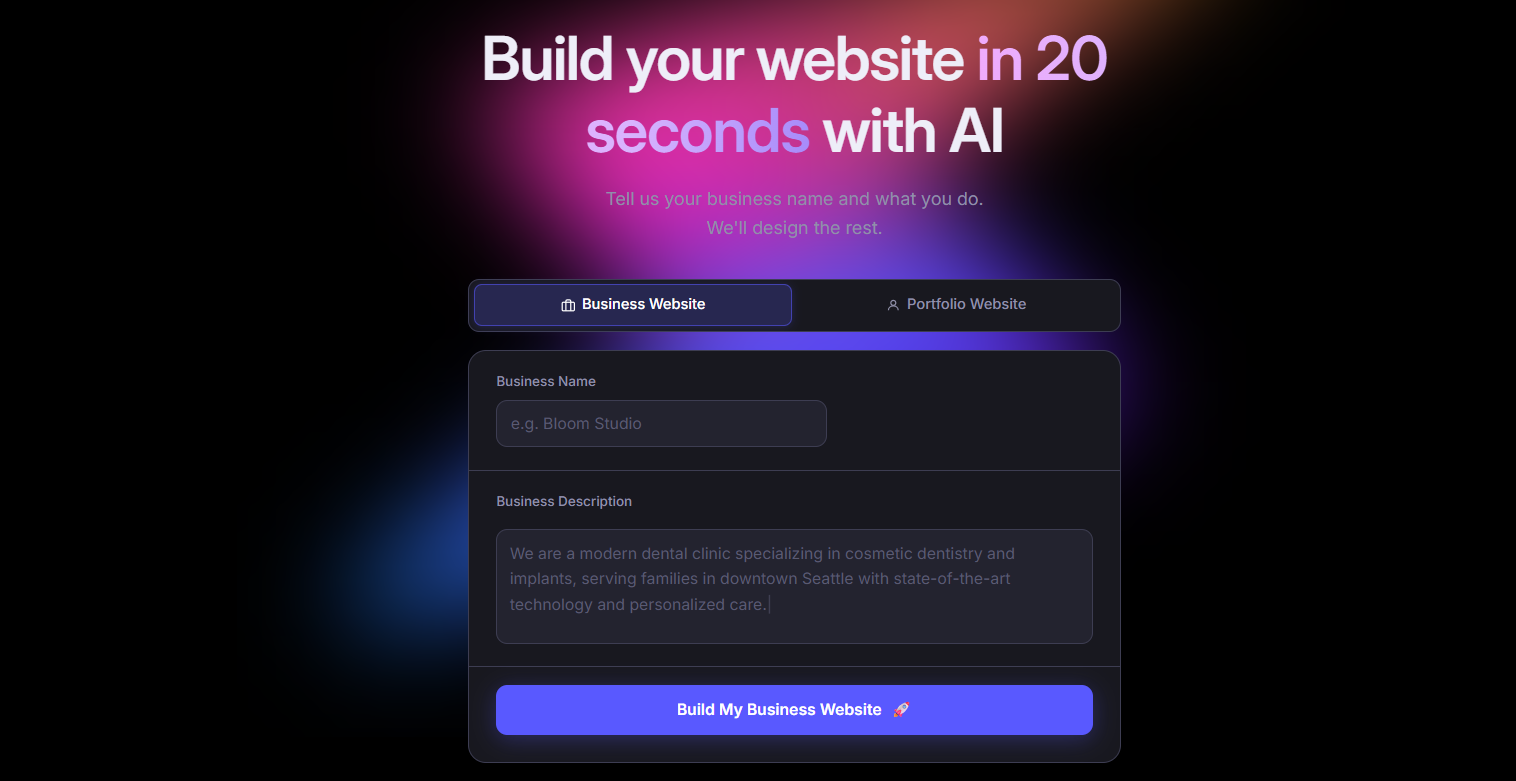
Butternut AI generates a complete website including the website copy and images from a short description of your business in under 20 seconds. Unlike Webflow, which hands you a blank canvas and expects you to build up from there, Butternut AI gives you something that already looks and reads like your business from the start. Editing happens directly on the page, which keeps the iteration loop fast. For anyone who doesn't want to spend days building a site, the time difference compared to Webflow is significant.
Where Webflow requires you to understand the box model before you can do anything meaningful, Butternut AI assumes no prior knowledge and still gets you to a live, published site quickly. It also includes built-in AI tools for blogging, SEO, and social media marketing that Webflow doesn't offer natively.
Key Features:
- Built-in hosting with one-click publishing, so you don't need to configure anything to go live.
- AI blog writer generates full articles from scratch, making it easier to build out SEO content over time.
- AI social media agents handle posting end-to-end across Facebook, LinkedIn, and Instagram.
- Supports HTML editing when you need more precise control over specific elements.
- Automated SEO support for your website.
Best For: Founders, solopreneurs, and marketers who want to get a live website up quickly without learning design tools or dealing with platform complexity.
Pricing
| Plan | Price |
|---|---|
| Starter | $20/mo |
| Pro | $69/mo |
Hostinger
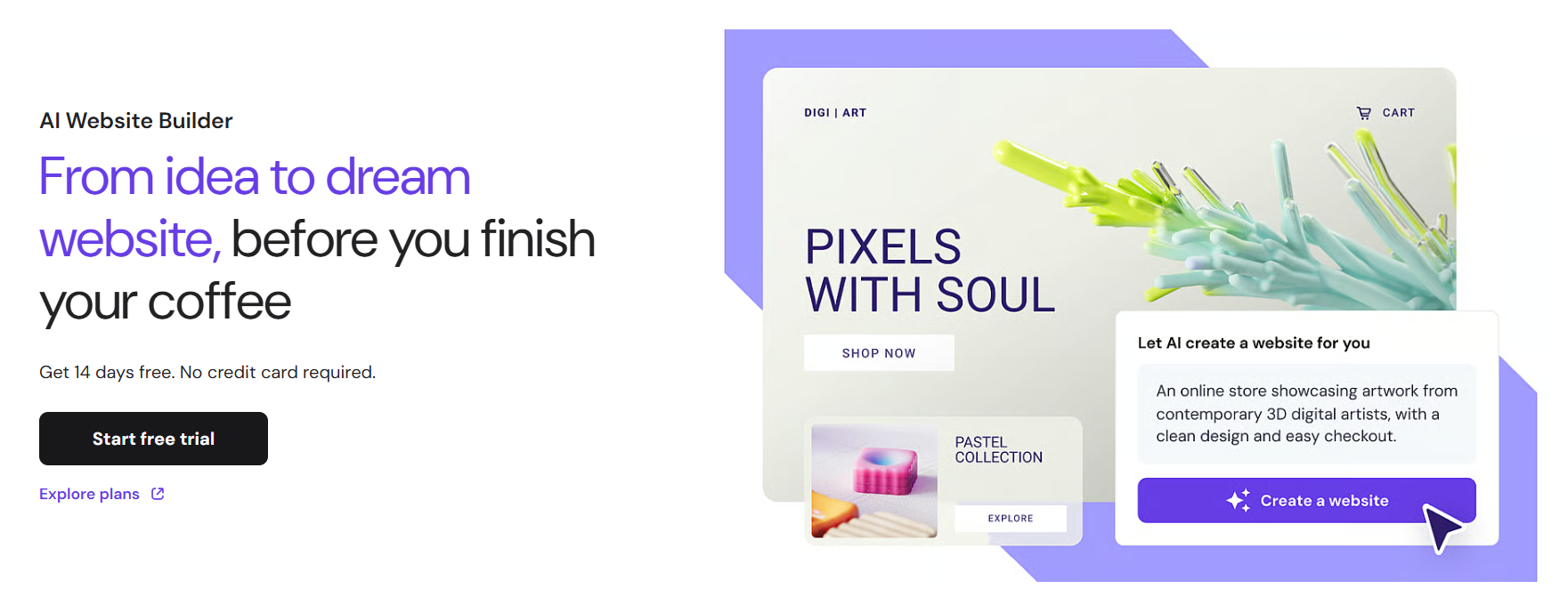
Hostinger is primarily known as a web hosting provider, but its Horizons builder has grown into a capable platform in its own right. You describe what you want in plain language and the AI builds a fully functional React + Vite application in real time. It bundles hosting, SSL, CDN, custom domain, and one-click deployment into a single plan, which removes a lot of the infrastructure overhead cost that Webflow users typically deal with separately. Compared to Webflow, Hostinger is significantly easier to get started with.
Key Features:
- Conversational AI builder accepts text, voice, and image prompts to generate websites and web apps.
- Built-in hosting, SSL, CDN, and a free domain are included on annual plans without needing any separate setup.
- Automatically generates sitemap.xml, robots.txt, and LLMs.txt for SEO.
- Supabase integration handles database and authentication for more complex projects.
- Supports eCommerce with Stripe on Starter plans and above.
Best For: Budget-conscious individuals, solopreneurs, and small businesses who want a capable builder without the cost or complexity that comes with Webflow.
Pricing
| Plan | Price |
|---|---|
| Explorer | $9.99/mo |
| Starter | $19.99/mo |
| Hobbyist | $55.99/mo |
| Hustler | $99.99/mo |
Durable
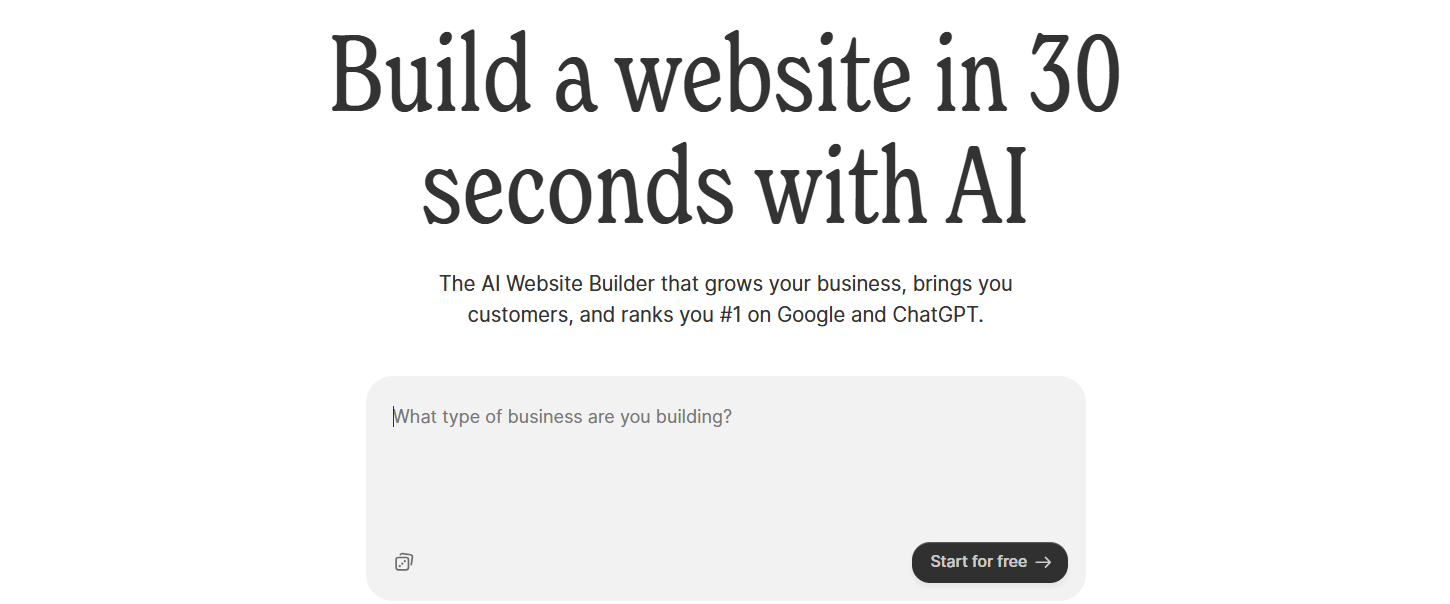
Durable is an AI website builder aimed specifically at small service-based businesses. It generates a full website in under 30 seconds and goes further than most builders by bundling CRM, invoicing, and client management directly into the platform. The idea is that you don't need to stitch together a website builder, a CRM, and a billing tool separately, Durable handles all three.
Compared to Webflow, Durable offers almost none of the design flexibility, but it makes up for it with business operations features that Webflow simply doesn't have.
Key Features:
- Built-in CRM for managing leads and client data, connected directly to the website.
- Invoice creation and payment tracking are built into the platform.
- Lead capture forms sync automatically with the CRM.
- AI social media tools for promoting across multiple channels.
- Analytics dashboard tracks website activity and customer interactions in one view.
Best For: Solopreneurs, consultants, and local service businesses who want a single platform for their website and basic business operations rather than managing multiple tools.
Pricing
| Plan | Price |
|---|---|
| Launch | $25/mo |
| Grow | $99/mo |
10Web
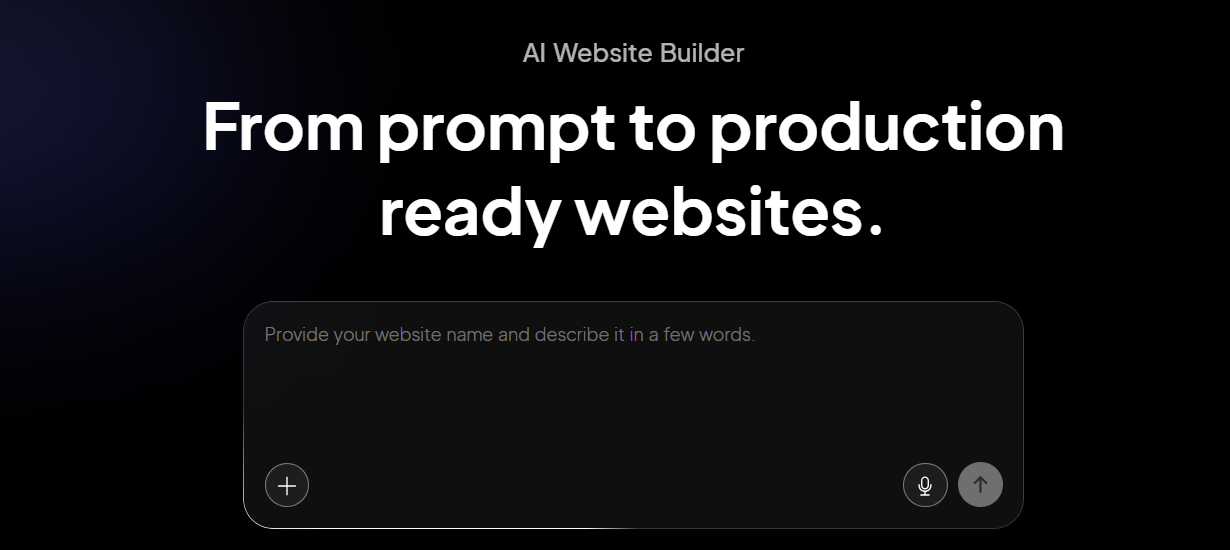
10Web is an AI website builder built on top of WordPress and hosted on Google Cloud infrastructure. Its Agentic AI Builder generates complete WordPress sites from natural language prompts and one of its more distinctive features is website cloning, which lets you reproduce the layout of any existing site by entering its URL. For teams that have spent years in the WordPress ecosystem and don't want to abandon it, 10Web offers an AI-powered path forward without losing access to the plugins, portability, and CMS capabilities they're used to.
Key Features:
- Agentic AI Builder generates complete, multi-page WordPress sites from a text prompt.
- Website cloning lets you replicate any site's layout by entering its URL.
- Google Cloud hosting comes with a 90+ PageSpeed score guaranteed on all plans.
- Full access to the WordPress plugin library (65,000+), including WooCommerce for eCommerce.
- Multi-site agency dashboard with white-label branding for agencies.
Best For: WordPress users, agencies, and businesses that want AI-powered site generation while keeping access to the WordPress plugin ecosystem and full data portability.
Pricing
| Plan | Price |
|---|---|
| AI Starter (1 site) | $20/mo |
| AI Premium (1 site) | $30/mo |
| Agency Starter (3 sites) | $48/mo |
| Agency Premium (10 sites) | $120/mo |
Lovable
Lovable is an AI-powered full-stack web app builder that takes a natural language prompt and produces a working React/TypeScript application, complete with a Supabase backend, authentication, and Stripe payments. It's built for people who need to ship a functional product, not just a marketing page. The two-way GitHub sync means you always own your code and can take it anywhere, which addresses one of the biggest concerns people have with AI-generated builds.
Webflow gives you design precision but stops well short of actual app functionality. Lovable handles the backend complexity that Webflow can't touch, making it a better fit if what you're actually building is a product with user authentication, a database, and payment processing rather than a website.
Key Features:
- Full-stack generation from a single prompt: React + Tailwind frontend plus a Supabase backend with auth and database.
- Two-way GitHub sync gives you complete code ownership and no vendor lock-in.
- Visual editor (Figma-like) lets you manipulate the UI directly without prompts.
- Stripe integration handles payments and subscriptions.
- Real-time team collaboration is supported.
- One-click deployment with free hosting included.
Best For: Non-technical founders, early-stage startups, and product teams who need to build and validate web app MVPs quickly without writing code from scratch.
Pricing
| Plan | Price |
|---|---|
| Pro | $25/mo |
| Business | $50/mo |
| Enterprise | Custom |
Squarespace

Squarespace has built its reputation on design quality. Its Blueprint AI walks you through a structured, five-step process to generate a site that stays visually consistent across every page. The templates are polished in a way that few other builders match, and the editing experience is cleaner and more guided than what you get from Webflow's freeform canvas.
Where Webflow gives you total design control at the cost of complexity, Squarespace trades some of that flexibility for an experience that's more approachable and significantly faster to work with.
Key Features:
- 190+ professionally designed templates that maintain brand consistency across pages.
- Automatic mobile optimization on all templates, no manual adjustments needed.
- Built-in blogging with scheduling, categories, and content management.
- Integrated eCommerce on every plan, including product catalogs and checkout.
- Beacon AI acts as a 24/7 business assistant within the dashboard.
Best For: Creatives, photographers, consultants, and small businesses that care more about visual presentation than deep design customization, and want a polished result without the learning curve.
Pricing
| Plan | Price |
|---|---|
| Basic | $16/mo |
| Core | $23/mo |
| Plus | $39/mo |
| Advanced | $99/mo |
Framer

Framer is a design-first website builder that started as a prototyping tool for designers before evolving into a full publishing platform. Its AI Wireframer generates complete multi-page sites from a text prompt, and the visual editor gives you a Figma-like canvas with component-based design, advanced animation tools, and responsive layout controls.
In terms of design control, Framer sits closest to Webflow among the tools on this list. The difference is in the experience. Framer is generally easier to work in for designers who think visually, while Webflow still requires understanding CSS concepts to use effectively.
Key Features:
- Advanced animation tools including scroll effects, transitions, and click-triggered interactions.
- Granular responsive controls for fine-tuning layouts at every breakpoint.
- Built-in CMS for managing blogs and other dynamic content.
- Real-time team collaboration is included on paid plans.
Best For: Designers, product teams, and creative agencies that want maximum design control and high-performance sites without needing to write code or navigate Webflow's steeper learning curve.
Pricing
| Plan | Price |
|---|---|
| Basic | $15/mo |
| Pro | $45/mo |
| Scale | $100/mo |
| Enterprise | Custom |
Shopify
Shopify is the most widely used eCommerce platform in the world, and the comparison with Webflow here is straightforward. Webflow can handle a basic online store, but it wasn't built for commerce, but Shopify was built for exactly that. From inventory management and multi-channel selling to abandoned cart recovery and a 13,000+ app marketplace, every feature in Shopify exists to help you sell more effectively at any volume.
If selling is the primary function of your website rather than one feature among many, Shopify is the better tool.
Key Features:
- Complete eCommerce infrastructure including product management, inventory tracking, checkout, and payment processing.
- Multi-channel selling across social media platforms, marketplaces, and in-person POS.
- 13,000+ apps covering email marketing, loyalty programs, reviews, shipping, and more.
- Abandoned cart recovery, discount codes, and detailed sales analytics.
- Built-in Shopify Payments to avoid third-party transaction fees.
Best For: Online stores at any stage, from early-product businesses validating their first sales to established brands managing high volumes across multiple channels.
Pricing
| Plan | Price |
|---|---|
| Basic | $39/mo |
| Grow | $105/mo |
| Advanced | $399/mo |
| Plus | $2,300/mo |
Wix
Wix's AI builder generates complete websites through a conversational interface, and the platform includes 15+ AI tools covering everything from text and image creation to meta tag generation and ad copy. The app marketplace has 800+ integrations, significantly more than what Webflow offers.
Compared to Webflow, Wix is considerably more accessible. You don't need to understand CSS to use it effectively, and the range of built-in tools means you can handle more without reaching for third-party integrations.
Key Features:
- 15+ AI tools covering content creation, SEO, image generation, and ad copy.
- 900+ templates with a fully flexible drag-and-drop editor.
- 800+ app marketplace integrations for extending functionality.
- Built-in eCommerce, booking, events, and scheduling on all plans.
- AI-powered email campaigns and social media caption tools.
Best For: Small businesses, entrepreneurs, and bloggers who want a wide feature set in one platform and don't need the precision design control that Webflow offers.
Pricing
| Plan | Price |
|---|---|
| Light | $17/mo |
| Core | $29/mo |
| Business | $39/mo |
| Business Elite | $159/mo |
How to Make the Right Choice
The right Webflow alternative depends on which specific limitation is driving you to look elsewhere. Here are the factors worth thinking through before you commit to a new platform.
- What you're actually building: A marketing site, an eCommerce store, and a web app are three different things, and most builders are optimized for one of them.
- How much design control you need: If pixel-level precision is essential, Framer is the closest alternative to Webflow in terms of design capability. If you want a clean, professional result with less effort, Squarespace covers a lot of that ground without the complexity.
- Your technical comfort level: Webflow's learning curve exists because it mirrors how websites actually work at the code level. If you don't want to deal with that, most alternatives here will feel significantly more approachable.
- True cost over time: Look beyond the starting plan price. Factor in workspace plans, add-ons, renewal rate changes, and any features locked behind higher tiers.
- Portability and ownership: If owning your code matters to you, check the export policy before committing to any new platform.
Our Suggestion
If what brought you to this page is Webflow's learning curve or its pricing complexity, Butternut AI is the most direct alternative to look at first.
It removes the main friction points. There's no box model to learn, no layered billing to decode, and you're not starting from a blank canvas. You describe your business, and the platform builds the structure, copy, and layout around that context. From there, editing is done directly on the page, which means iterating on your site doesn't require navigating a complex editor.
It also includes AI powered blogging and AI social media agents that Webflow doesn't offer natively, so you're not immediately looking for third-party solutions to fill gaps.
You can build your site for free and only pay when you're ready to publish.