
Butternut AI Blog
Webflow vs WordPress vs Butternut AI
If you’re considering Webflow or WordPress to build your website? Here's an honest, hands-on comparison of Webflow, WordPress, and a new addition, Butternut AI to help you pick the right one.
Introduction
If you're serious about building a website and have done even a little research, you've likely come across Webflow and WordPress. They sit at very different ends of the spectrum, and neither of them was originally built with speed or simplicity in mind. We tested both alongside a third option, Butternut AI, which takes a completely different approach to building websites. The comparison table below covers the key differences at a glance, and the detailed breakdowns that follow will tell you exactly what to expect from each tool before you choose one.
Webflow vs WordPress vs Butternut AI
| Feature | Webflow | WordPress | Butternut AI |
|---|---|---|---|
| Website generation speed | Outline generated in under 30 seconds; full pages take a little over a minute after reviewing the outline | Takes around 3 minutes total. That’s about 1.5 minutes for questions and another 1.5 minutes to generate | Generates the first draft in under 20 seconds flat |
| First draft quality | Minimal copy, image placeholders, natural animations present | Contextual layout, images, and copy; occasional formatting inconsistencies | Strong copy, relevant images, CTAs, and intentional animations out of the box |
| User experience | Multi-step process with a design-tool like interface; familiar for designers, steep learning curve for everyone else | Multi-step with AI questions; editing can feel slow and navigation confusing | Single-step format, easy to learn and use |
| Post-generation customization | Via AI assistant (slow, uses technical design terms) or design-tool interface | Via AI assistant or tooltips; drag and drop feels laggy | Via AI chat or tooltips; seamless and fast |
| Design | Visual design environment with full layout control | Template-based with AI assistance | Fully AI-generated, dynamic design and layout |
| SEO | Built-in SEO tools with manual control | SEO tools with SSL certificates standard | Fully automated (meta tags, sitemaps, alt text) |
| AI blog generation | ✅ (including keyword suggestions) | ||
| AI social media marketing | ✅ (Facebook, Instagram, LinkedIn) | ||
| AI chatbot for website | |||
| Custom HTML code | |||
| Email marketing | ✅ (automated newsletter from new posts) | ||
| Analytics | ✅ (built-in website analytics) | ✅ (GA4 and Jetpack Stats) | ✅ (GA4 integration) |
| A/B testing | |||
| Plugin/integration ecosystem | Limited integrations | ✅ (50,000+ plugins) | Limited integrations |
| Mobile experience | Auto-responsive | Auto-responsive | Auto-responsive |
| Customer support | Email & community forums | Email & community forums | Email, live chat & 1-on-1 call |
| 1-year free domain | ✅ (on paid annual plans) | ||
| Hosting & SSL | Included | Included | Included |
| Pricing | Basic: $25/month Premium: $39/month Team: $2,500/month | Personal: $9/month Premium: $18/month Business: $40/month Commerce: $70/month | Starter: $20/month Pro: $69/month |
Webflow
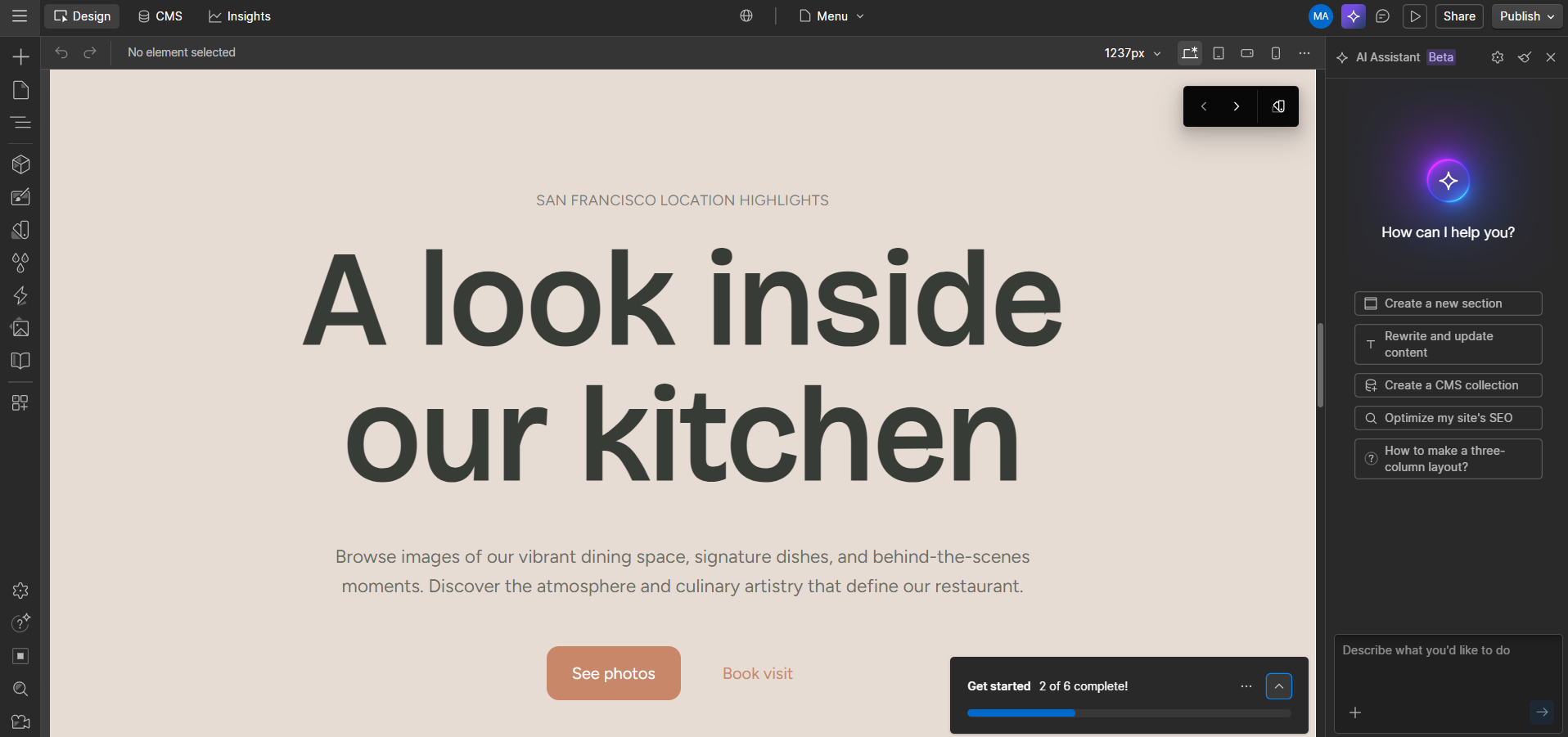
Webflow sits in an interesting middle ground. It isn't a traditional drag-and-drop website builder, and it isn't a development framework either. It feels like it was built for designers and front-end developers, and that audience will feel right at home. Everyone else will have to put in some time before things start to click.
Instead of jumping straight into a generated website, Webflow takes you through an outline stage first. You describe your business, and within 30 seconds, a set of pages is laid out as cards in a vertical layout, each card representing a section. This is actually a smart approach, you can see the full structure of every page at once, rearrange individual sections, add new ones, or remove what you don't need, all before a single page is rendered.
It’s worth noting that Webflow's free plan only supports 2 pages, but the initial generation creates a full multi-page website. During testing, it generated 5 pages. If you want to keep all of them, you'll need to be on a paid plan from the start.
First Draft & Customization
The actual pages take a little over a minute to generate once you approve the outline. The first draft is technically solid but visually incomplete. Animations are present and feel intentional, and the copy is minimal but reads naturally for the type of website being built. The main gap is images. Instead of actual visuals, you get image placeholders throughout the pages, which means more work before the site looks anywhere near finished. There are also some formatting inconsistencies across sections that you'll likely find yourself cleaning up.
Editing is where Webflow's design-tool nature becomes most apparent. You can drag and rearrange elements within sections, and an AI assistant is available to handle changes through instructions. In practice, the AI is on the slower side. During my testing, the layout changes took around 1 minute 20 seconds, and regenerating a section took close to a minute. Image updates weren't possible through the AI assistant during testing at all.
Beyond the AI assistant, the editor has a left panel with tabs for navigation, components, theme, and assets, along with deeper controls for interactions and styles. For someone coming from a design background, this is genuinely powerful. For someone just trying to get a business website live, it starts to feel like too much.
Features
- Built-in A/B testing to experiment with different layouts and content variations directly within the platform.
- One-click publishing to take your site live without any additional configuration.
- Comprehensive SEO controls including 301 redirects, customizable meta tags, and sitemap management built directly into the editor.
- A design-software-like interface for precise layout control, including resizing elements, managing spacing, and adjusting styles without touching code.
- Full website analytics included natively without requiring a third-party integration.
Limitations
- No AI blog generation
- No AI social media marketing tools
- No AI chatbot for website visitors
- No native email marketing
- The AI assistant uses technical design terms that can confuse users without a design background
Pricing
| Plan | Price |
|---|---|
| Basic | $25/month |
| Premium | $39/month |
| Team | $2,500/month |
WordPress
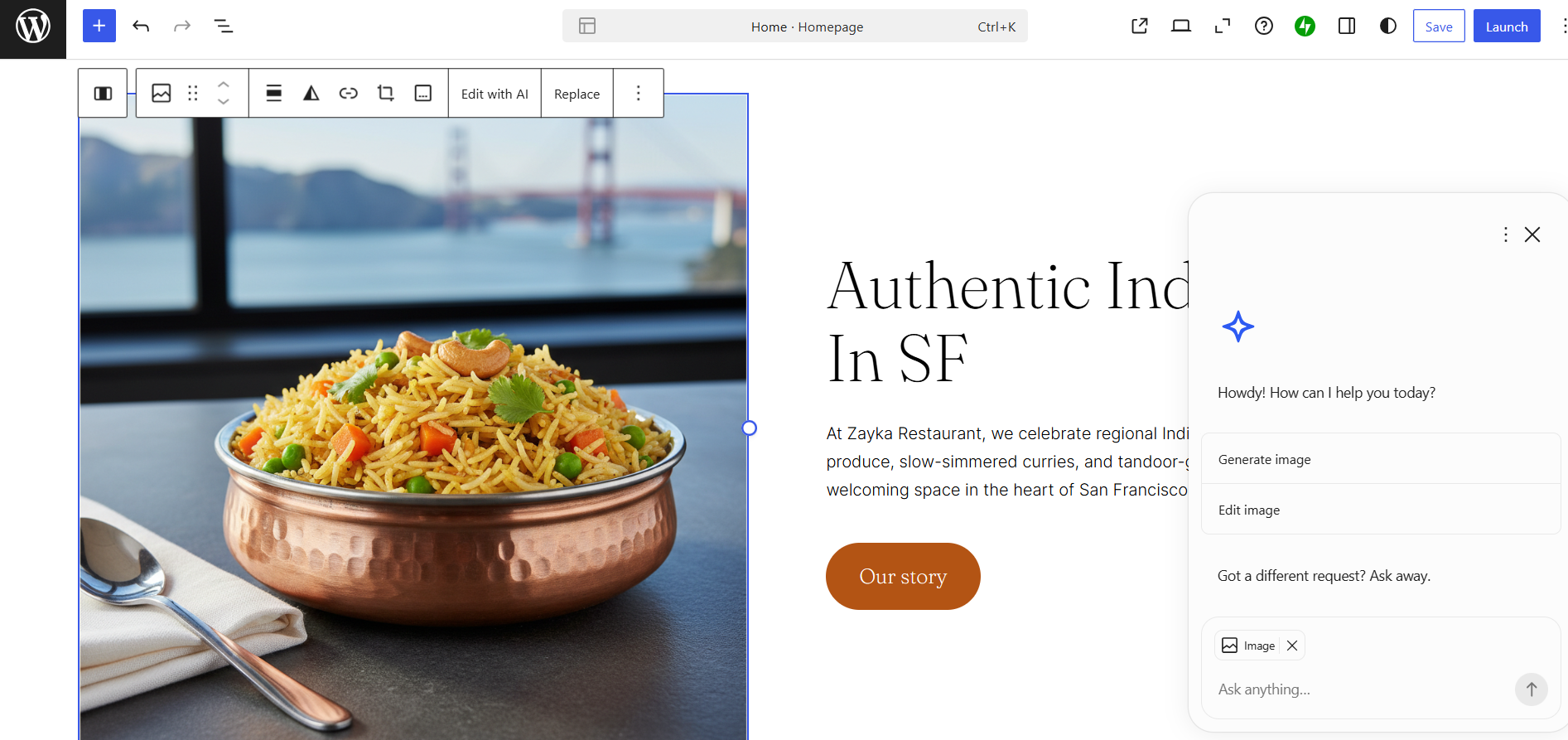
The experience starts with WordPress's AI builder, which asks a couple of questions to understand the direction of your website. Answering those takes about 1.5 minutes. After that, the generation begins and takes another 1.5 minutes, bringing your total time to your first draft to around 3 minutes. The output appears section by section as it builds, which at least gives you something to look at rather than just a loading indicator. What comes out is contextually relevant. The layout, images, and copy are all tied to what you described, and the result holds up reasonably well out of the box.
First Draft & Customization
The first draft quality is solid. Images are relevant, copy is contextual, and the overall layout makes sense for the type of site being built. You also get AI-generated variations for new sections when generating content, which is a useful feature.
Editing works through tooltips or by asking the AI assistant to make changes for you. Simple tweaks take up to a minute to implement. The drag-and-drop editor is available but feels noticeably laggy when you're trying to move blocks around, and the editor as a whole runs a bit slow. Navigation between pages within the editor can also be confusing. During testing, it felt more natural to ask the AI to switch pages rather than figuring out the interface manually.
Features
- Over 50,000 plugins available, covering almost any functionality you could need for any type of website.
- Automatic social sharing that sends new posts to Facebook and Twitter and generates shortlinks, social icons, and open graph tags without manual setup.
- Automated email newsletters that distribute new blog posts directly to subscribers.
- A separate AI image generation feature for creating visuals within the platform.
- Platform migration support for moving an existing website from another platform to WordPress.
Limitations
- No AI social media marketing agents
- No AI chatbot for website visitors
- Drag-and-drop editor feels laggy in practice
- The plugin-dependent model means the cost and complexity of your setup can increase significantly as your needs grow
Pricing
| Plan | Price |
|---|---|
| Personal | $9/month |
| Premium | $18/month |
| Business | $40/month |
| Commerce | $70/month |
| Enterprise | From $25,000/year |
Butternut AI
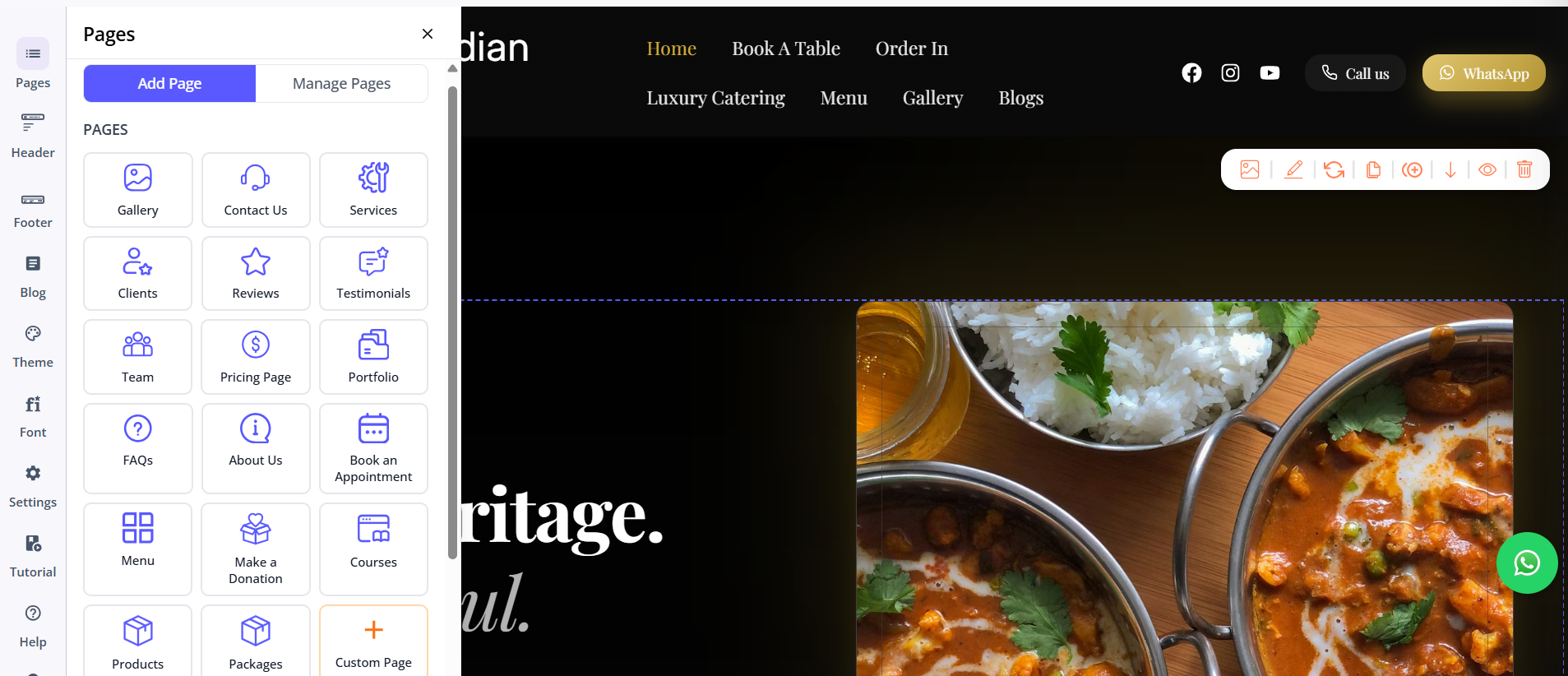
Butternut AI was built around the idea that anyone should be able to get a professional website live without having to learn a tool first. The entire setup is a single step. You type your business name and a short description of what you do, and within 20 seconds, your website gets ready.
First Draft & Customization
The first draft is the strongest of the three right out of the box. The copy is contextual and actually reflects what the business does and speaks to the right audience. CTAs are contextually placed, images are relevant to the content, and animations look intentional. Butternut AI builds with the business model and target audience in mind, which shows in the output.
From there, customization is handled through a conversational AI chat interface or directly through tooltips in the editor. Both options work well, and neither requires any design knowledge. You can prompt the AI to change the copy on a section, regenerate an image, or rebuild an entire section from scratch.
Adding new pages is simple too. You pick the page type and click generate. If a section doesn't feel right, you can regenerate it with one click. Custom HTML and custom scripts are also supported for more specific embedding or functionality needs, giving the platform more flexibility than its simplicity might suggest.
Features
- AI blog writer with built-in keyword and topic suggestions tailored to your business and industry.
- AI social media marketing agents for Facebook, Instagram, and LinkedIn that create and publish content automatically.
- AI chatbot for your website that captures leads and answers visitor questions around the clock.
- AI image generation built directly into the platform.
- Fully automated SEO setup covering meta tags, sitemaps, and alt text without any manual configuration.
Limitations
- No native email marketing
- No A/B testing
Pricing
| Plan | Price |
|---|---|
| Starter | $20/month |
| Pro | $69/month |
Which One Should You Choose?
All three tools can build you a website. The question is how much time, effort, and prior knowledge you're willing to bring to the process.
Webflow is genuinely impressive if you have a design background or are willing to invest the time to learn it. WordPress makes sense if you need a highly specific setup, want access to a deep plugin ecosystem, or are running a content-heavy site with complex functionality requirements.
But if what you actually want is a professional website without the time investment, Butternut AI is the clearest path there. The setup takes less than a minute, the first draft is the most complete of the three, and customization doesn't require you to learn anything before you start. There's a free plan to try it before committing, so if you’ve not made up your mind yet, the easiest next step is to test it yourself and if you decide on not using it, the most you would lose is 20 seconds of your time.