
Butternut AI Blog
Wix vs GoDaddy vs Butternut AI
We went ahead and tested Wix and GoDaddy and compared them with Butternut AI to decide which one's the best. Read on to know who we crowned the best.
Introduction
If you've been looking into building a website and have come across Wix and GoDaddy as your options, you've probably already noticed that choosing between them isn't straightforward. Both are well-established platforms with a lot going on under the hood, and testing both just to pick one feels like more effort than it should be.
So we went ahead and did it for you. We tested Wix, GoDaddy, and a third builder called Butternut AI side by side, and laid out everything you need to know in the table below. The detailed breakdowns after the table get into exactly what works, what doesn't, and where each tool falls short, so you can make the right choice.
Wix vs GoDaddy vs Butternut AI
| Feature | Wix | GoDaddy | Butternut AI |
|---|---|---|---|
| Website generation speed | Took 12+ minutes to generate the first draft | 7+ minutes for homepage; each additional page takes 2-4 more minutes to generate separately | Under 20 seconds for a full first draft |
| First draft quality | No animations, contextual copy or relevant images | Contextual copy and animations; images can be hit or miss | Contextual copy, relevant images, and intentional animations |
| User experience | Lengthy multi-step process; setup and design feel disconnected from each other | You get chat updates during generation but screen stays blank with long waiting period | One-step process, simple and fast to get started |
| Post-generation customization | Via tooltips or AI chatbot (slow and unreliable) | Via AI chat on the left and tooltip interaction is inconsistent | Via AI chat, tooltips, or custom HTML |
| Design | Static template based | Section-based | Fully AI-generated, dynamic design and layout |
| SEO | Per-page SEO checklist, manual implementation | Basic SEO tools, manual implementation | Fully automated (meta tags, sitemaps, alt text) |
| AI blog generation | ✅ (including topic suggestions) | ||
| AI social media marketing | ✅ (Facebook, Instagram, LinkedIn) | ||
| AI chatbot for website | |||
| Custom HTML code | ✅ (full code, downloadable) | ||
| Email marketing | |||
| Analytics | ✅ (AI-assisted) | ✅ (GA4 integration) | |
| Mobile experience | Manual adjustments needed | Auto-responsive | Auto-responsive |
| Customer support | AI chatbot | 24/7 phone and chat | Email, 1-on-1 call & live chat |
| 1-year free domain | |||
| Hosting & SSL | Included | Included + DDoS protection & backups | Included |
| Pricing | Light: $17/month Core: $29/month Business: $39/month Business Elite: $159/month | Starter: $14.99/month Professional: $36.99/month Ultimate: $149.99/month | Starter: $20/month Pro: $69/month |
Wix
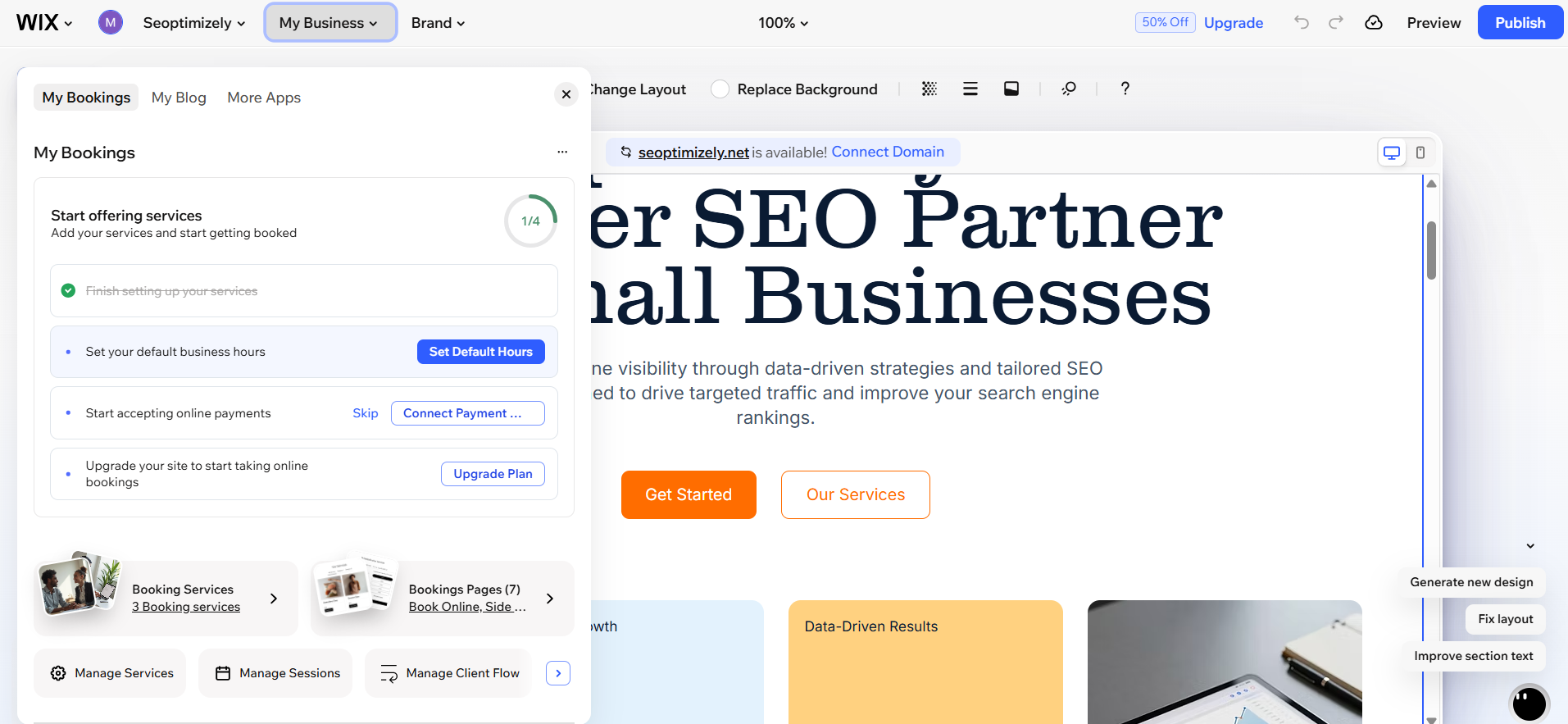
Wix has been around since 2006 and has grown into one of the most feature-packed website builders available, with over 230 million users worldwide. The onboarding experience starts with a chat interface that walks you through your requirements one question at a time, building out a list of your preferences as you go. Some of the questions do make you pause and think, but you always have the option to skip one if you're not sure.
Instead of taking you to a preview of your website, Wix drops you into a dashboard where you're immediately asked to connect a domain before you've even seen what your site looks like. Each section of the site, your menu, booking options, and other components, gets its own separate tab in that dashboard where you can edit the settings. But none of those tabs actually show you how things will look on the live website. The whole setup and design process feels like two separate experiences running in parallel rather than one cohesive flow.
When Wix finally does start generating the website, you're locked out of everything. The buttons stop working, the AI chat won't take any input, and you're left staring at a message telling you to stay on the tab. That wait stretches to over twelve minutes.
First Draft & Customization
The website copy in the first draft isn't contextual with no animations but the images are somewhat relevant.
Customization is available through tooltips or Wix's AI chatbot, but the chatbot is unreliable in practice. It's slow to respond and has a tendency to misread what you're asking for. The drag-and-drop editor can also be tricky and buggy, which makes manual edits more frustrating than they need to be. Once you've spent enough time in the editor to learn where everything lives, it becomes more manageable, but the learning curve is real.
Features
- Wix's app market gives you access to hundreds of third-party integrations, making it one of the more extensible platforms in this comparison.
- The platform supports more payment options than both GoDaddy and Butternut AI, including coupons, gift cards, and discount management built directly in.
- Abandoned cart email automation is available for ecommerce stores.
- A built-in accessibility scanner checks your website page by page and tells you exactly what needs to be fixed and how.
- The analytics dashboard includes an AI that can answer questions about your traffic and performance data directly.
Limitations
- You don't see your website design until after a lengthy setup process
- The generation process locks you out of the interface with no way to interact
- The AI chatbot for editing is slow and frequently misinterprets requests
- Drag-and-drop editing can be buggy and unpredictable
- Mobile formatting requires separate manual adjustments
- Once you publish, you cannot swap your template
Pricing
| Plan | Price |
|---|---|
| Light | $17/month |
| Core | $29/month |
| Business | $39/month |
| Business Elite | $159/month |
GoDaddy
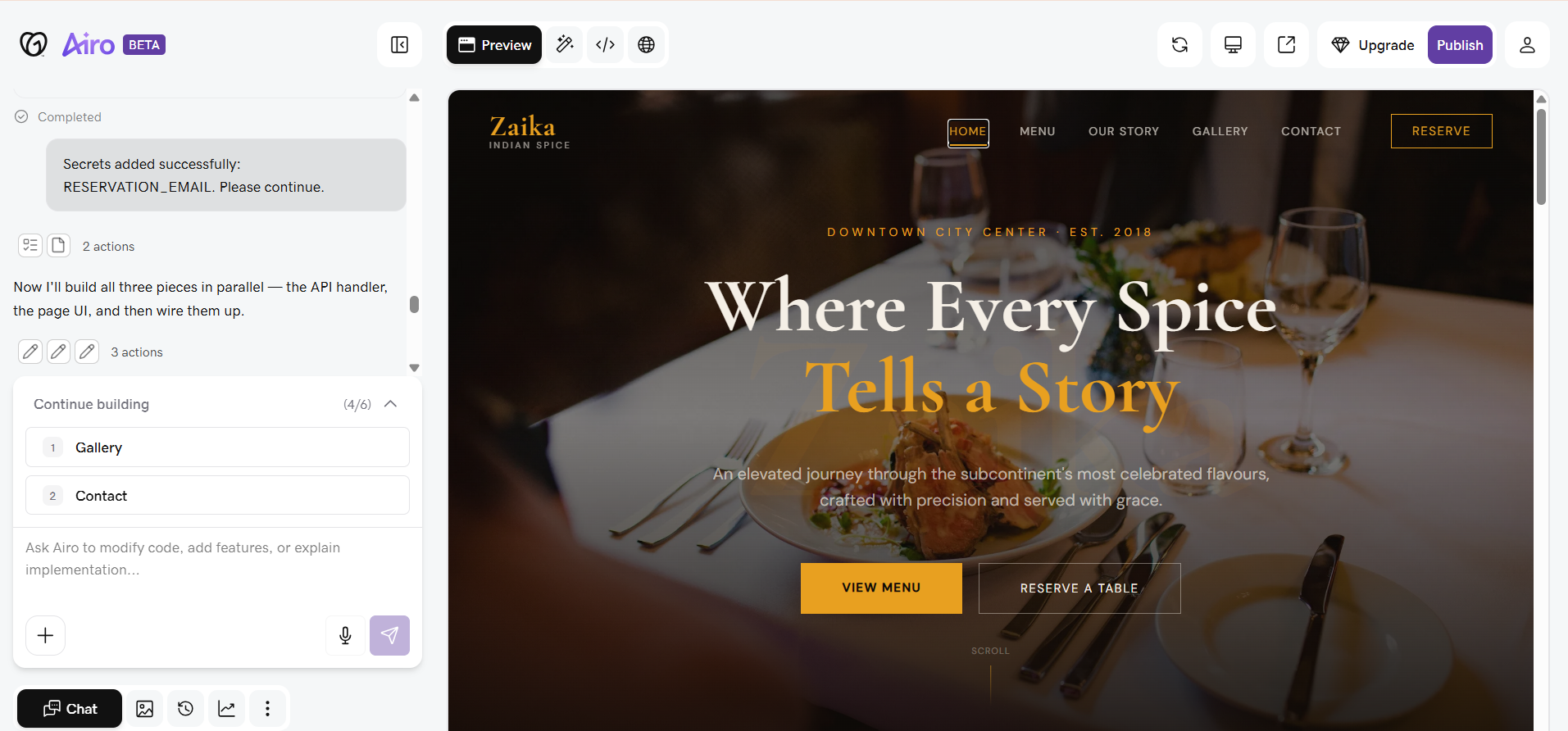
GoDaddy started as a domain registrar and has since expanded into a full website building platform through its Airo AI builder. It's one of the most widely recognized names in the web space, and the promise of its AI-powered setup is that you can go from nothing to a live website with minimal effort.
The setup process does move in an interesting direction. Airo uses a chat interface that asks you questions and provides updates on what it's working on as the generation progresses and it might also be a question. In theory, that should make the wait feel more active. In practice, those updates and questions arrive at irregular intervals, so you end up watching the screen anyway, waiting for the next one.
The main preview area stays completely blank until the entire homepage is generated, and that took around seven minutes during my testing. There's nothing to interact with in the meantime, so you're stuck on the tab with chat messages that mostly aren't useful to you as an end user.
Once the homepage finally appears, you realize that the other pages of your website aren't generated alongside it. Each one shows a message saying it hasn't been built yet to preserve bandwidth, and you have to manually trigger the build for each page individually. Every additional page added another two to four minutes to the total wait. If your website has several pages, that time adds up quickly.
First Draft & Customization
The first draft quality is actually one of GoDaddy's stronger points. The copy is written specifically for your business, animations are present, and the overall look is polished. Images are a mixed bag though and may not always match your content as closely as you'd want.
Editing after generation is where things get uneven. The editor uses AI tooltips on sections to suggest changes, but clicking one doesn't open a contextual menu the way you'd expect. Instead, it selects the element and routes you to the chat panel on the left to make the actual edit. That disconnect makes simple tasks harder than they should be.
Selecting a specific element inside a section, like an image inside a block, can be frustrating because the selection keeps jumping to a different element in the same area. The editor also goes blank for a few seconds at unpredictable intervals and can feel laggy and unresponsive at times.
On the more capable end, GoDaddy gives you access to the full HTML code of your website, which you can also download. That's a meaningful level of control that opens up customization options the visual editor doesn't support. The editor does surface options for managing things like security, databases, and secrets, which gives it some depth but can also feel more technical than non-technical users might expect.
Features
- The full HTML code of your website is accessible and downloadable, giving developers and advanced users complete control over the code.
- All plans include automatic SSL, DDoS protection, and backups, which goes beyond what most website builders include by default.
- Built-in email marketing tools are available across plans, including a social media content creator for scheduling and publishing posts.
- Appointment scheduling and booking tools are included on higher-tier plans, which is useful for service-based businesses.
Limitations
- Homepage and all other pages are generated separately, adding several minutes per page to the total build time
- The editor can feel laggy, and the preview area goes blank unpredictably during editing sessions
- Tooltip-based editing doesn't work the way it appears, routing you to a chat panel instead of offering inline options
- Some users find the section-based editor limiting since you can't freely reposition elements or add widgets outside preset blocks
- Some users report that pricing starts low but increases significantly upon renewal, making long-term costs higher than expected
- The editor surfaces technical options like database and security management that may not be approachable for non-technical users
- No AI blog generation
Pricing
| Plan | Price |
|---|---|
| Starter | $14.99/month |
| Professional | $36.99/month |
| Ultimate | $149.99/month |
Butternut AI
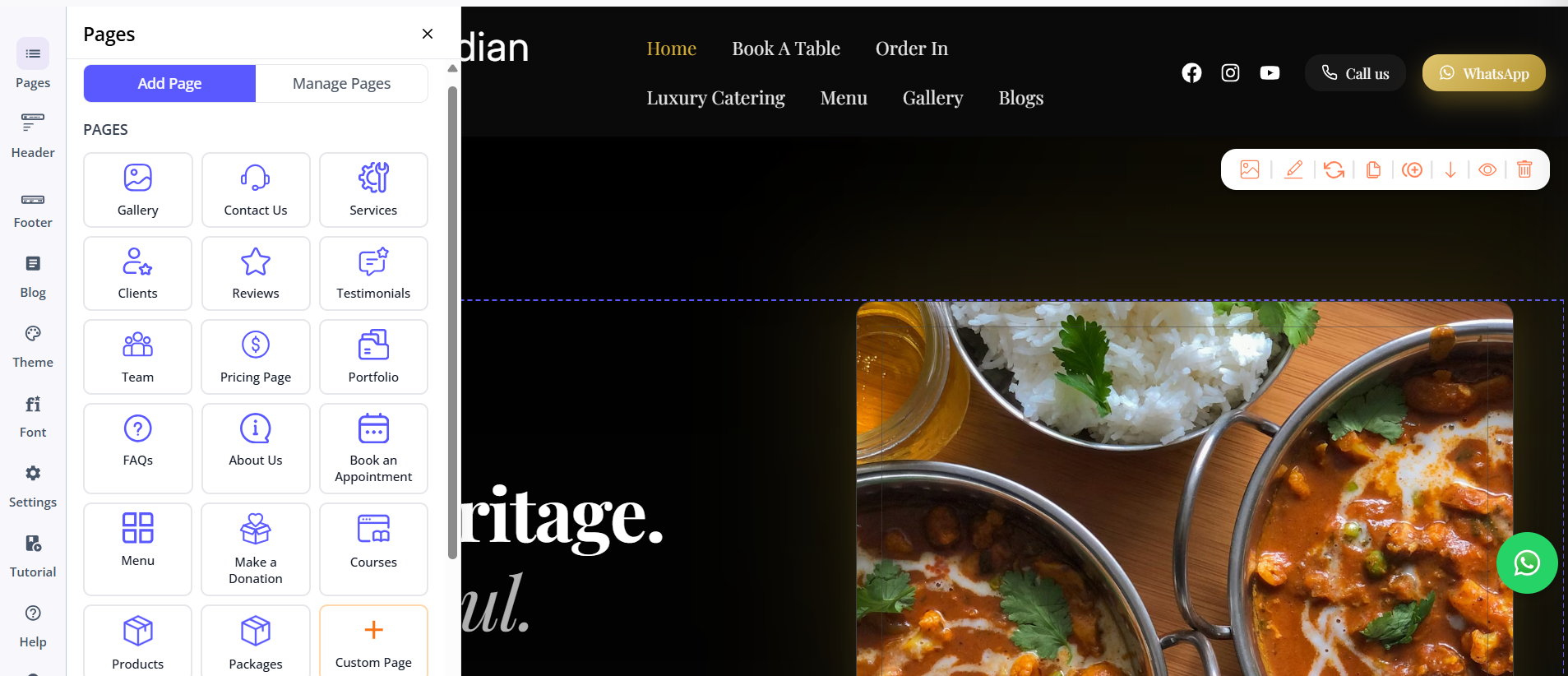
Butternut AI was built around AI from the start, which means the entire experience is designed around that premise. The setup is as simple as it gets. You type your business name and a short description, and within twenty seconds, your website starts appearing on screen, built section by section so you can watch it come together rather than wait on a loading screen.
First Draft & Customization
The first draft is the strongest of the three right out of the box. The copy reads like it was actually written for your specific business, the CTAs are contextually appropriate, the images match the content, and the animations feel well implemented. It's a genuinely usable starting point with very little needing to change before it looks professional.
The chat interface handles everything from rewriting a section's copy to regenerating images or rebuilding entire sections from scratch. Adding a new page is as simple as choosing the page type and clicking generate. For users who want to go deeper, custom HTML is available as well, making the platform more flexible than its simple surface suggests.
Features
- An AI blog writer generates posts with built-in topic suggestions based on your business and industry.
- AI social media agents for Facebook, Instagram, and LinkedIn create and publish content automatically.
- A built-in AI chatbot for your website handles visitor questions and captures leads.
- SEO is handled automatically across the board, including meta tags, sitemaps, and alt text, without any manual setup required.
- Payment gateway integration lets you accept payments directly through your website.
Limitations
- No native email marketing
- Smaller integrations ecosystem compared to Wix's app market
- Analytics relies on GA4 integration rather than a built-in native dashboard
Pricing
| Plan | Price |
|---|---|
| Starter | $20/month |
| Pro | $69/month |
Which One Should You Choose?
All three tools will get you a website. But the experience of getting there is where they separate.
Wix gives you the most features of any builder in this comparison, but you pay for that in time and patience. GoDaddy is faster to set up and produces a decent first draft, but the page-by-page generation model means the total wait can stretch well beyond what the initial homepage time suggests.
But Butternut AI gets out of its own way. The setup takes under a minute, the first draft is the most complete of the three, and the editing experience actually works the way it's supposed to. If your goal is to get a professional website live without spending your afternoon figuring out a new tool, that's the one worth starting with. There's also a free plan, it takes less than twenty seconds to see your first draft, and if it's not right for you, you've lost nothing but a few seconds of your time.