
Butternut AI Blog
Wix vs Squarespace vs Butternut AI: A Detailed Comparison
Tried Wix or Squarespace to build a website, or planning to? Here's an honest comparison among Wix, Squarespace, and Butternut AI to help you pick the right one.
Introduction
If you've ever wanted to build a website or are planning to, chances are you've already come across the names Squarespace and Wix as capable website builders. And you've either tested one or both of them and can't decide which is better, or you're still wondering if it's even worth the effort to test both.
We'll save you the time. We've tested and compared Wix and Squarespace side by side, along with a third website builder called Butternut AI, in the table below so you can see the differences yourself and choose the right one. We've also added detailed analysis for each tool so you know what's exactly wrong with which one.
Wix vs Squarespace vs Butternut AI
| Feature | Wix | Squarespace | Butternut AI |
|---|---|---|---|
| Website generation speed | Takes 3 minutes alone to answer questions and another 12+ minutes to generate the first draft | Takes over 2 minutes to get to the first editable draft | Generates the first draft in under 20 seconds |
| First draft quality | No animations, contextual copy or relevant images | Minimal animations, decent copy, generic images | Good animations, contextual copy, relevant images |
| User experience | Lengthy, buggy, mildly confusing interface | Fluid but multi-step; learning curve present | One-step process, easy to learn and use |
| Post-generation customization | Via tooltips or AI chatbot (slow and inefficient) | Via tooltips only | Via AI chat, tooltips, or custom HTML |
| Design | Static template based | Static template based | Fully AI-generated, dynamic design and layout |
| SEO | AI suggestions, manual implementation | SEO score + actions, manual implementation | Fully automated (meta tags, sitemaps, alt text) |
| AI blog generation | ✅ (Including topic suggestions) | ||
| AI social media marketing | ✅ (Facebook, Instagram, LinkedIn) | ||
| AI chatbot for website | |||
| Custom HTML code | |||
| Email marketing | |||
| Analytics | ✅ (AI-assisted) | ✅ (traffic, sales, engagement) | ✅ (GA4 integration) |
| Mobile experience | Manual adjustments needed | Auto-responsive | Auto-responsive |
| Customer support | AI chatbot | Email & contact form | Live chat, email & 1-on-1 call |
| 1-year free domain | ✅ On annual plans | ||
| Hosting & SSL | Included | Included | Included |
| Pricing | Light: $17/month Core: $29/month Business: $36/month Business Elite: $159/month | Basic: $9/month Core: $12/month Advanced: $17/month | Starter: $20/month Pro: $69/month |
Wix
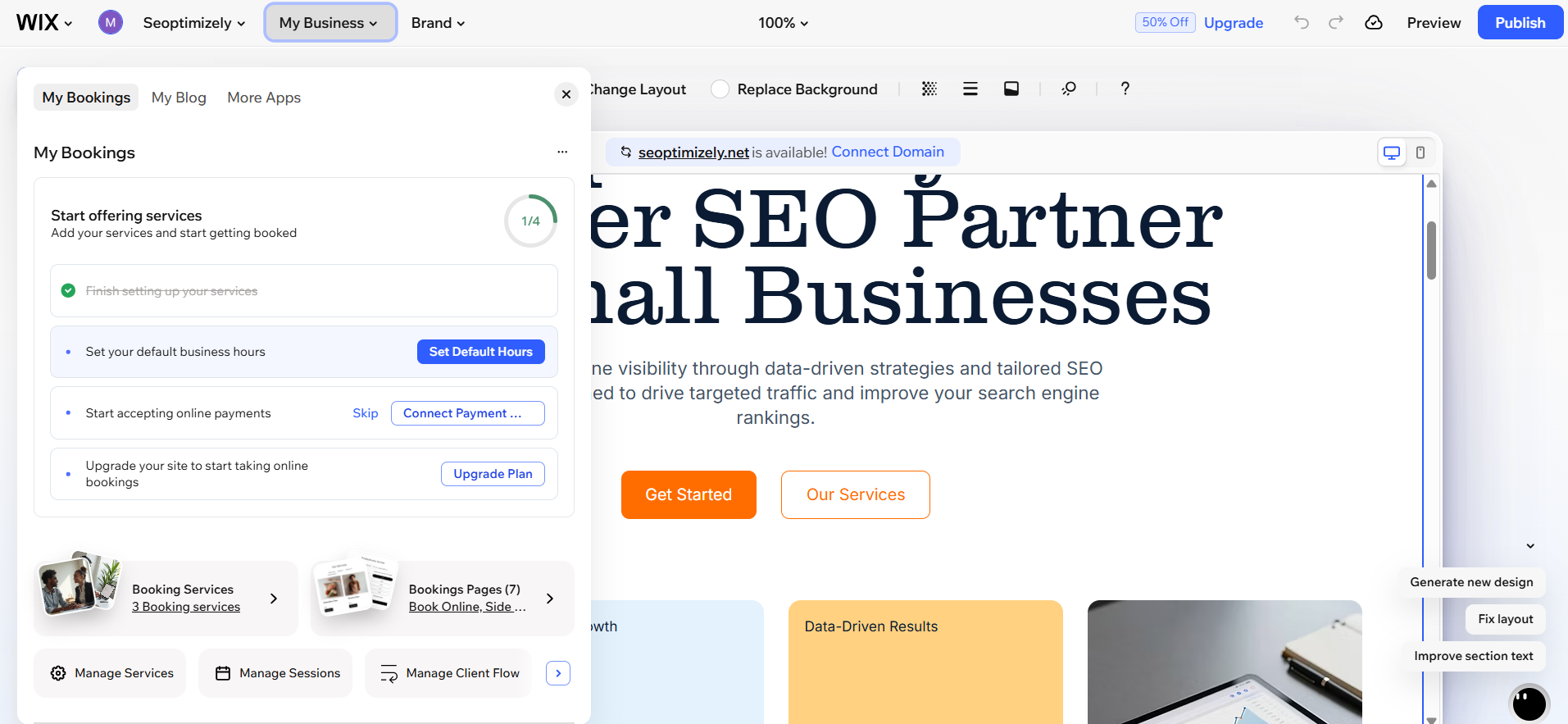
Wix has been around since 2006, has over 230 million users worldwide, and has grown into one of the most feature-complete platforms out there. The setup experience on Wix starts promisingly. A chatbot walks you through a series of questions like what kind of site you need, your goals, your requirements, etc.
By the time you've finished answering and the chatbot finishes loading, you've spent close to three minutes. When it finally finished generating, I was taken to the dashboard for the website setup. Each section of the website has its own tab where you can edit the settings and to be honest, it just doesn't feel right because you don't know what the page is going to look like on the actual website. The whole experience feels weirdly disconnected.
Then you can move on to generating your website and this is where things get frustrating. While generating a website, I was completely locked out of the interface. The buttons didn't work, the AI chat didn't accept prompts and it took over twelve minutes to get me my first draft.
First Draft & Customization
After all that waiting, the first draft is underwhelming. There are no animations, the copy feels generic rather than tailored to your business and the images are somewhat relevant and contextual.
Editing after generation is possible through tooltips or Wix's AI chatbot. In theory, the chatbot should make customization easier. In practice, it's slow and often misinterprets what you're asking for. It even gave me instructions on how to do a tweak myself instead of doing it for me.
Most users end up making changes manually, which is fine once you learn the editor, but the learning curve is there and the overall interface of the tool can be confusing.
Features
- A library of 2000+ customizable website templates.
- Per-page SEO checklist that tells you exactly what to fix
- Coupons, gift cards, and abandoned cart email automation
- Built-in website accessibility scanner
- App market with hundreds of third-party integrations
- AI social media tools for content creation and scheduling
- Website accessibility issue detection
Limitations
- The setup process is the longest and most tedious of the three
- You're locked out of the interface for 12+ minutes during generation
- First draft quality doesn't justify the wait
- The AI chatbot for editing is slow and often inefficient
- Mobile formatting requires separate manual adjustments
- You cannot swap your template after publishing, so your initial choice is permanent
- The interface can feel overwhelming, especially for first-time users
Pricing
| Plan | Price |
|---|---|
| Light | $17/month |
| Core | $29/month |
| Business | $36/month |
| Business Elite | $159/month |
Squarespace
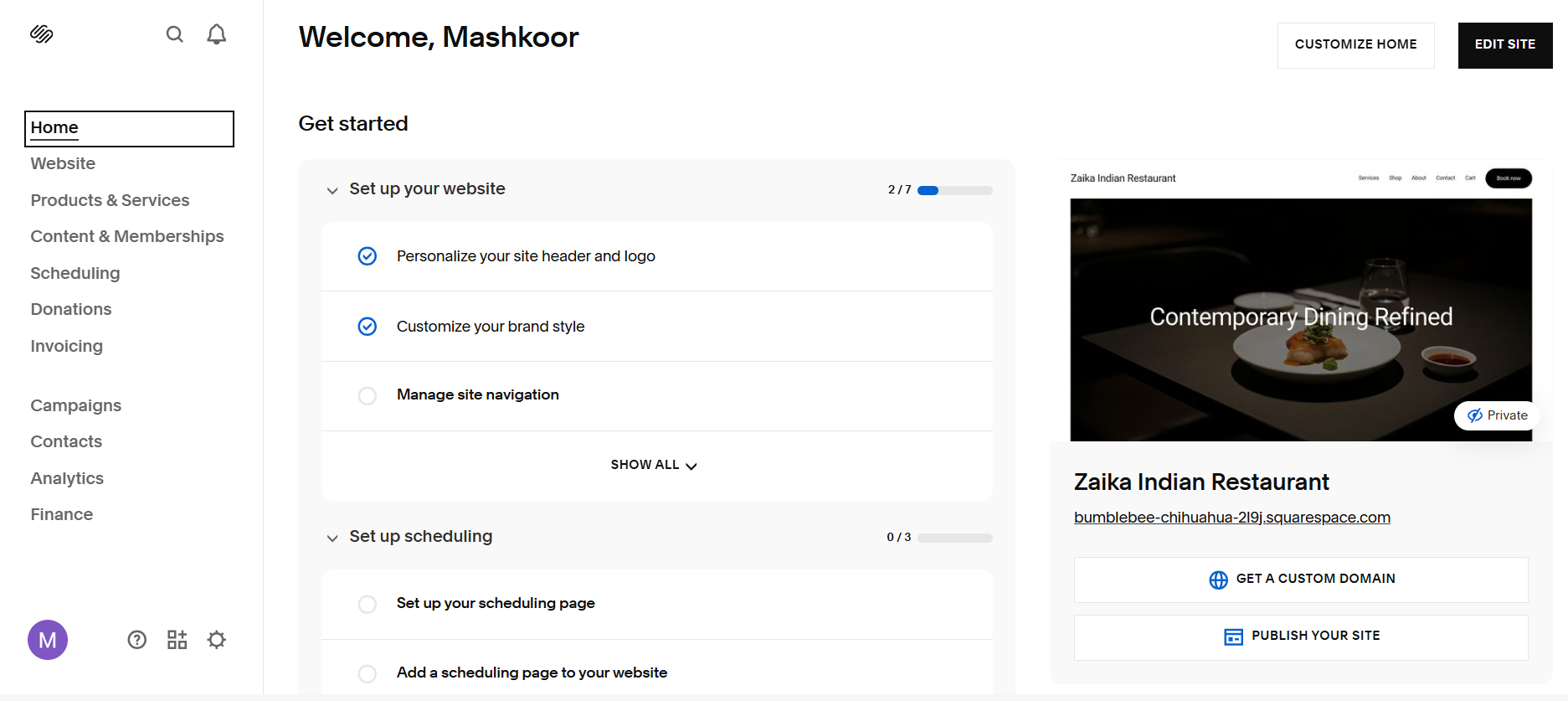
The Squarespace onboarding experience is a breath of fresh air compared to Wix. Instead of a lengthy conversational flow, you work through a focused set of multiple-choice questions. As you answer, your website takes shape in the left panel where they show you the specifics of your website. The overall interface and user experience is also smooth and cleanly divided into separate tabs on the left.
Getting to your first editable draft takes just over two minutes. Blueprint AI, Squarespace's AI builder, earns its place here. It asks specifically about brand personality, color palettes, and fonts and allows you to play around with layouts of individual sections. The result is polished, modern, and professional-looking.
First Draft & Customization
Squarespace's editor allows you to drag and drop elements with real precision, swap between section layouts using visual previews in popups, vertically resize sections, add announcement bars and popups, and manage all your images through a built-in asset library. Everything is auto-responsive, so your site looks right on mobile without any extra effort on your part.
The limitation here is that post-generation customization works through tooltips only. There's no conversational AI interface for making changes. So if you want to edit something, you find it and change it manually. That's fine once you know your way around, but the platform has a tendency to require more clicks than you'd expect for simple tasks.
Features
- Email campaigns automation with segmentation
- Client database with CSV upload and bulk contact management
- Invoicing, booking, and reservation systems built directly into the platform
- Coupon and gift certificate management
- Auto-responsive mobile design without needing any manual
- SEO score dashboard and automatic metadata and alt text generation for SEO
- Analytics covering traffic, engagement, and sales
- Integrations for CRM, email marketing, and client engagement tools
Limitations
- No native AI chatbot for website visitors
- No AI blog generation
- No social media marketing tools
- Custom HTML only available on Core plan and above
- Mobile app is limited compared to desktop editor
Pricing
| Plan | Price |
|---|---|
| Basic | $9/month |
| Core | $12/month |
| Advanced | $17/month |
Butternut AI
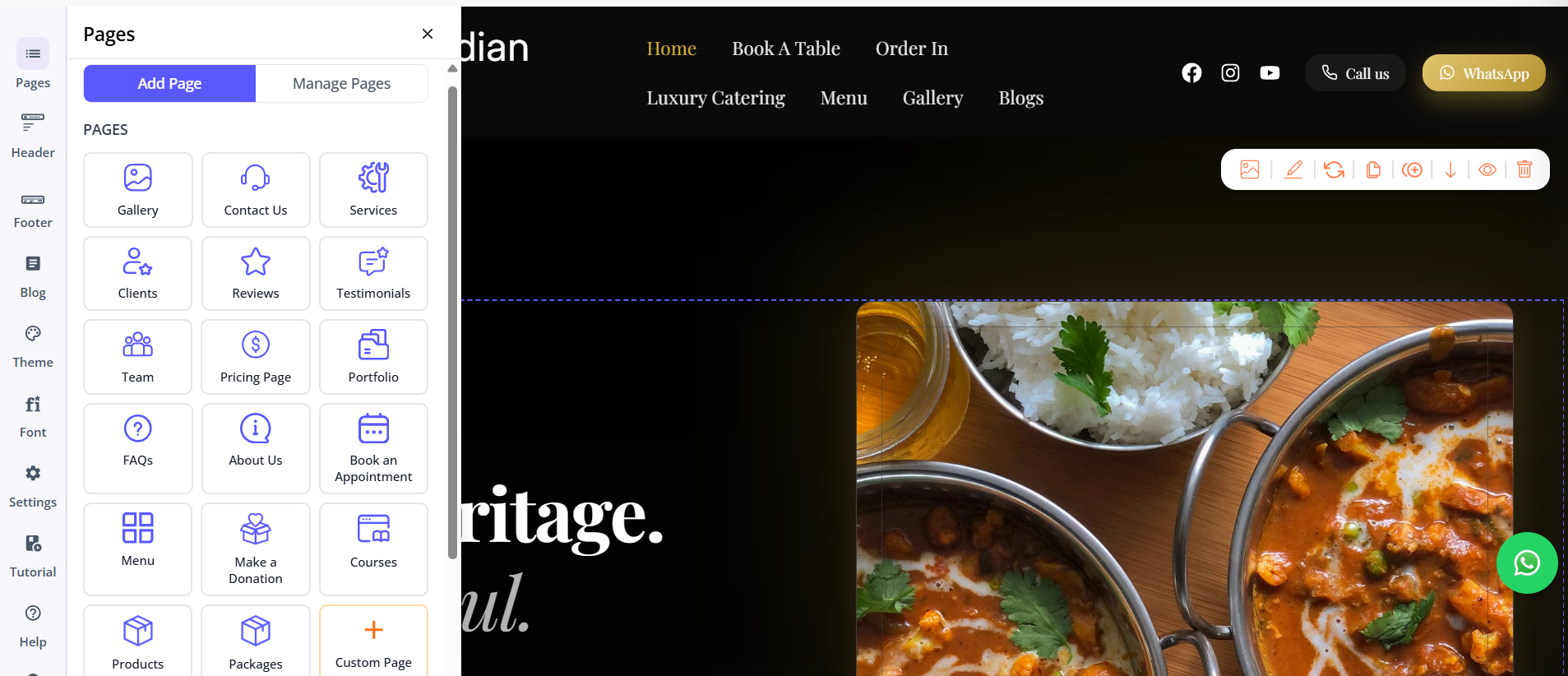
While Wix and Squarespace are traditional website builders that have added AI features over time. Butternut AI was built around AI from day one. The result is a platform where almost everything happens through prompts rather than menus, drag-and-drop interfaces, or template libraries.
If your main goal is to get a professional website live as quickly as possible without learning a new tool, Butternut AI is worth paying close attention to. The setup process is the simplest of the three by a significant margin. You type your business name and a short description of what you do and that's it. Within 20 seconds, your website starts appearing on screen, built section by section, so you can watch it come together one piece at a time rather than stare at a loading bar.
First Draft & Customization
The first draft quality is the strongest of the three out of the box. The copy reads like it was actually written for your business rather than adapted from a generic template. The CTAs make sense in context. The images match your website and animations are present and look intentional rather than decorative. It's a genuinely solid starting point.
From there, things like adding pages is as simple as choosing the type of page and clicking on generate. Any other customization can also be done by their AI chatbot and it feels seamless to use, whether it is changing the copy of a section or regenerating an image or an entire section altogether.
You also get the option of embedding codes using custom HTML. It's a useful escape hatch that makes the platform more flexible than it might first appear.
Features
- AI blog writer with built-in topic suggestions based on your business and industry
- AI social media marketing agents for Facebook, Instagram, and LinkedIn that creates and publishes content automatically
- AI chatbot for your website that captures leads and answers visitor questions 24/7
- Fully automated SEO for things like meta tags, sitemaps, and alt text
- Google Analytics 4 integration for detailed site analytics
- Free hosting, SSL, and a custom domain included for the first year
- Integration with payment gateways to accept payments
Limitations
- No native email marketing
- Smaller integrations ecosystem compared to Wix's app market
- Basic integration with GA4
Pricing
| Plan | Price |
|---|---|
| Starter | $20/month |
| Pro | $69/month |
Which One Should You Choose?
At the end of the day, all three tools can build you a website. But if you're reading this as someone who wants to get online without spending a lot of energy and time, try going ahead with Butternut AI.
Not because Wix and Squarespace aren't capable. But because the experience of building a website should feel empowering, not exhausting. Butternut AI is the only tool in this comparison that gets out of your way and lets you focus on your business rather than your website builder.
Also, there's a free plan, the setup takes less than a minute; and if you decide it's not for you, you've lost nothing but 20 seconds. That's a trade worth making.